SAP bug warning. If you get the 4008 error code randomly (mostly affects SAP 9.2 PL10/PL11) even though the server names are correctly configured and you've checked through this article, then please refer to this article.
These SLD-related error messages happen during DI-API Connection. You can get such errors in SAP Client startup, CRM 4 Outlook configuration, iPayment configuration, or anywhere where a connection to the company database is made. As there can be multiple causes for such error, you should start troubleshooting from this SAP Note:
https://launchpad.support.sap.com/#/notes/1882326
The most common reason for such an issue is that the server name is entered as a name in the SLD and as an IP-address during the SAP Client/Server Component(s) installation (or vice versa) and those need to be the same. Server names are also case-sensitive in HANA environments.
The most common scenario if you get the error during client startup (B1UP/iPayment)
Cause:
The file b1-local-machine.xml in the DI-API folder is not referring to the proper server.
Solution:
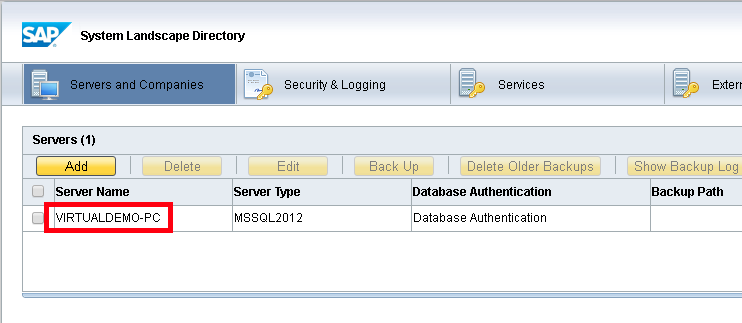
Copy this file "C:\Program Files (x86)\SAP\SAP Business One\Conf\b1-local-machine.xml" to "C:\Program Files (x86)\SAP\SAP Business One DI API\Conf". Also, check that the server names are correct and that those are identical to the one set in the SLD service:
The most common scenario is if you get the error during Server Component configuration (iPayment/CRM/B1UP)
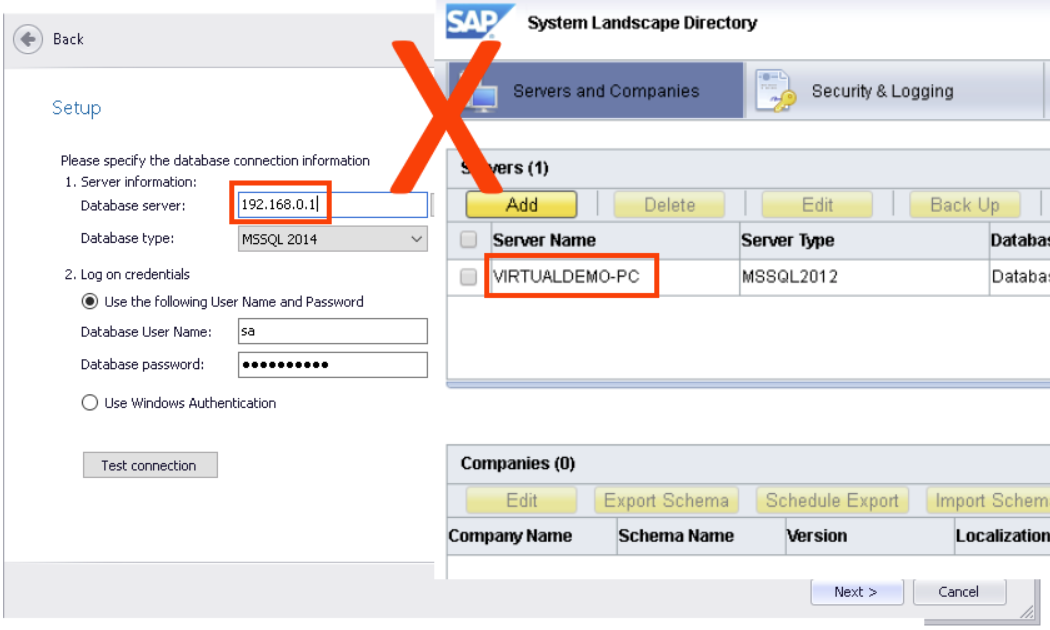
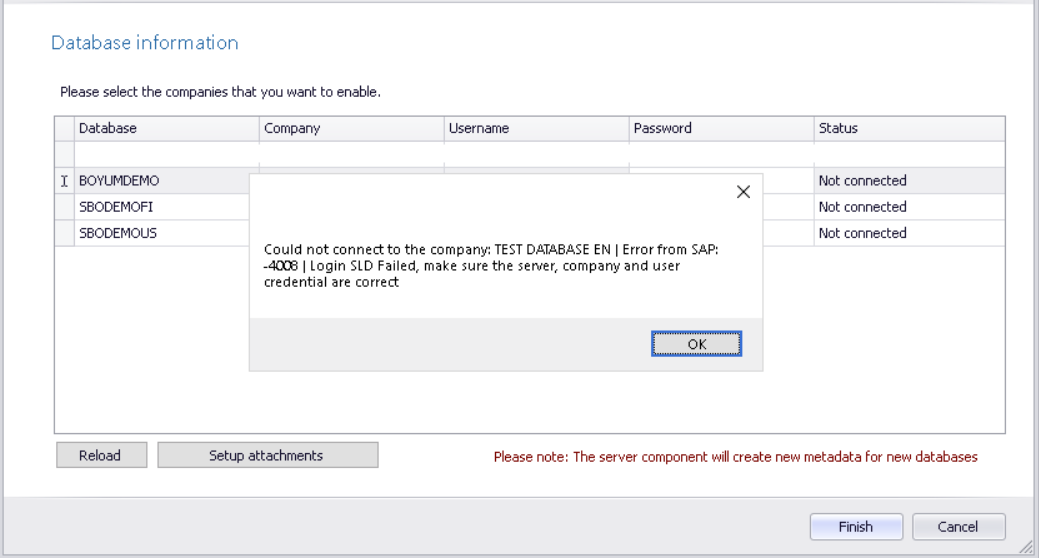
This is an example from CRM for Outlook server misconfiguration. The database "Test connection" will say everything is OK, but when you try to input credentials on the database-specific configuration, you get the 4008-error. In order to fix such a scenario, the "Database server" in the server component setup needs to match the SLD server name, in this case, VIRTUALDEMO-PC.
Comments
0 comments
Please sign in to leave a comment.