Boyum Help Center Help Center home page
Boyum IT Solutions Community Submit a request
Sign in
  1. Boyum Help Center
  2. B1 Usability Package
  3. B1 Dashboard

Web Dashboard - How to control the data (date and number) formats

  • Created March 10, 2022 14:44

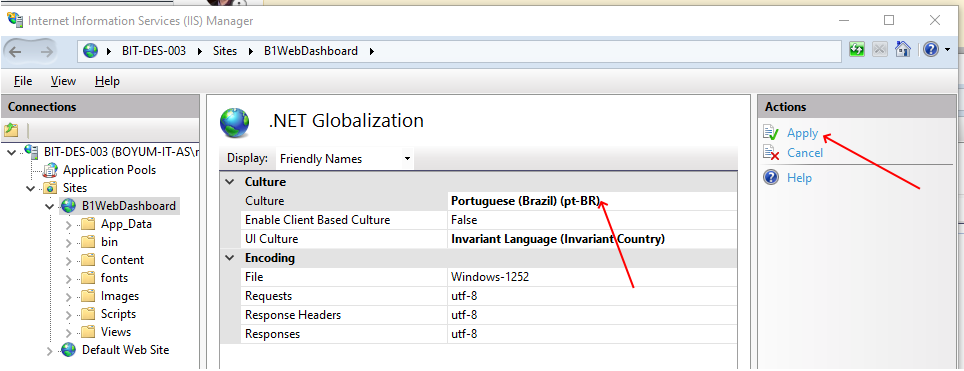
When you are running Web Dashboards, the Reports Format (Date and Numbers) are controlled in the Internet Information Server. Here is how you set it under the .NET Globalization:
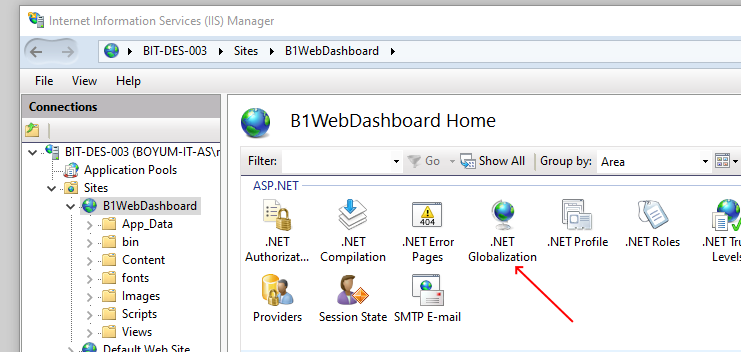
mceclip0.png

If they set Culture, press apply

mceclip1.png

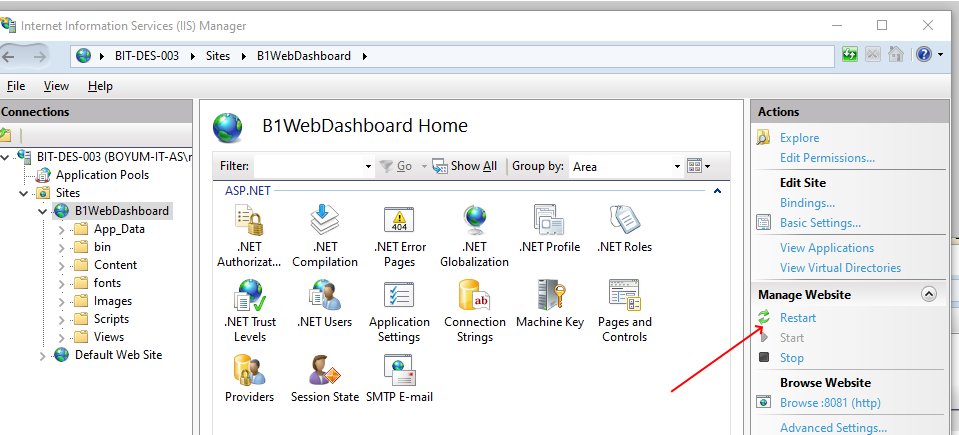
Then restart on the main page:

mceclip2.png

Your Dashboard should not use the selected Culture

Was this article helpful?

0 out of 0 found this helpful

Related articles

  • How to work with B1 Dashboard
  • How is date and time format determined in B1 Dashboards and Calendars
  • Web Dashboards - How to reset login cache
  • FAQ - B1 Dashboard
  • Issue: Dashboard Editor is not opening if there is errors in the SQL it contains

Comments

0 comments

Please sign in to leave a comment.

Articles in this section

  • FAQ - B1 Dashboard
  • Dashboard Limitation: Chart scaling
  • Issue: Dashboard Editor is not opening if there is errors in the SQL it contains
  • Web Dashboards - How to reset login cache
  • Web Dashboard - How to control the data (date and number) formats
  • How is date and time format determined in B1 Dashboards and Calendars
  • How to manually apply the changes that allow Future Remit in B1UP 2018.08 Dashboards
  • Troubleshooting dashboard that does not show content + How to reset back to Out of the box setup
  • How to work with B1 Dashboard
Boyum IT Solutions
Español (Latinoamérica)
Zendesk Theme by Zenplates