When you try to create a work order and you retrieve the following errors:
BoM: 
This error basically states that your BoM is not released yet.
For solving this issue of misconfiguration, you need to open the following window: 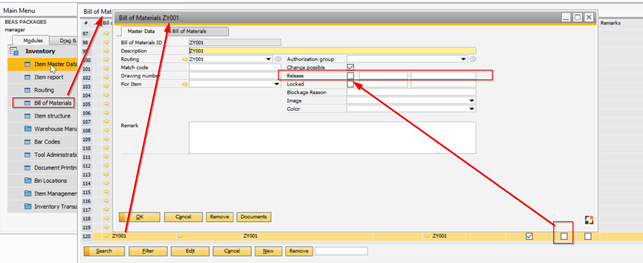
Here you need to click over the affected BoM, and manually introduce the release parameter.
Routing:
The same issue happens when you try to create a work order with a routing that is not released.
You will receive the following error message:
For solving this issue of misconfiguration, you need to open the following window: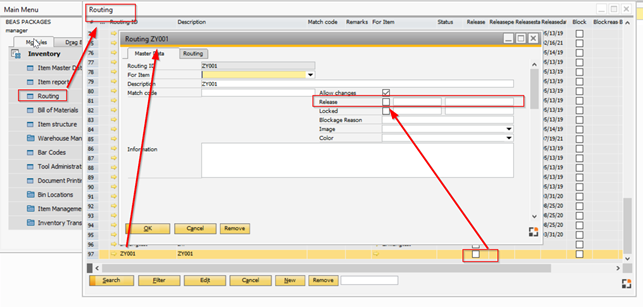
Here you will need to click over the affected Routing, and manually introduce the release parameter.
Comments
0 comments
Please sign in to leave a comment.