Please note: the behavior described in this article is valid up to beas version 2020.05.03. In subsequent versions of beas, the system will apply the behavior described at this link: Activity Log (beascloud.com)
In the configuration wizard, you can define on which warehouse the assembly has to be booked:
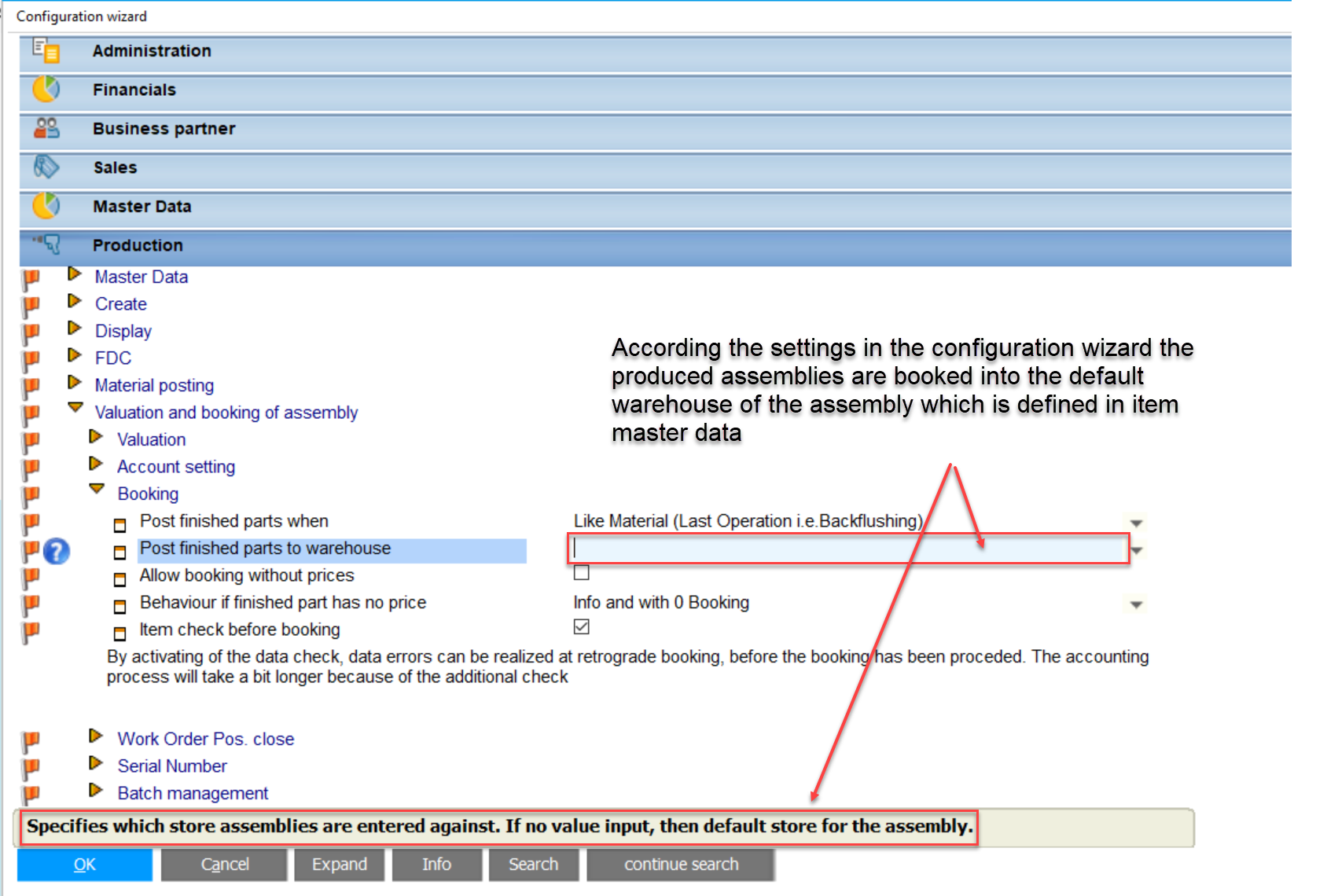
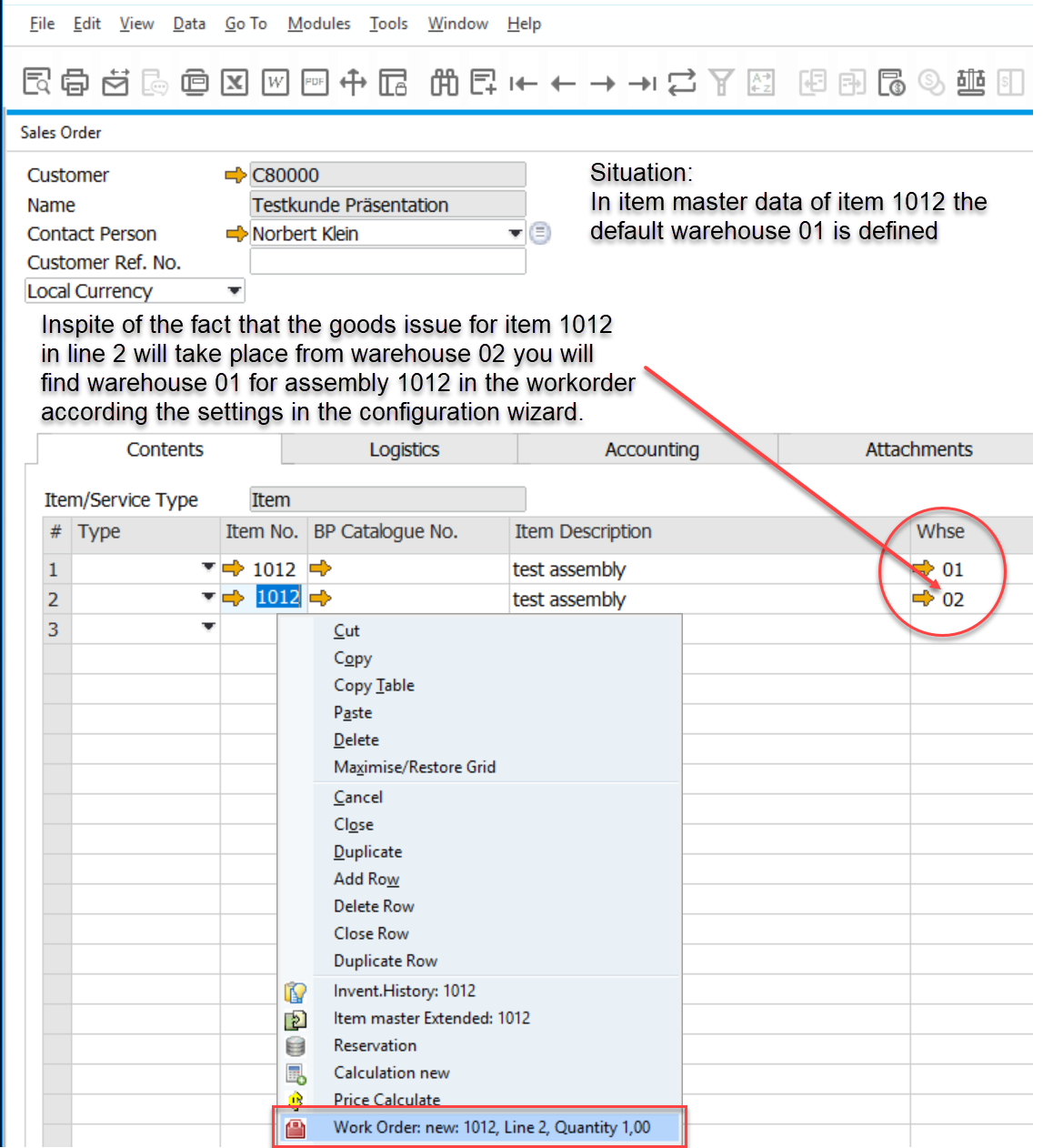
In this case, if you create a workorder within the sales order, the warehouse of the assembly will be the default warehouse which is mentioned in item master data:
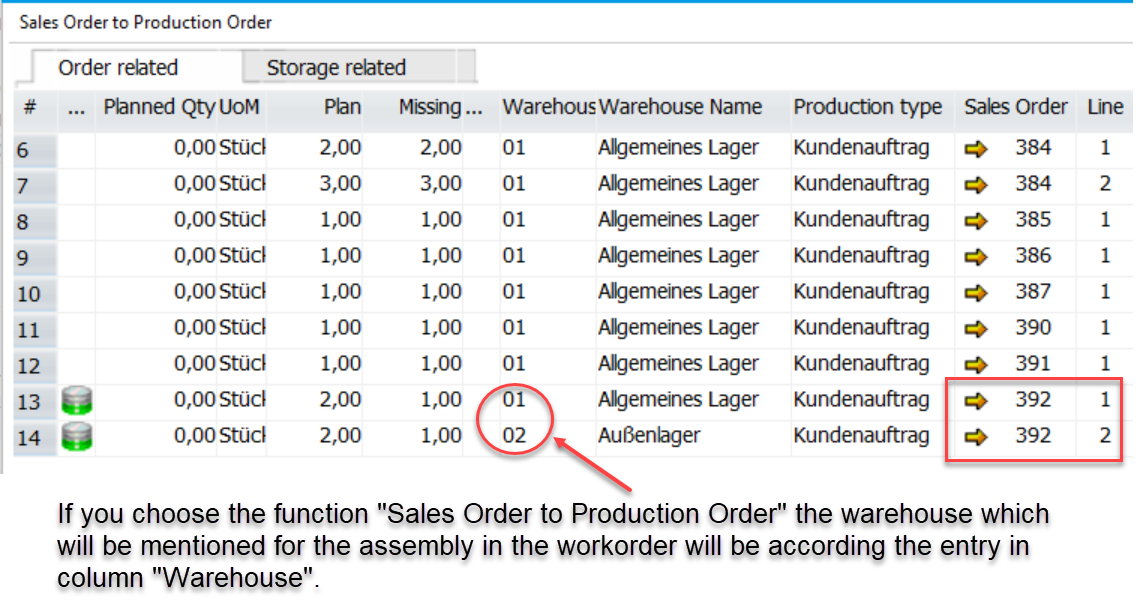
If you want to avoid a transfer booking from the default warehouse to the warehouse from which the goods will be delivered (here: warehouse 02), you can choose the function "Sales Order to Production Order". The warehouse which is defined there will be the warehouse of the assembly in the workorder:
Comments
0 comments
Please sign in to leave a comment.