While Boyum's out of the box Crystal Report handle both Item and Service based Documents in a single Crystal Report, you might want for some reason use two widely different reports. The way you do this is by using conditional Actions. Here is a sample on how you set that up:
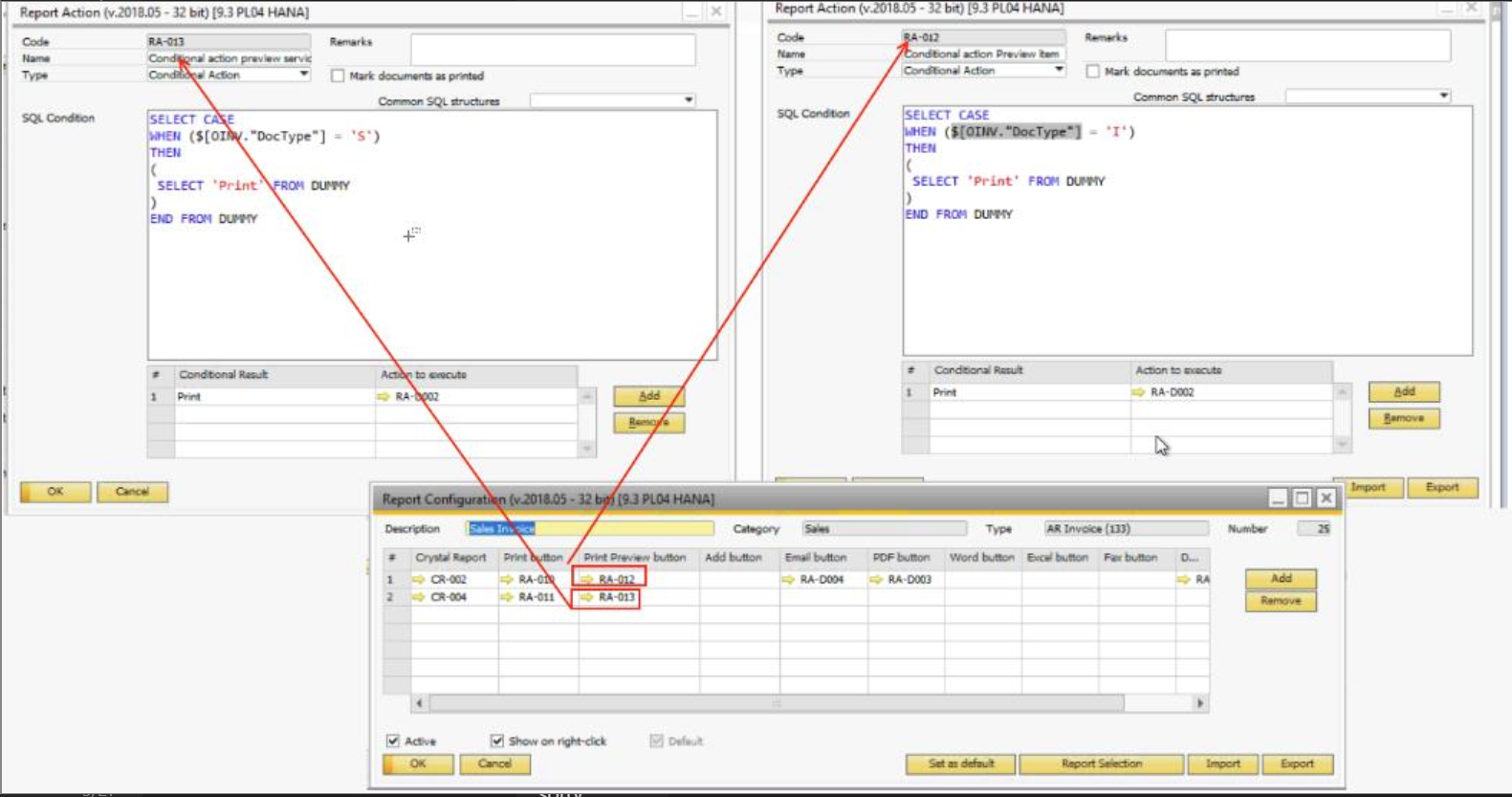
See that the other one is checking if the doctype is 'S' and the other one is checking if it's 'I'. And if the doctype IS 'I' then it will do nothing on the row with the check for 'S'. And vice versa, if the document type is 'S', it will not do anything with the row that checks for 'I', causing P&D to skip that row.
(Larger version of the image here: https://support.boyum-it.com/hc/article_attachments/360036904834/mceclip0.png)
Comments
0 comments
Please sign in to leave a comment.