Sometimes it´s necessary to change the displayed fields and titles in a dropdown field.
The following example shows how to add the fields "project" from the workorder position and the field "weight" from item master data of the assembly into the view. Other fields, which are not necessary, are deleted:
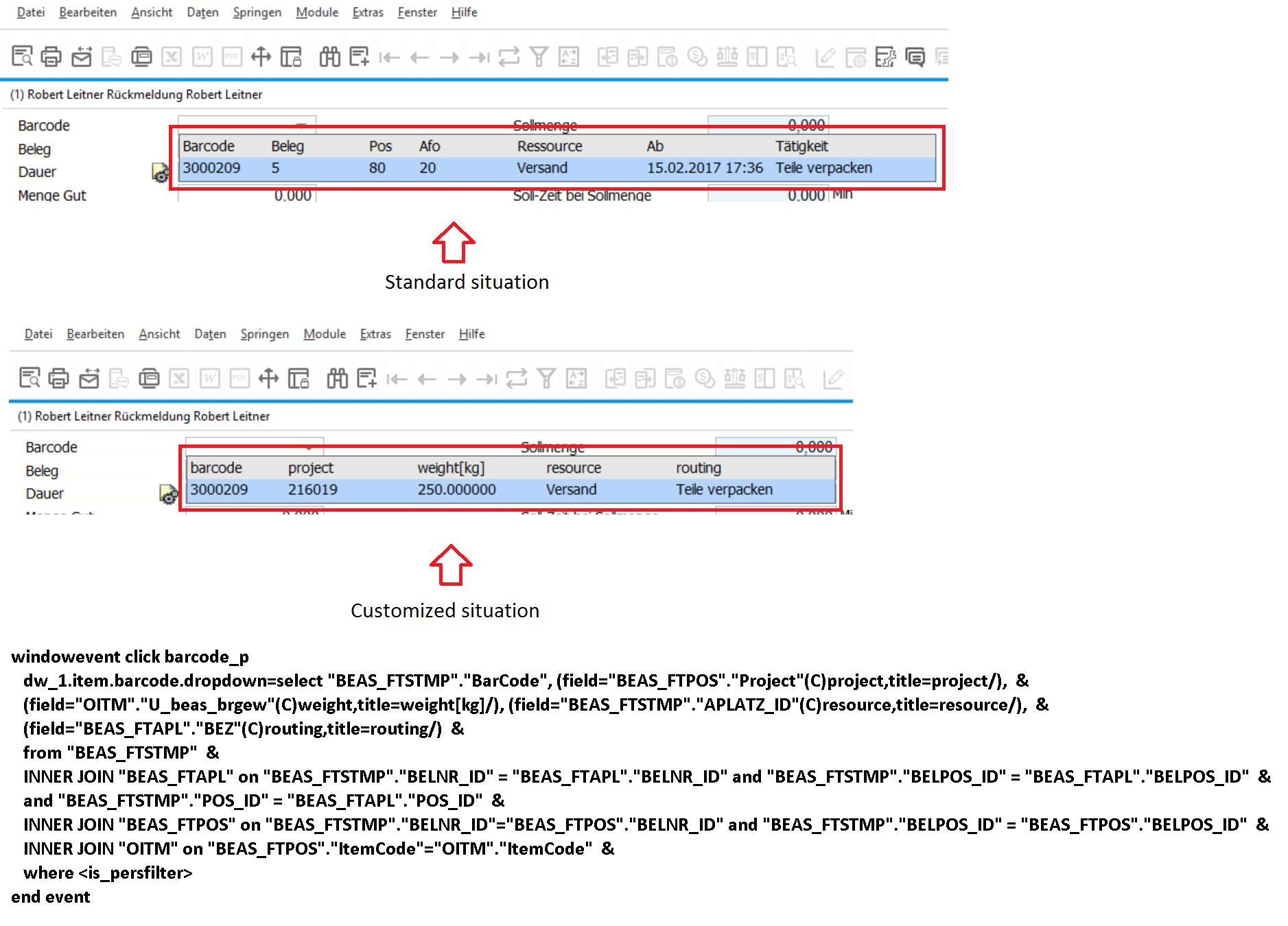
Please note: you need "(C)" for string-variables and "(N)" for numeric-variables
Comments
0 comments
Please sign in to leave a comment.