There are four user fields which can be displayed in the inflow-outflow tab of the order recommendation. These user fields can be defined in MRP Scenario > Detail > Pegging and Replenishment >Sales >"Sales Order and UDF for Sales Order and Reserve Invoice"
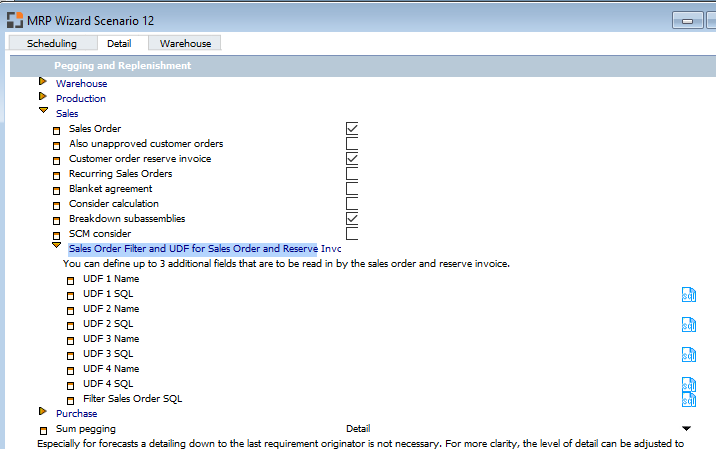
See MRP-Sales-Pegging settings
In above displayed screenshot we choose an UDF of item master data (table: OITM) which has to be displayed in the order recommendation.
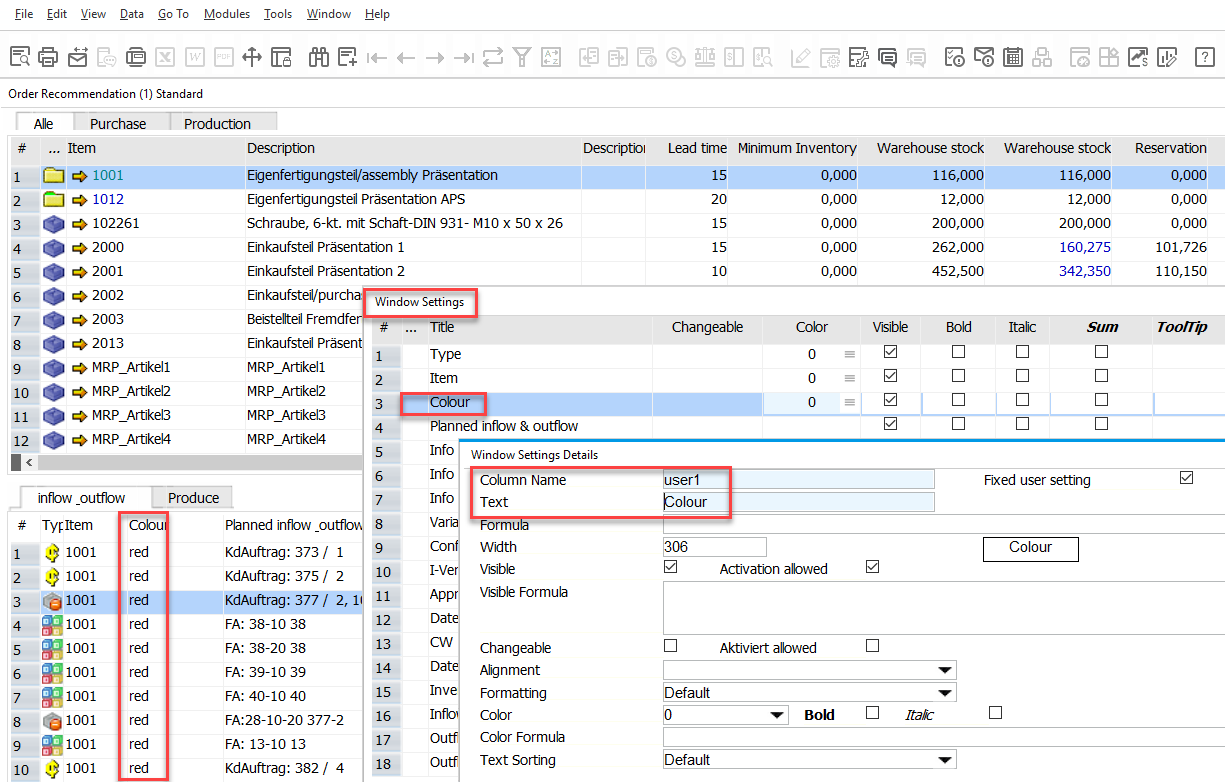
The following screenshot shows how to display this field by using the "Window Settings" functionality:
Comments
0 comments
Please sign in to leave a comment.