Q: if i open the work order structure view, than it take log time.
A1: Disable the status Flags
A2: Open first the search mask
A3: reduce lines
A1: Disable the status Flags
Reason is the Status information, which you can see in column "Actual"
If you've big databases, the server need long time to get this information
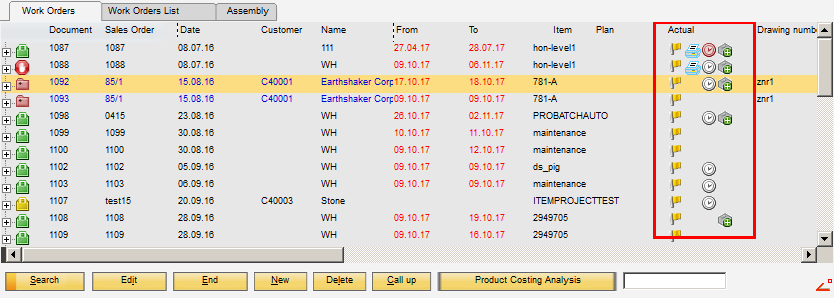
What can you do:
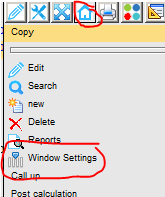
Right Mouse click - Home Icon - Window setting
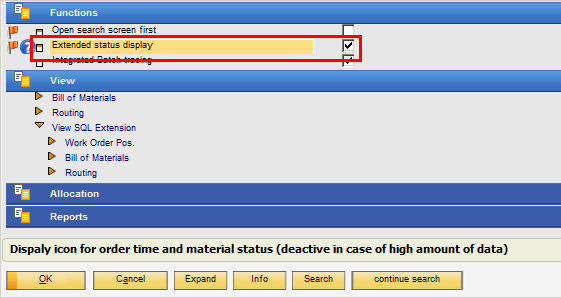
and disable the "Extented status display
A2: Open first the search mask
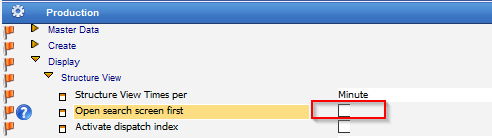
Configuration wizzard - Production - Display - Structure view - Open search screen first
A3: reduce lines
1. Create a template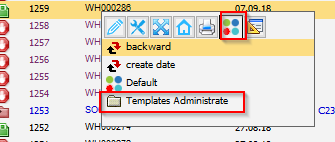
2. Insert a low number in "Max. Lines"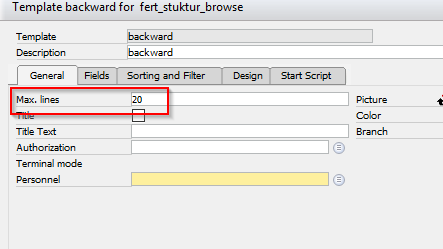
3. Use this template
Comments
0 comments
Please sign in to leave a comment.