DESCRIPTION:
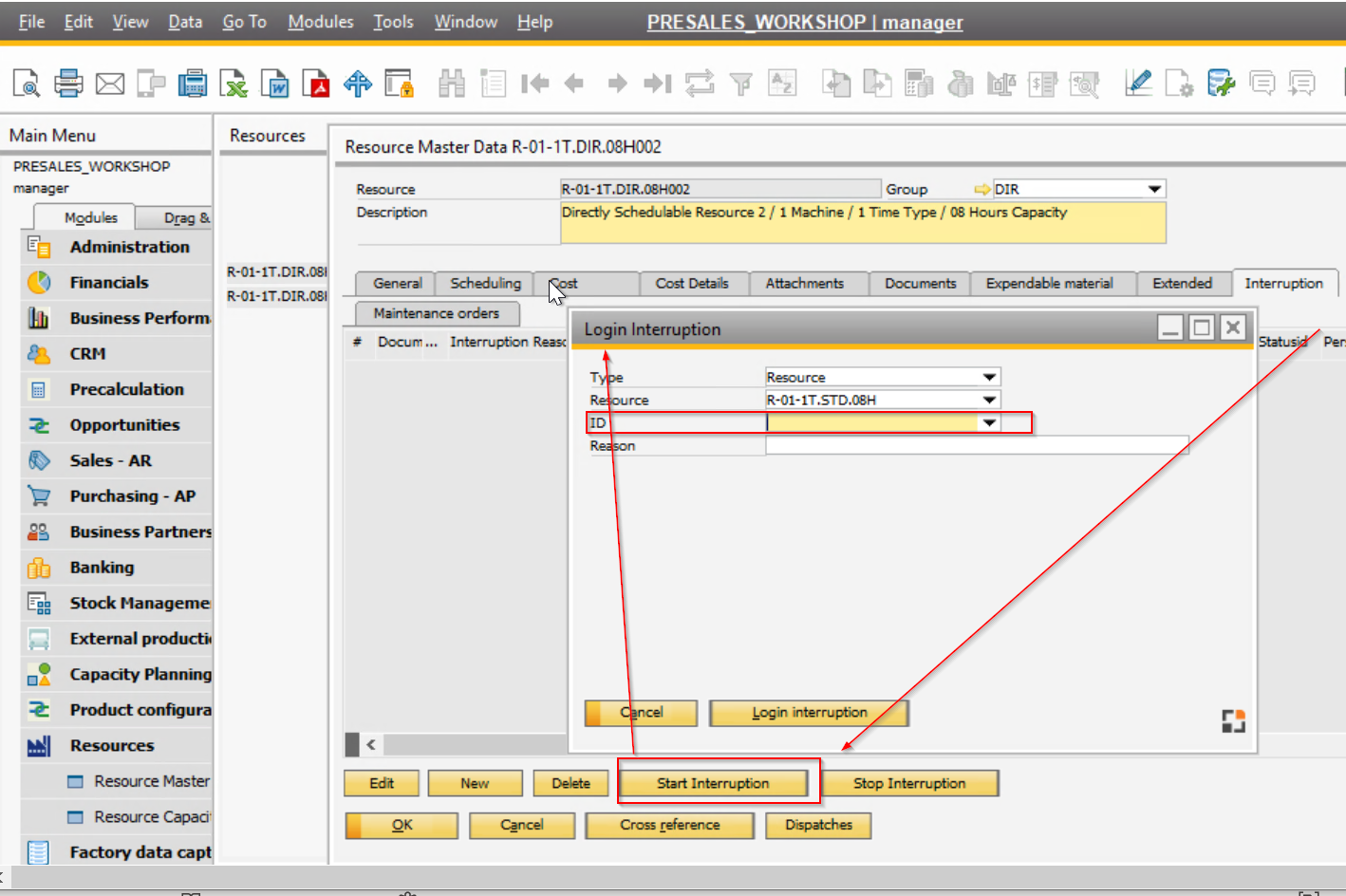
You wish to start an interruption for a certain resource but you are not able to set certain interruption reason:
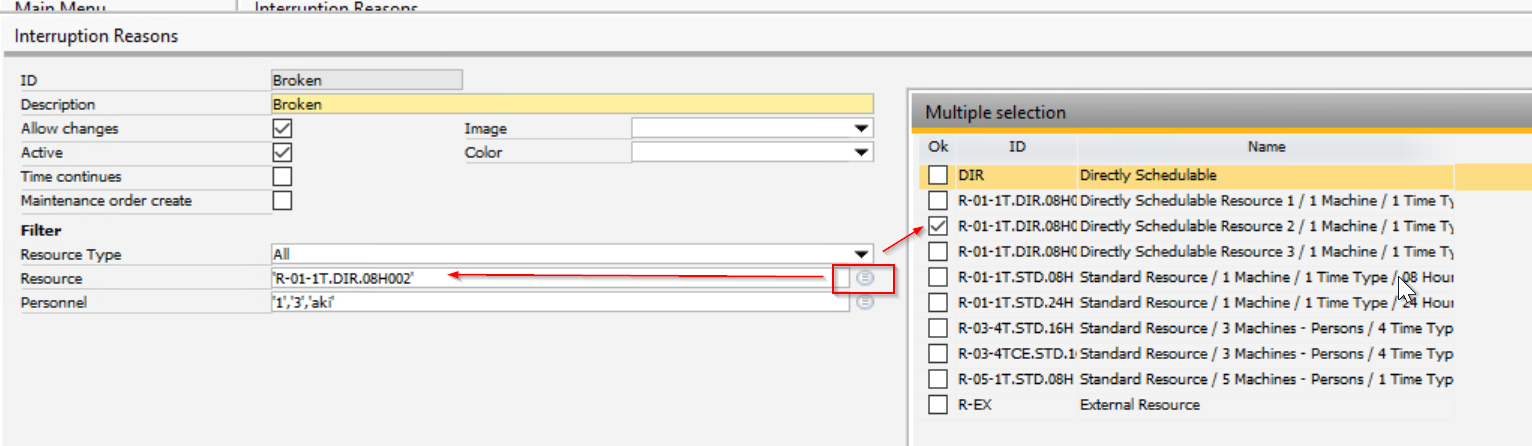
The reason could be that you have defined the interruption reason for a specific resource:
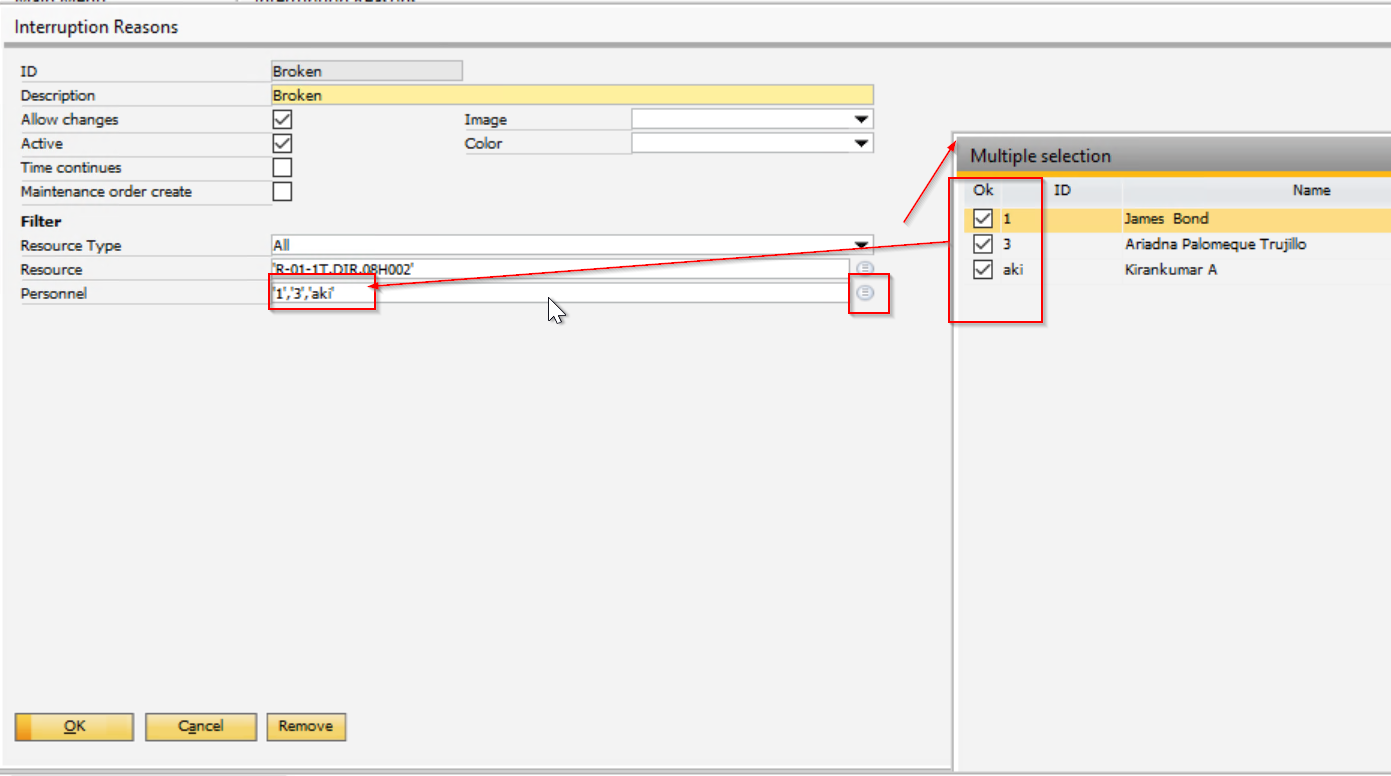
Or you have defined the interruption for a specific user:
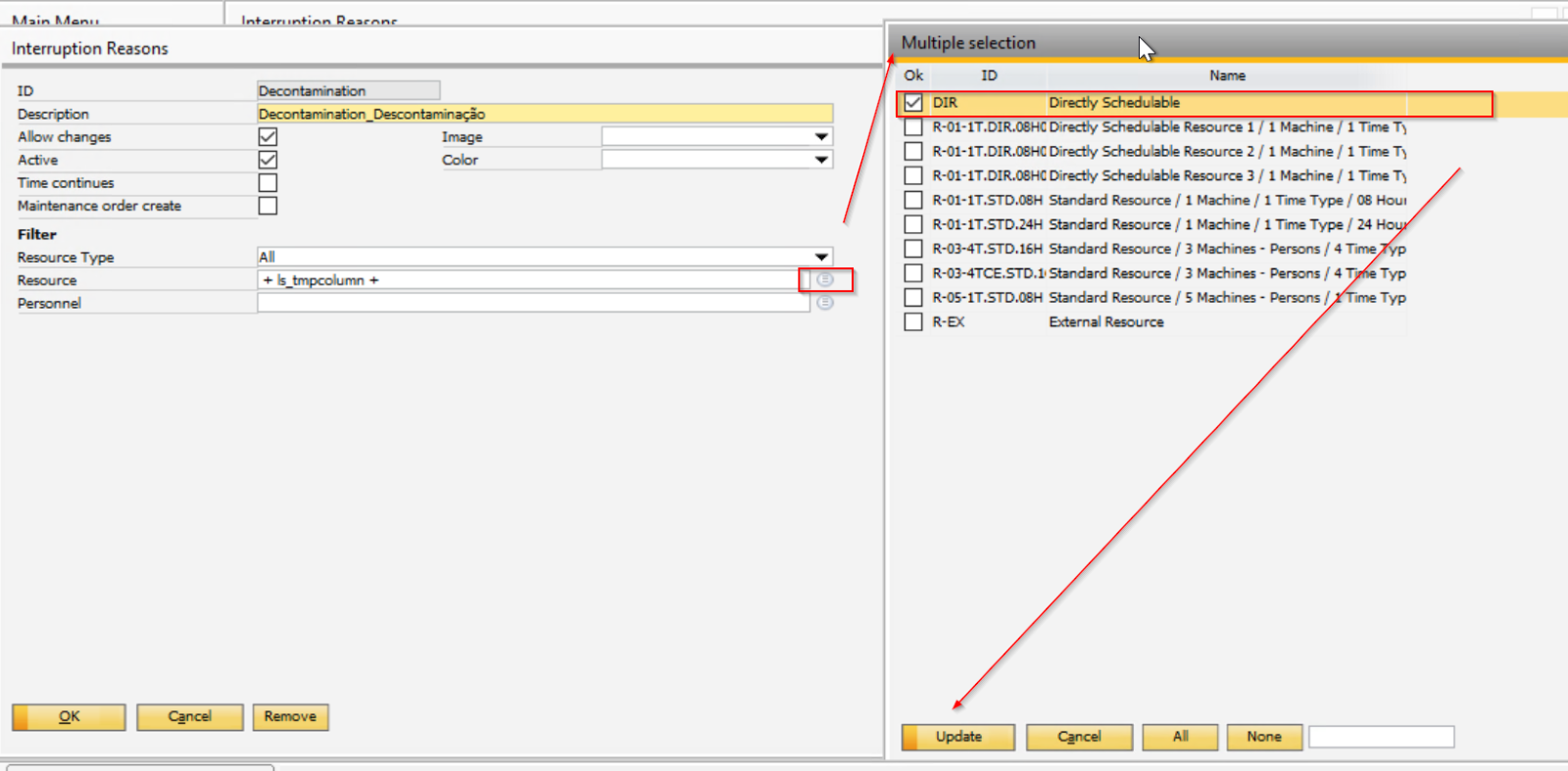
Or either way you have the following code in the interruption reason due to a bug:
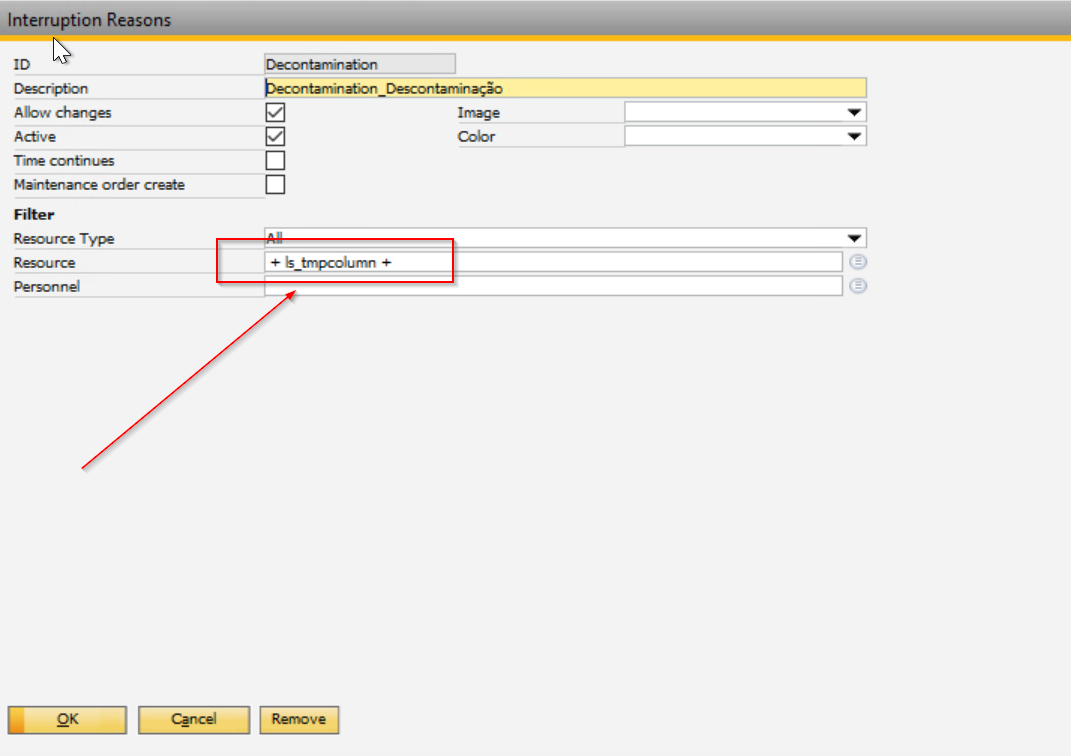
To correct this code, you need to take the following steps:
1. First, select any resource. Clicking Update will clear the code and assign this resource:
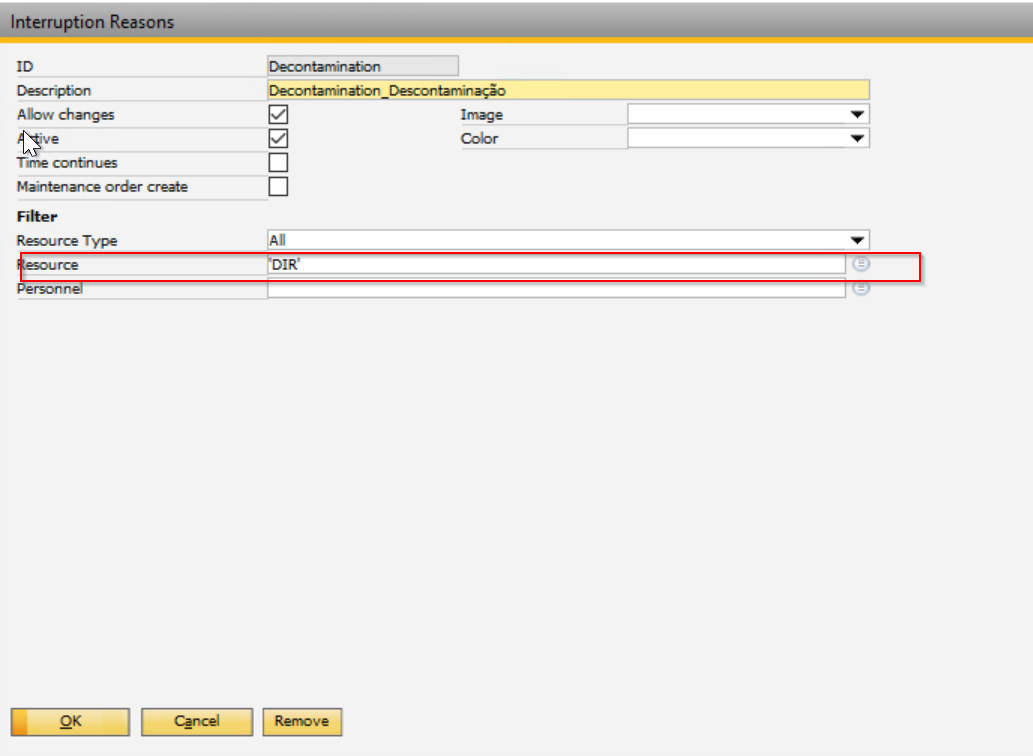
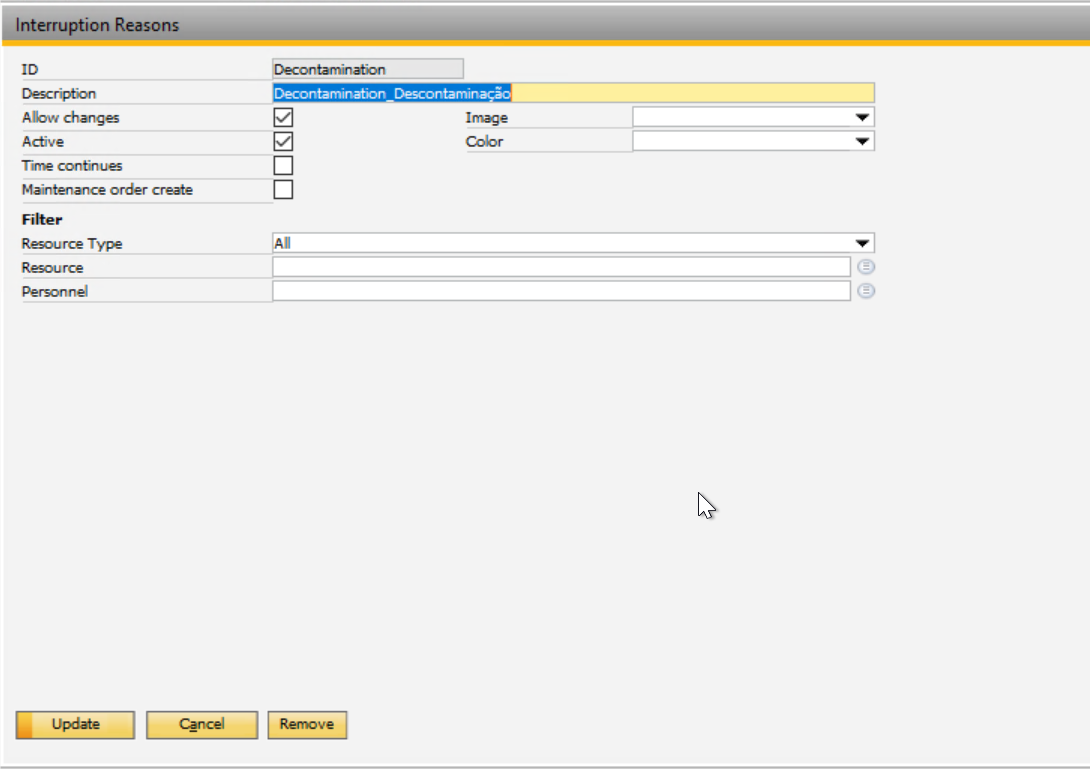
2. Then, clear the resource and update again:
Comments
0 comments
Please sign in to leave a comment.