Posting the counted items into SAP
“Internal Server Error has occurred” message appears on the device.
“ERROR Runaway task detected, killing: /api/bxmobilelmsinventorytransactions”
message appears in the log after pressing the Finish button.
This is what happens when you press the Finish button:
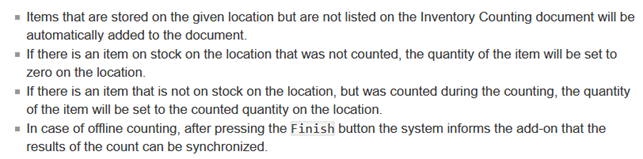
In case you want to count only the items that were added to the SAP document, then probably you should use the Guided Counting function.
http://wiki.produmex.name/doku.php?id=implementation:scan:stock_counting#guided_counting
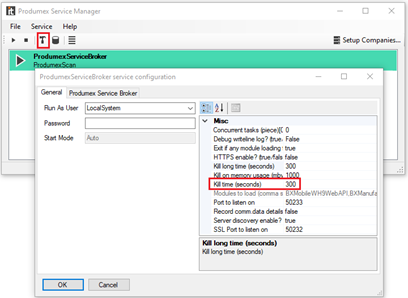
Adding all items to a warehouse or a bin location via SAP DI API can be time consuming. This leads to a timeout event. You can do the following:
- You can increase the timeout value in the ProdumexServiceBroker (the service must be restarted after changing the setting)
- You can use the non real time counting, in this case you import the counted item into the inventory counting document in SAP. Please check our Wiki page here:
Wiki Chapter 8.2 - Save counted items to SAP document - Non Real time counting
- you can export the counted items into a text file, and you can use the SAP import function on the Inventory Counting document.
Wiki Chapter 8.2 - Save counted items to SAP document - Exporting Importing Counted Items
Comments
0 comments
Please sign in to leave a comment.