Q: How to add, delete and edit routing positions on multiple items
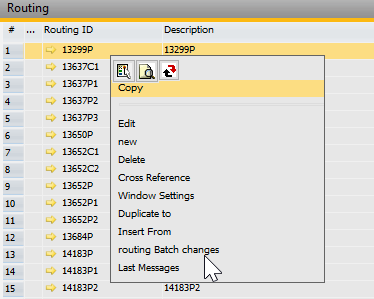
Go to Routing master data, right click and select routing batch change option
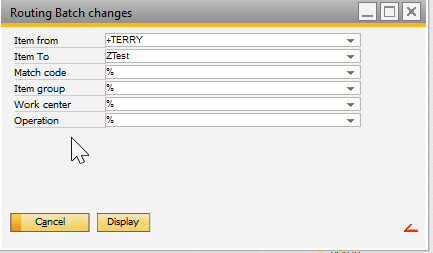
The routing batch change parameter form will open, enter the parameters to list the routing positions and click display button
The list of routing positions will open in separate form. Select the routing positions to add, edit or delete
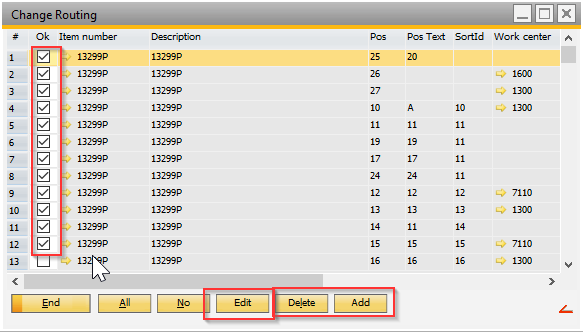
To delete, click the delete button and the positions will delete from masters
To add and edit use the respective buttons, the sub form will open to enter the change values
Comments
4 comments
After clicking on the "Edit" button, can you please explain what information should properly go in to the "New Value" field (data cannot be entered in the "Column" field) and what the final result will be.
Hello Rick,
If you have further questions please contact your beas support. =)
Is there a way to mass delete routing completely including the header??
Does the "work center" means the Resource in the change parameter?
Because when I choose e.g. a work center and an Item group, I dont get any results.
When I run it without the work center, I get too much results.
Please sign in to leave a comment.