Problem
- when you want choose apps in Authorization groups, but there isn't any app
Solution
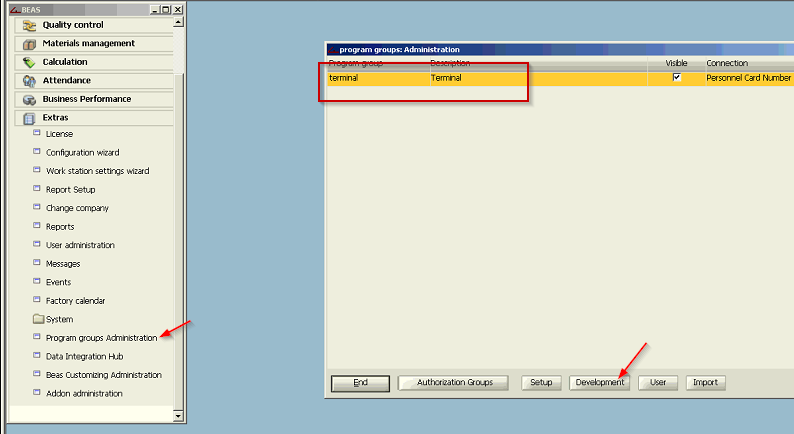
- Go to Program groups Administration - there you should see terminal - click on development
- Tab Apps - Button Reload Apps
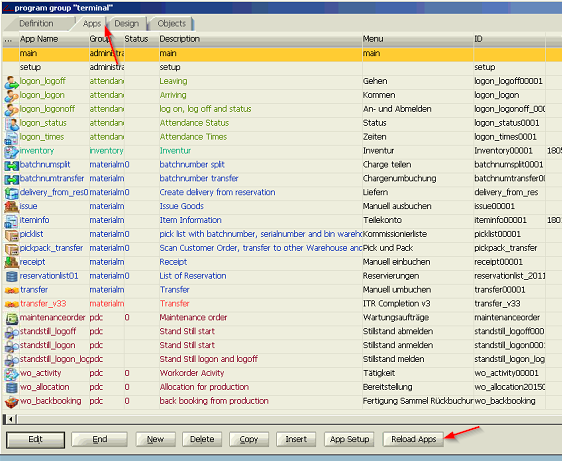
Then go back to choose apps in Authorization groups and you should be able to see them.
Comments
0 comments
Please sign in to leave a comment.