Boyum Help Center Help Center home page
Boyum IT Solutions Community Submit a request
Sign in
  1. Boyum Help Center
  2. Beas Manufacturing
  3. Tutorials and Knowledge Base
  4. Terminal

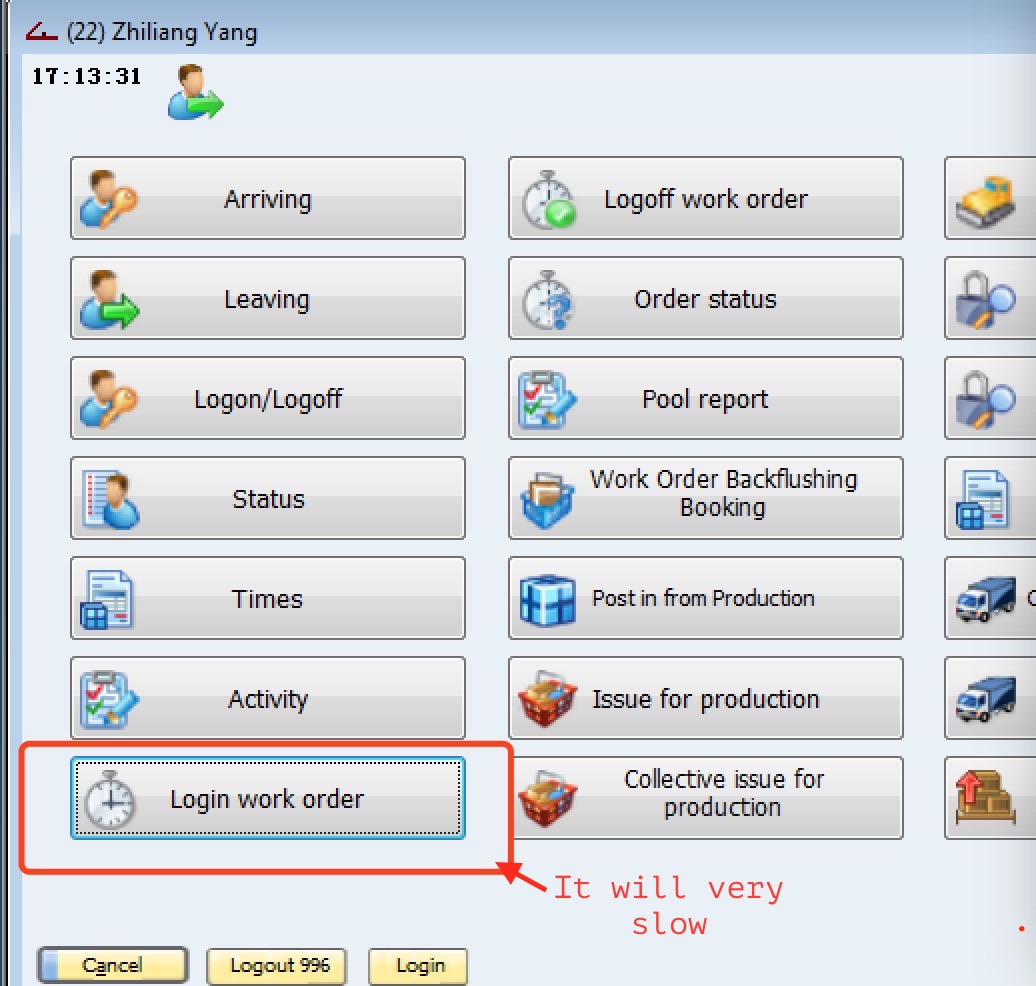
Beas: Open the terminal is very slow

  • Updated April 21, 2022 12:05

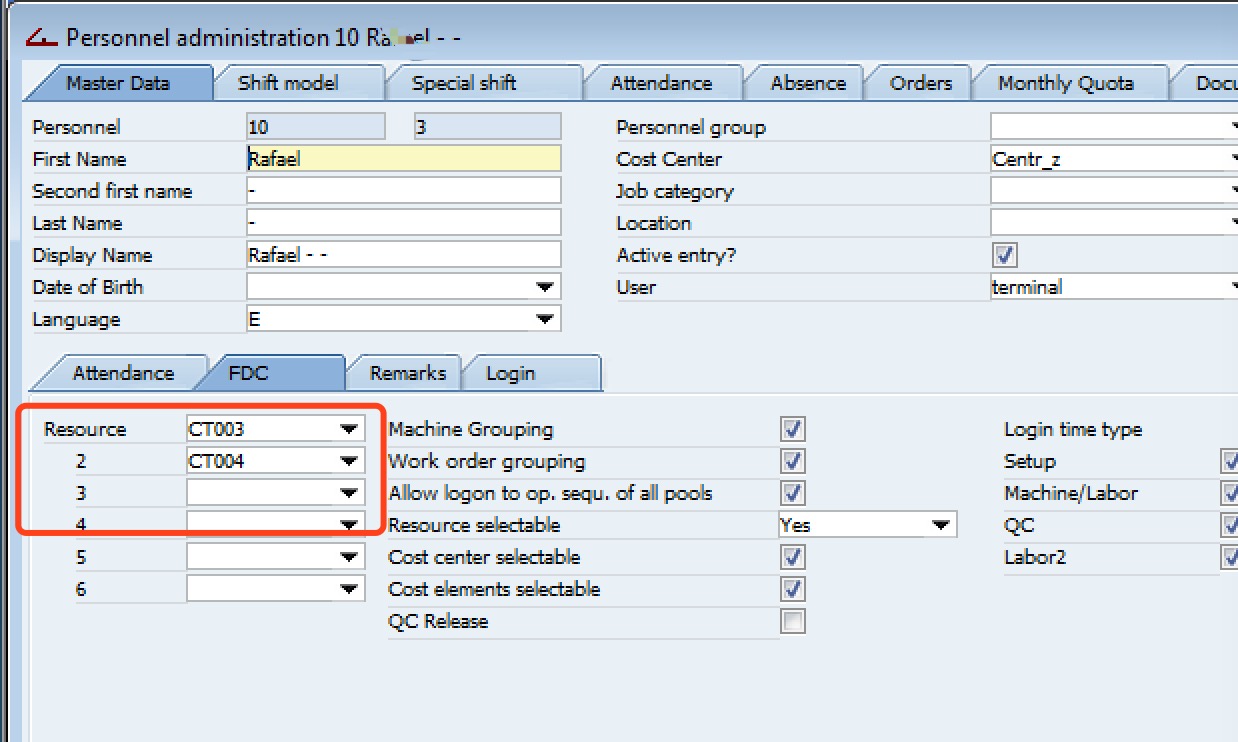
Open the terminal is very slow if you choose some specific resource in the personnel master data 
 

1.jpg


2.jpg


Solution/Workaround:

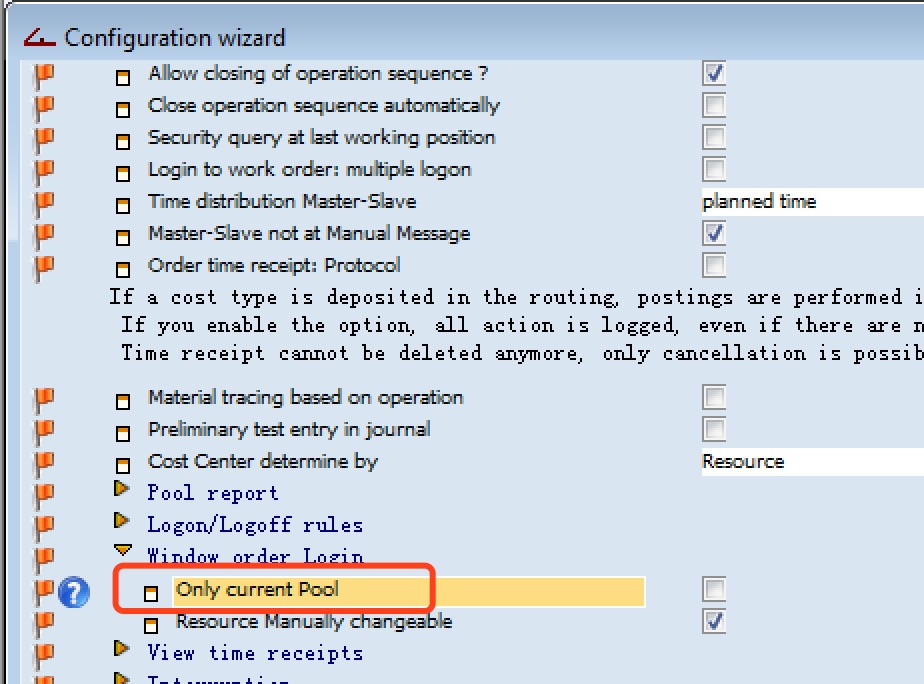
Please disable the parameter called 'Only current Pool ', the path is Configuration Wizard--Production--FDC--Window order Login-Only current Pool
3.jpg

Additional Information:

Documentation:http://www.Beascloud.net/docs/help/online_eng/index.html?workorderlogin.htm


Was this article helpful?

0 out of 0 found this helpful

Related articles

  • Beas: Terminal - change logout time
  • Beas performance issues, troubleshooting
  • Examples of Beas terminals license assignment in version 2021.03
  • How to submit a Support Request via the Boyum Portal
  • Absorption Costing in Beas Manufacturing

Comments

0 comments

Please sign in to leave a comment.

Articles in this section

  • Disable old beas terminal
  • Beas Terminal - on-screen keyboard settings
  • Beas Manufacturing Terminal licenses - Licenses check control update as of 1st of January 2021
  • Reporting a Time Receipt on the Terminal
  • Beas terminal crash during material issue
  • Beas apps not visible
  • Beas: Open the terminal is very slow
  • Beas: Terminal - change logout time
  • How to create Program Group and assign to an user in Beas
Boyum IT Solutions
Español (Latinoamérica)
Zendesk Theme by Zenplates