In SAP Business One Client, menu elements can be blocked by adding the menu Uid in a B1UP Validation. Note that the event type needs to be Menu Click.
If you want to block a menu item on all forms, set the Formtype to "-1". If you want to have it on a specific form, just set the Formtype to a certain form.
1. To block your item on all forms, check what the Uid is:
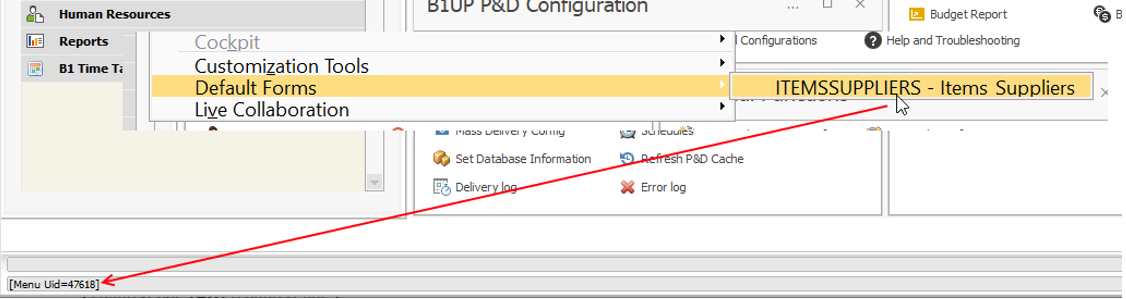
2. Then add a validation with “Menu Click” -event, and add the Menu Uid to the validation (This would block me from clicking this item from the top-menu):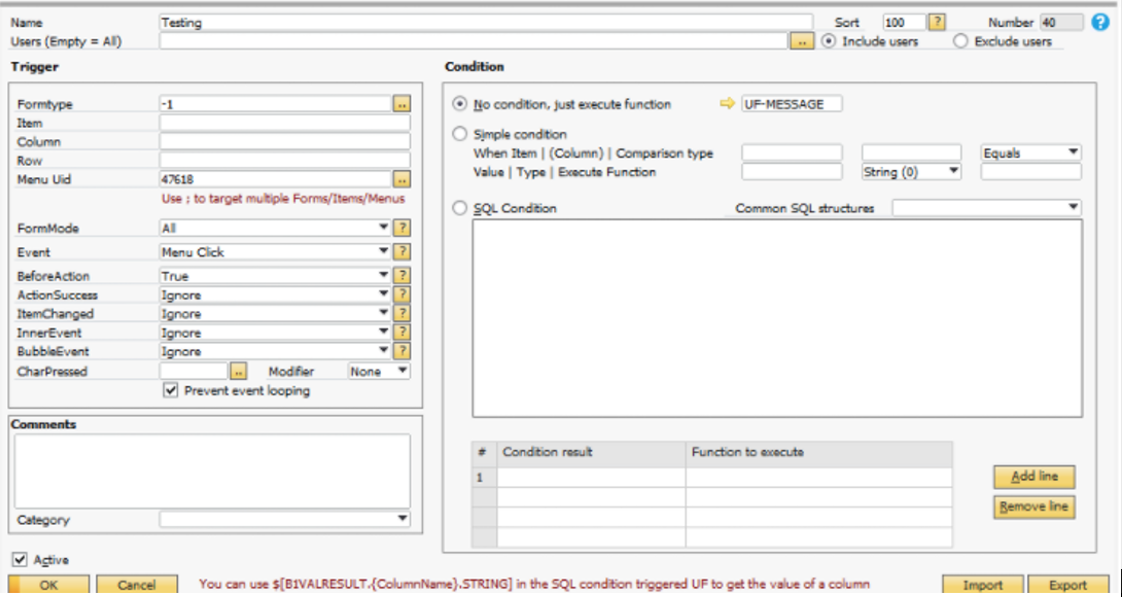
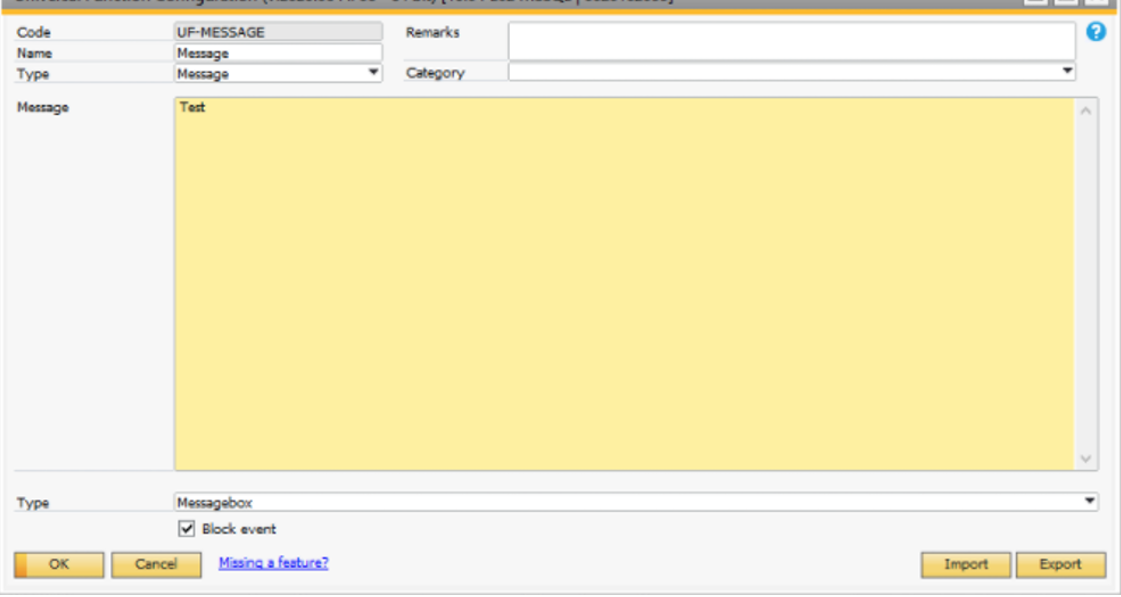
Add a message with tick on the “Block event” checkbox:
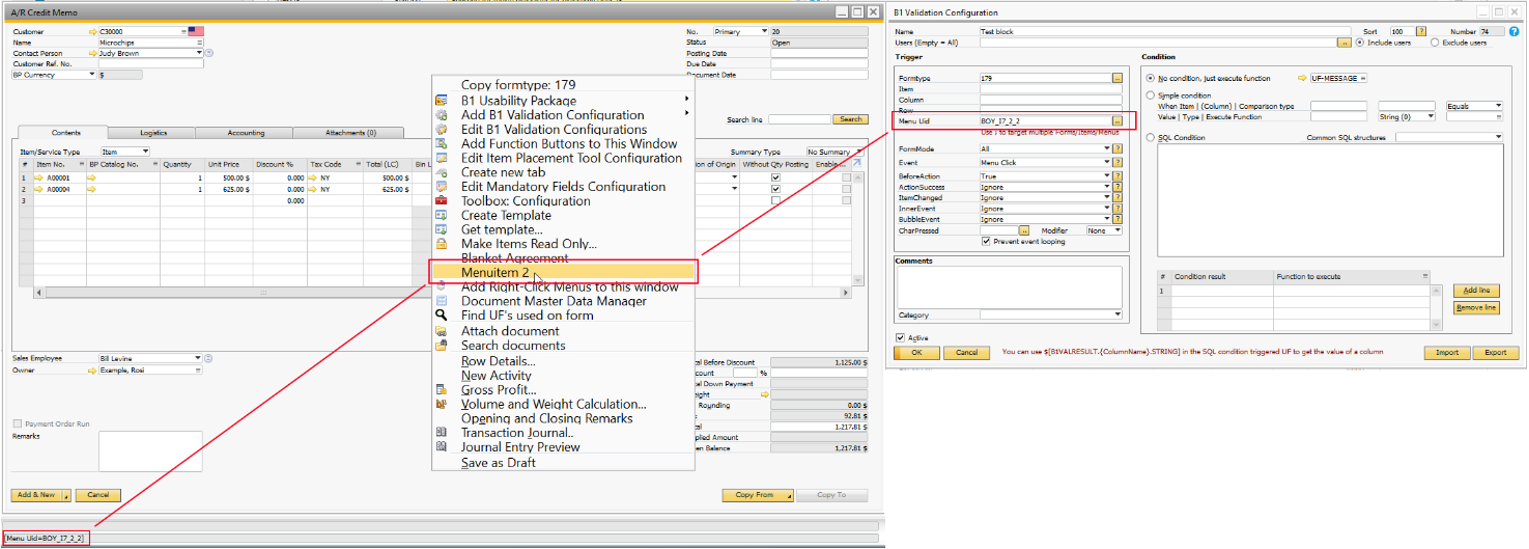
3. If you want to block right-click item in a specific form, you can just add the form type:
Comments
1 comment
Doe this work with menu ID 1283 'Remove'? thanks
Please sign in to leave a comment.