You can use Produmex WMS in SAP Business One Browser by implementing the following installation and configuration steps:
- Install SAP Business One 9.2+.
- Install SAP Business One Browser Access Server Gatekeeper.
- In the SBO common database update table SARI by setting ClientType = ‘A’ where EName = ‘Produmex.Foundation.Sbo.AddOnLoader.exe’.
Please note that Produmex WMS works in SAP Business One Browser with the following limitations:
- The Organizational Structure cannot be used because it uses .net forms.
- Produmex reports stored in a shared folder cannot be printed.
Example
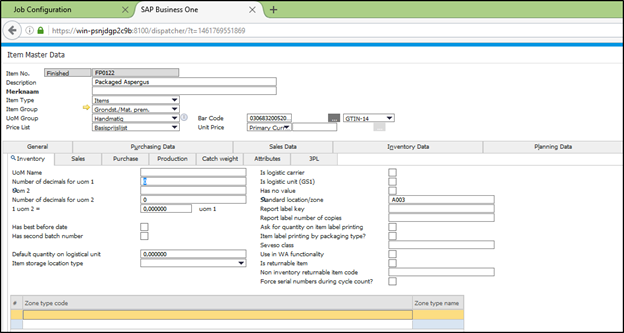
The following screen shows the Produmex tab of the Item Master Data window displayed in SAP Business One Browser.
Comments
0 comments
Article is closed for comments.