Since the VJS is a Gantt Chart, it naturally has all its characteristics and elements:
- A timescale at the top.
- A table at the left, listing jobs (in the Job View) or resource groups/resources in the Resource View
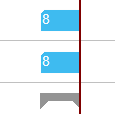
- On the right, below the time scale, a chart displaying the job schedule with a calendar in the background indicating work free periods in grey while working times appear in white.
- A menu ribbon allowing to make basic settings that will be explained in detail in the following. In case the “Actions” item is not visible in the menu ribbon, click “More options”. To hide it again, click “Fewer options”.
- A vertical line in the chart indicates the work date as having been set in Dynamics 365 Business Central.
Comments
0 comments
Please sign in to leave a comment.