- In this article I'm going to show you how to solve this issue:
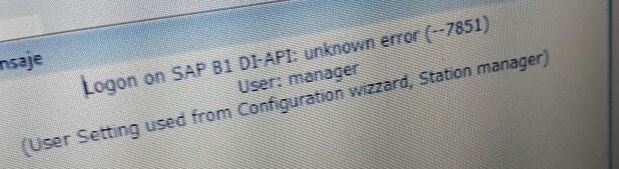
- This error means that user is already used on another machine
- You can check it in SAP - administration - utilities - connected clients
- In this case are two solutions
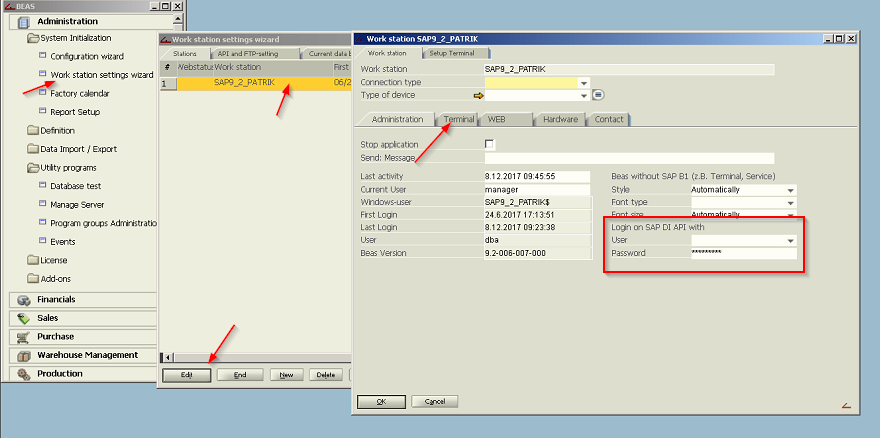
- Set user for workstation in work station settings wizard
- Beas - extra - work station settings wizard (administration - system initialization - work...)
- choose your machine - edit
- open tab terminal
- Set user Logon to SAP DI-API
- This is solution for terminal mode (open over short-cut)
- Right mouse click on your short-cut - properties
- modify field target:
"C:\Program Files (x86)\Beas software\Beas\Beas.exe" terminal user=YourSapUser pw=YourPassword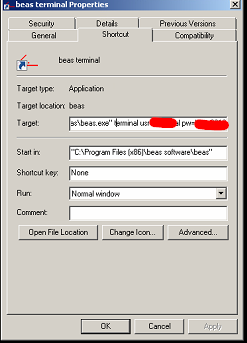
- You need to use SAP user with Indirect license at least
TIPS
- In the attached file you can find other modifications of the short-cut for example how to connect directly to your DB and so on
Comments
1 comment
helpful
Please sign in to leave a comment.