In tab "Inventory data" in item master data you find the sub-tabs "By Warehouse No." and "by Bin Location".
Sometimes it happens that these tabs display different inventory according the following screenshots:
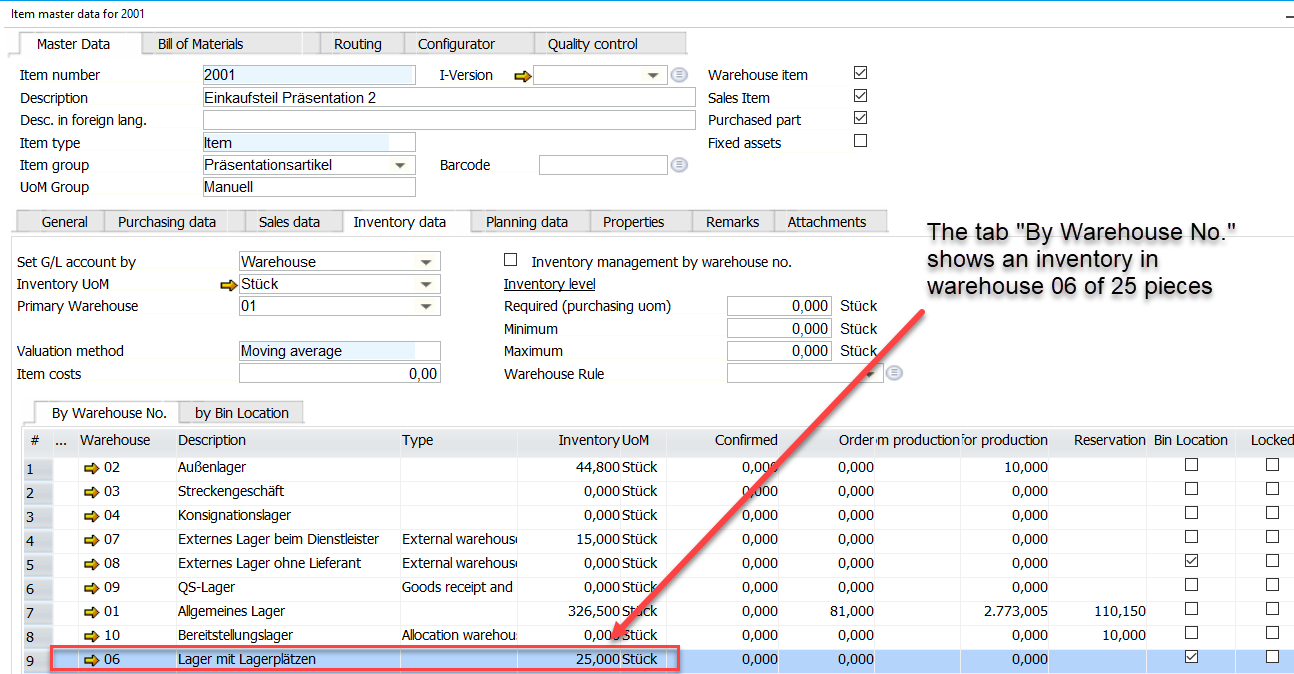
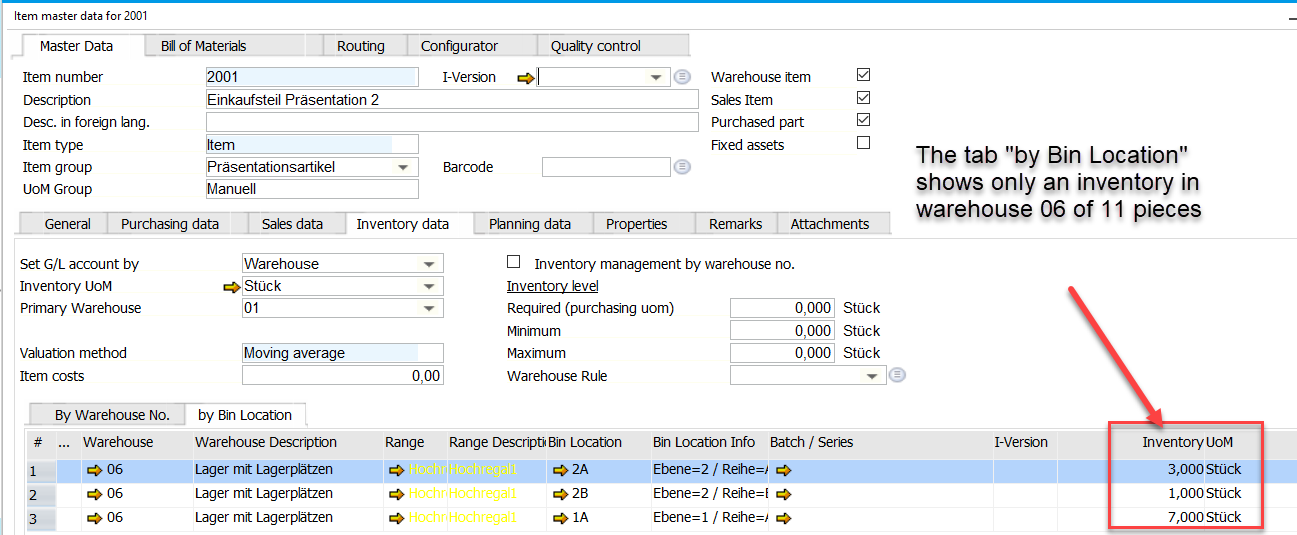
The reason for this difference are not completed material bookings. For example you do a booking in SAP into a warehouse which is defined as a warehouse with bins in Beas. If you do the booking and the Beas-AddOn is not started, the booking will be done within SAP on "warehouse-level" but not within Beas on "bin-level".
You can find these bookings in "Open Documents" within Beas according the following screenshot:
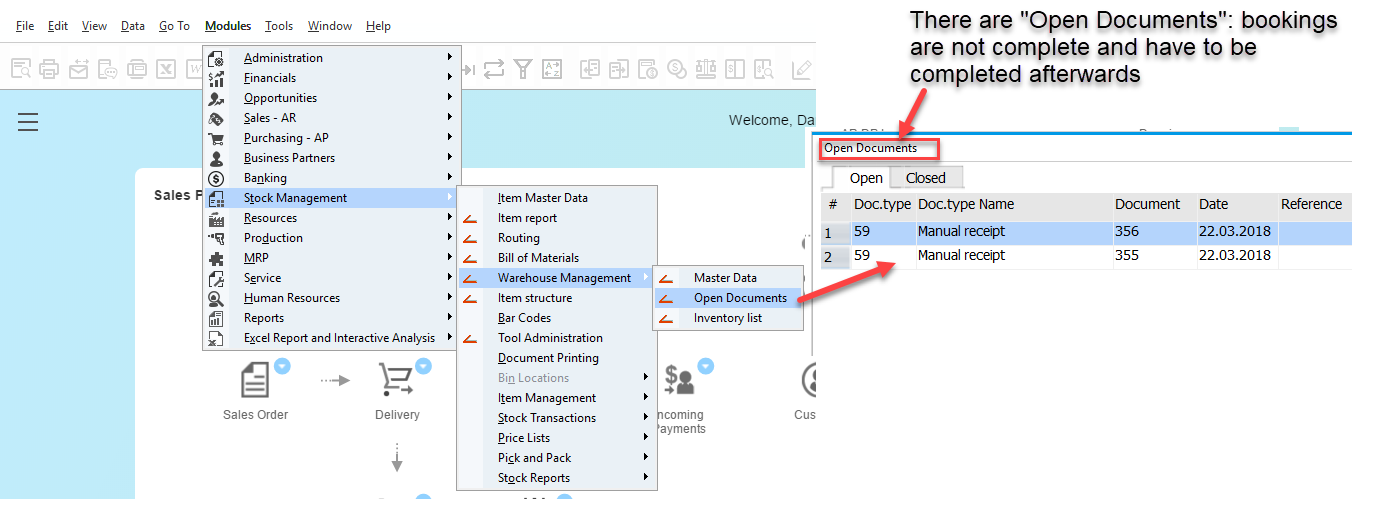
The bookings which are mentioned in this window have to be completed afterwards to have the same informations in tab "By Warehouse No." and in tab "by Bin Location"
Comments
0 comments
Please sign in to leave a comment.