Wants to create Purchase Request from SQL Report.

Hi,
I would like to know if the following scenario is achievable:
I have created an SQL Report and added it to the SAP Business One menu. I would like to add a button to this report that allows me to copy selected data, open a Purchase Request, paste the copied data into it, and then add the Purchase Request.
Is this workflow possible to implement?
1. SQL QUery Report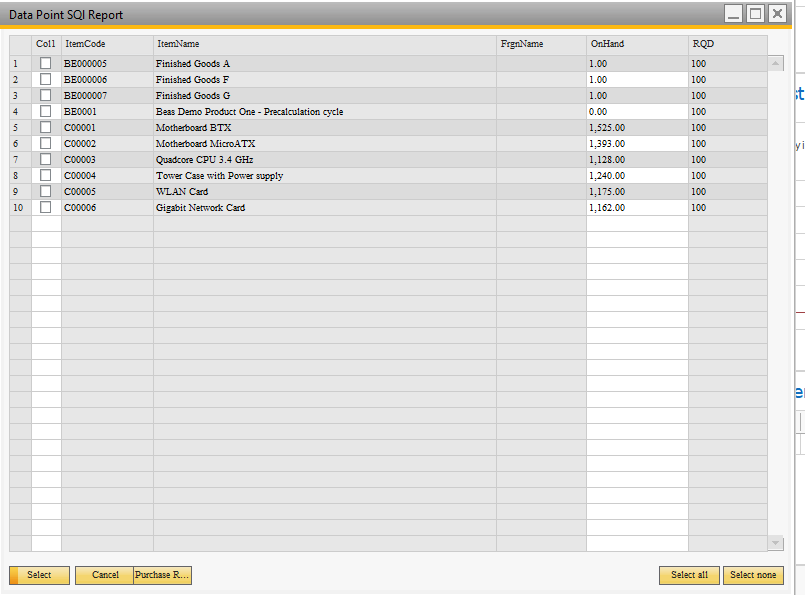
2. Universal Function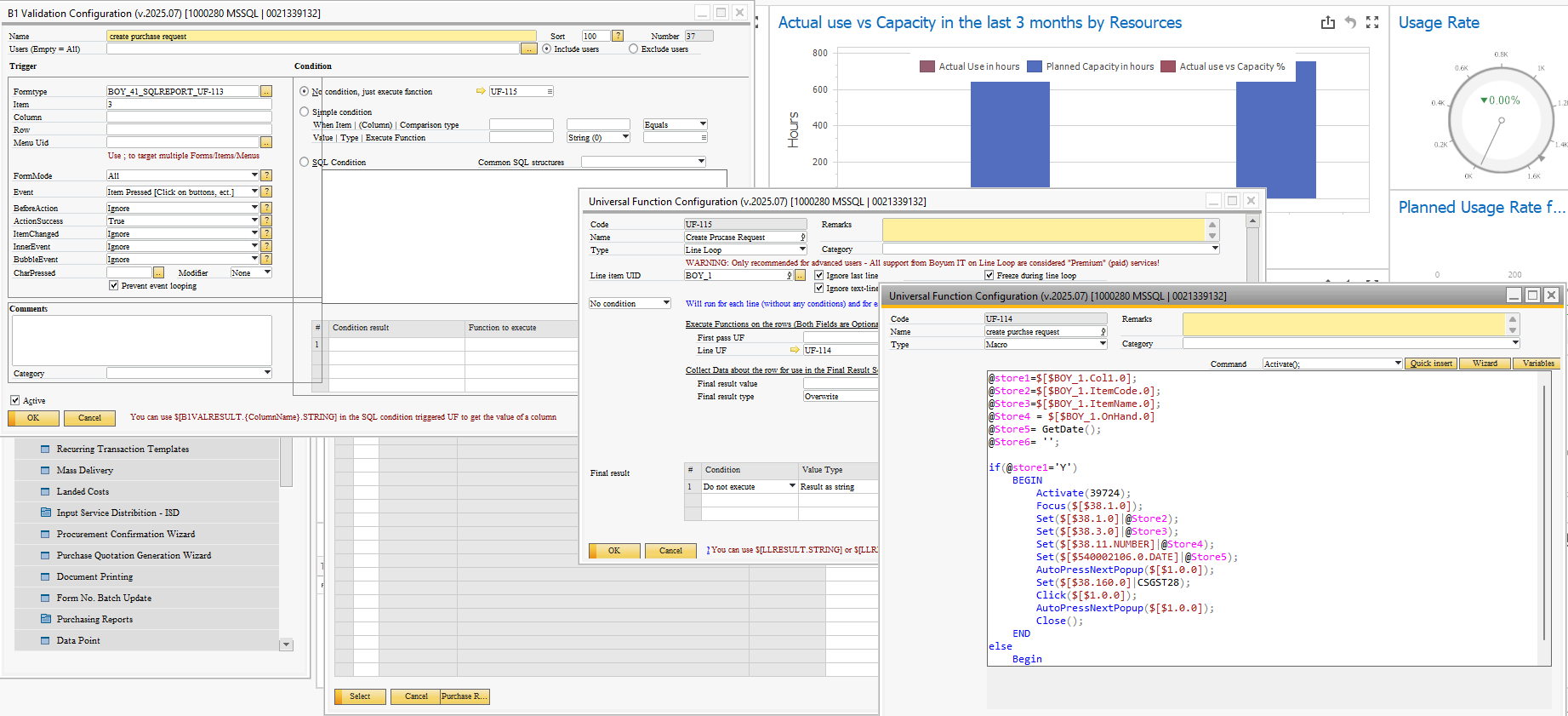

Rwegards
Comentarios
5 comentarios
If possible, I have an event, first a macro that first calls the purchase request document, within the macro I execute the UF of the SQL report once executed at the bottom of the SQL report I add where each column will be pasted in the request when selecting the rows these should be pasted in the purchase request, an apology I used the translator and I don't know if I made myself understood. RegardsHey EDWIN,
Appreciate your comment. I have configured in a same way.
Regards
Hi Brij Singh, Yes, completely possible. I suggest the following approach:
- Set the FormType field on the UF for the existing SQL Report. This allows an Item Placement Tool (IPT) to be created for the form created by your SQL Report.
- Create a button on the SQL using the IPT, setting the Formtype field to the value 'BOY_41_SQLREPORT_' + the FormType value you set on the SQL Report. Then on the same IPT, add a button by selecting Button from the Type dropdown on the 'UDF and Custom Item Lines' grid
- Create a B1 Validation to respond to the button press. This will run your existing UF that creates the Purchase Request.
- Modify your UF that creates the Purchase Request to save the key values from the user-selected row into @STORExxx variables before it opens any other forms (ACTIVATE() function). Then you can use SET() to apply your saved @STORExxx values.
- I recommend using a WHILE loop to scan for all user selected lines, or enforce a rule that only the first selected line is used.
General thoughts:
- I avoid Function Buttons because they cause issues where often users can't resize screens that have Function Buttons. I wrote an article discussing this in detail, Lets Talk About Buttons – Boyum Help Center.
- I avoid Line Loops because they are slow and flash progress messages, this is especially impactful if there are more than a few lines to be processed. Instead, I find a Macro that uses a WHILE loop and special keywords (see: https://help.boyum-it.com/B1UP/index.html?special-keyword.html ) much more efficient and easier to understand.
Dave - great answer.!
I had never seen the trick about setting the FormType value on the SQL report UF before.
Thanks Geoff!
Iniciar sesión para dejar un comentario.