Apologies for the confusion. There is no Remove menu on the List of Function Button screen. The function button configuration FB-005, FB-007 and FB-009 are redundant and I want to delete them.
You can't delete from the list (Not a feature SAP Business One have)... But instead, simple select it from the list so that specific Config is show on screen like in my screenshot (aka the screen is in OK mode)... And then on that screen right-click anywhere and choose the remove option... Then repeat for the other two config you do not wish to have

Comments
6 comments
Moved to Q&A section as this is not a feature request
Hi James.
Can you give some more context/error message, as any Function Button Configurations should be possible to delete via <right click> --> Remove
Hi Rasmus
Thank you for replying to my questions.
There is no DELETE or REMOVE option on the Administration → Add-ons → B1 Usability Package → Module Configuration → Function Buttons: Configuration.
Some redundant function button configurations were imported in the SAP company and I'd like to delete them.
We are using B1UP 2022.04 on SAP B1 V10 FP2111 on SQL Server.
Regards
James O'Doherty
Solution & Database Architect
So you are saying that you do not have this option when right-clicking? (Can you take a similar screenshot so I can better understand)
Hi Rasmus
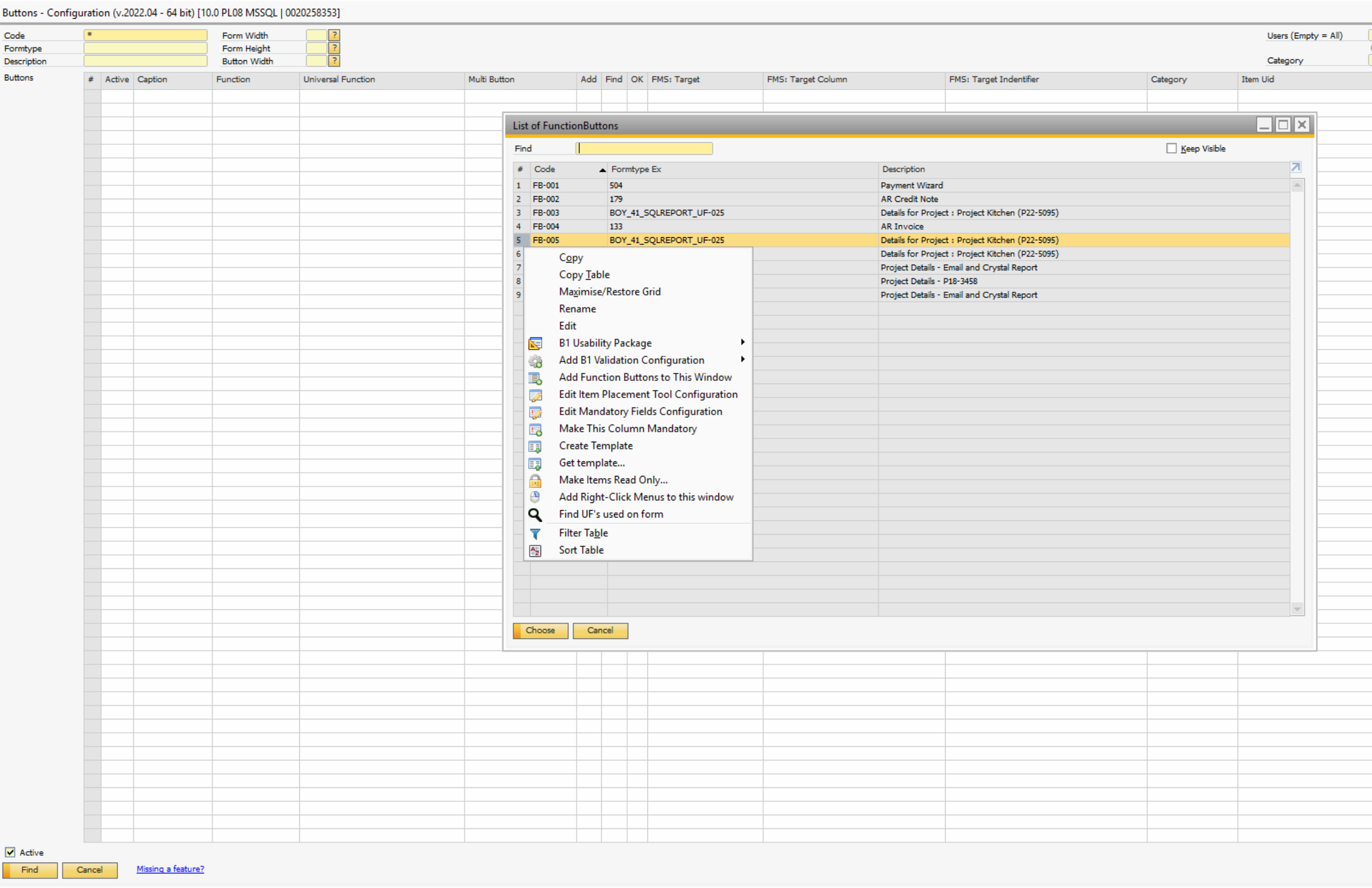
Apologies for the confusion. There is no Remove menu on the List of Function Button screen. The function button configuration FB-005, FB-007 and FB-009 are redundant and I want to delete them.
Regards
James
You can't delete from the list (Not a feature SAP Business One have)... But instead, simple select it from the list so that specific Config is show on screen like in my screenshot (aka the screen is in OK mode)... And then on that screen right-click anywhere and choose the remove option... Then repeat for the other two config you do not wish to have
Please sign in to leave a comment.