How BEAS's MRP list uses the UDF field? Answered

Hi
I want to display the lot size data of the master file data in the MRP list data
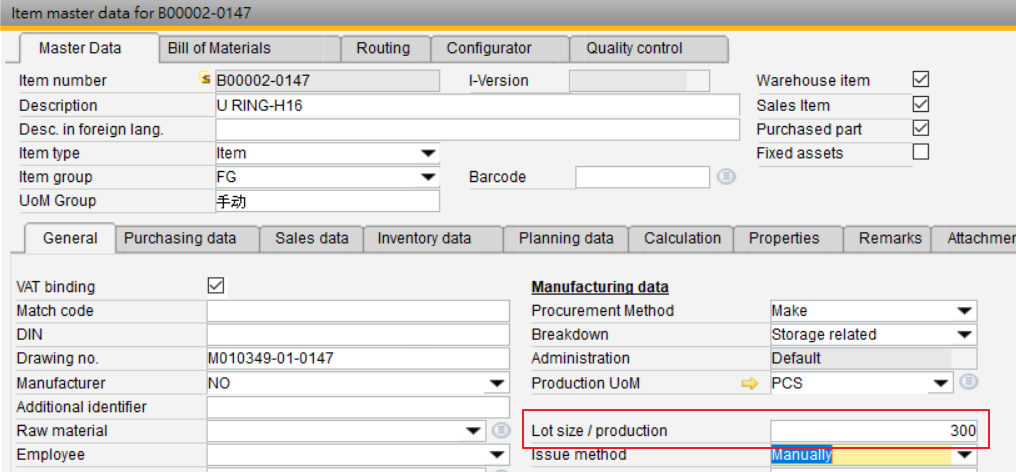

I also made the settings as shown in the figure below, but there is no response after calculating the MRP
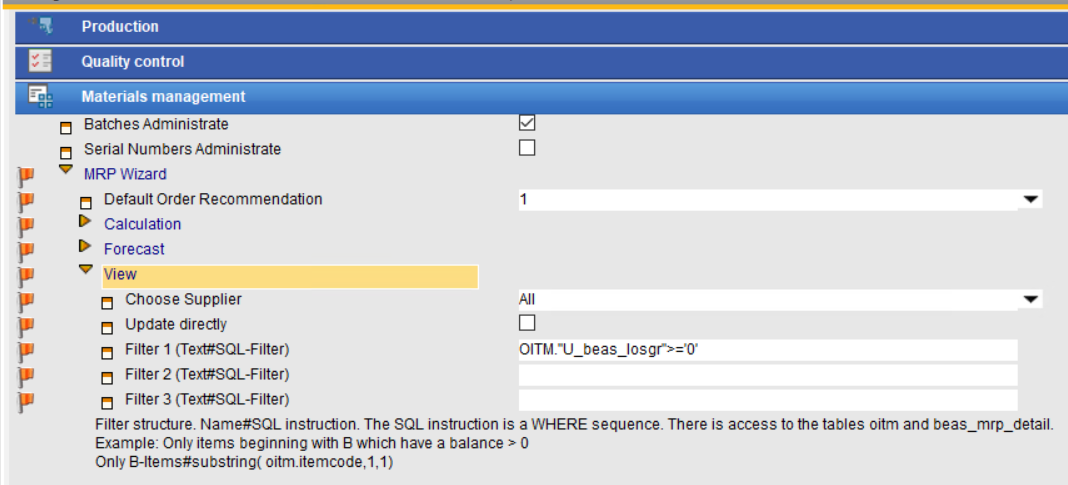
How should I set it up?
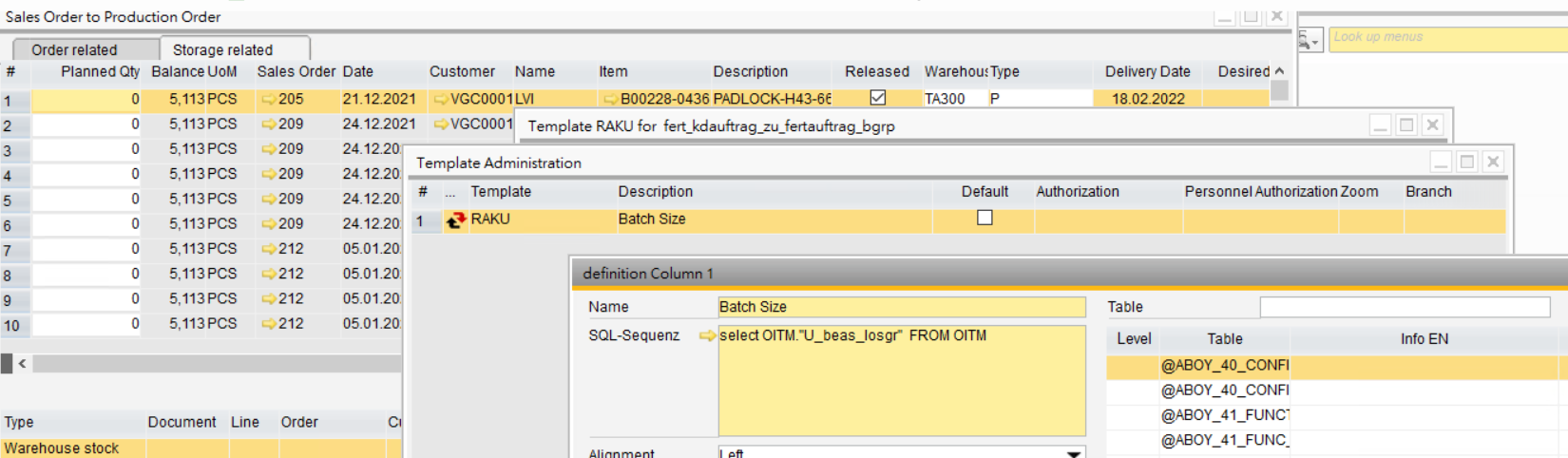
In addition, I also need the same information in Sales Order to Production Order, and also encountered a similar problem, I made a template but it shows an error
Thanks!
Comments
5 comments
MRP: Templatefields current not supported in MRP - item list view
What can you do?
After calculation of the mrp you can write a small script in userevent mrp.end
which fill in field BEAS_MRP.USER1 the Lotsize from OITM
Filter:
You must define
Only with Lotsize#"OITM"."U_beas_losgr">='0'
Sales order to Production order - Template
if you work with select command, then the system insert this as sub select command. In this case correct is
(select "U_beas_losgr" from "OITM" o where o."ItemCode"=line."ItemCode")
But it's more simple. You see that the SQL from this window use "OITM"
It's enough to write
"OITM"."U_beas_losgr"
Note:
This list use an union all
It's not allowed to use ORDR or RDR1 because in second part it's using OINV, INV1
In this window use header or line, example: header."CardCode". Then this is working for sales order and pre invoice.
Hi Martin
MRP -- I made settings and calculations didn't work
Sales Order to Production Order -- I set it up and it doesn't work and shows SQL error
Does this have something to do with me using HANA database?
MRP Filter
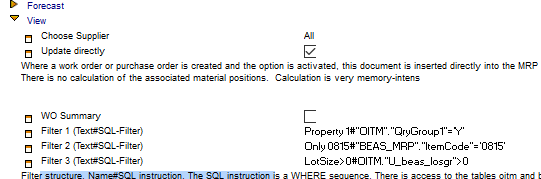
title#SQL command
Lotsize is a number, not string > '0' is wrong. use > ß
Sales order to work order:
Sub select commands must be in brackets.
The second variant is correct.
If you've an SQL error, check the debug log. Here you can see a red line with the SQL error. And you can check the created SQL Command.
Hi Martin
The MRP results don't show up on the UDF, which is not what I want, but it taught me how to set.
The previous discussion mentioned "userevent mrp.end" which seems to fix this, can you tell me where to open it?
Thanks!
Please sign in to leave a comment.