beas - adding pictures to a form

Hi,
Is there anyway to add a picture to a form? I'm building my own form in Powerbuilder (works fine) and I can drop an image on that form, but I want to specify what file to load when the form loads. I can't find anything in the help file in dw_1.item collection - any ideas? On my form I have created an image object dw_1.item.p_1.
Thanks,
Comments
2 comments
Hi Phil
insert a compute field with the command
bitmap(fieldname)
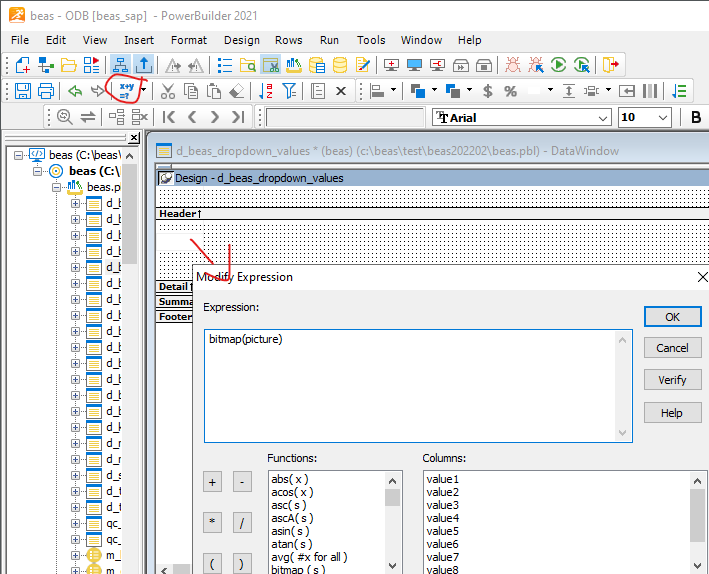
example:
in table field "picture" the path to the picture is saved
now you can insert the formula
bitmap(picture)
or
bitmap("c:\foldername\"+picture)
Hi Martin,
Thanks. I'm designing a screen in Powerbuilder and did it like this. I added a picture control to my form (that isn't part of the query that retrieves data) then used this code to pull in the right picture in the form_loaded event. The customer has parts process drawings already saved to a file.
setvar=ps=<dw_1.item.itemcode.value>-02.JPG
dw_1.item.p_1.filename=\\XXX-XXX\Shared\SAP\Attachments Folder\<ps>
Here is what the screen looks like
Please sign in to leave a comment.