Choose which Pivot rows are expanded by default

At the moment, the initial state of a Pivot only lets you expand all row groups or none of them. There’s no way to choose which specific rows should open expanded when the dashboard loads.
In my case, I have a cash flow matrix with Line > Group > Subgroup on the rows. The lines are Opening Balance, Operating Result, Receipts Total, Payments Total and Closing Balance. When the dashboard opens, I’d like Receipts Total and Payments Total to be expanded, so users can see the groups straight away. The other lines should stay collapsed, since they’re totals and have nothing useful underneath.
With the current options, either everything is collapsed and users have to expand the same two lines every time they open the dashboard, or everything is expanded and the matrix gets far too long to read comfortably.
What I’d like to see:
- An option to set the default expanded or collapsed state for individual row values, e.g. by ticking the values that should open expanded in the Pivot’s initial state settings.
-Ideally, the option to define this per level too, e.g. expand Line but keep Group collapsed.
-Alternatively, an option to save the current expanded state of the Pivot as the default when saving the dashboard.
How it is when I open it today:
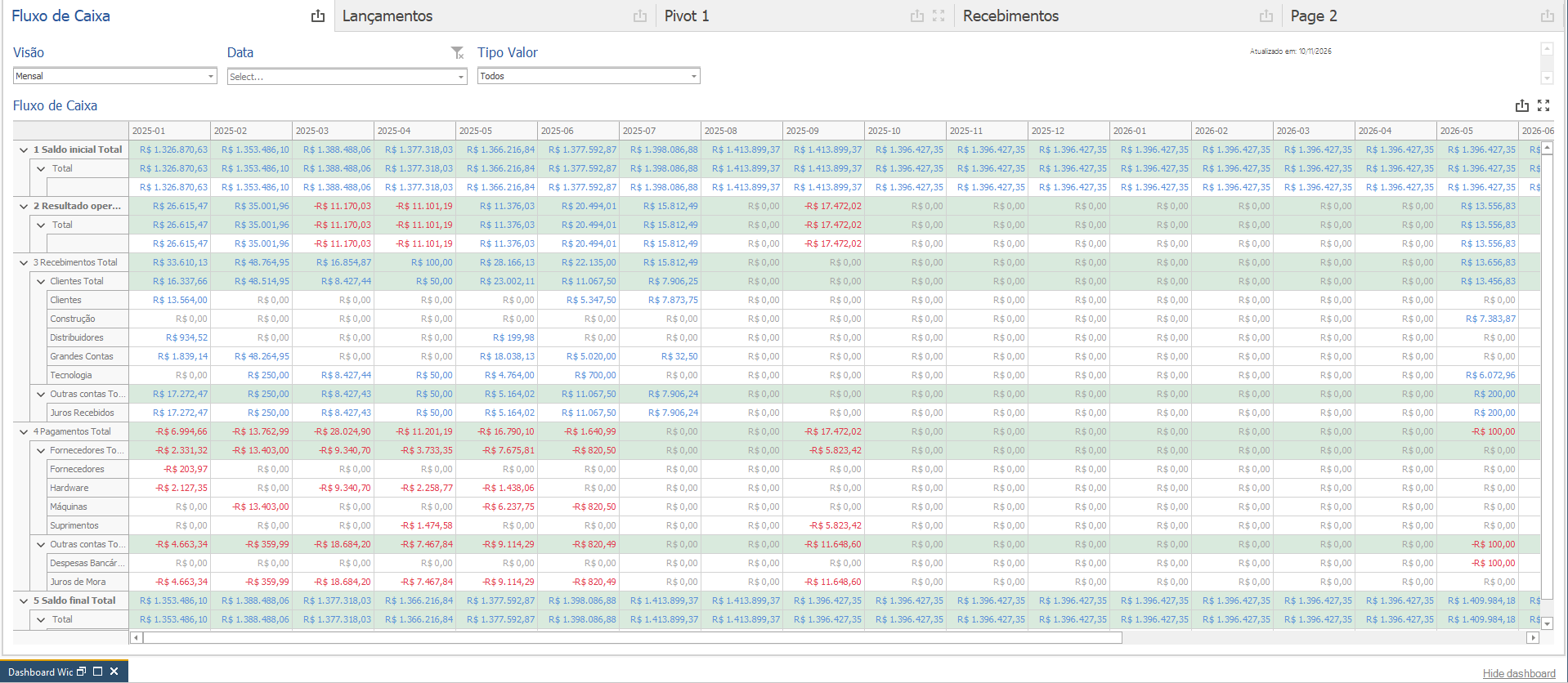
With everything expanded, the total lines (Opening Balance, Operating Result and Closing Balance) also open sub-rows that add nothing, which makes the matrix much longer than it needs to be.
How I’d like it to look when I open it (I collapsed these rows manually for the screenshot, but this state isn’t kept the next time the dashboard is opened):
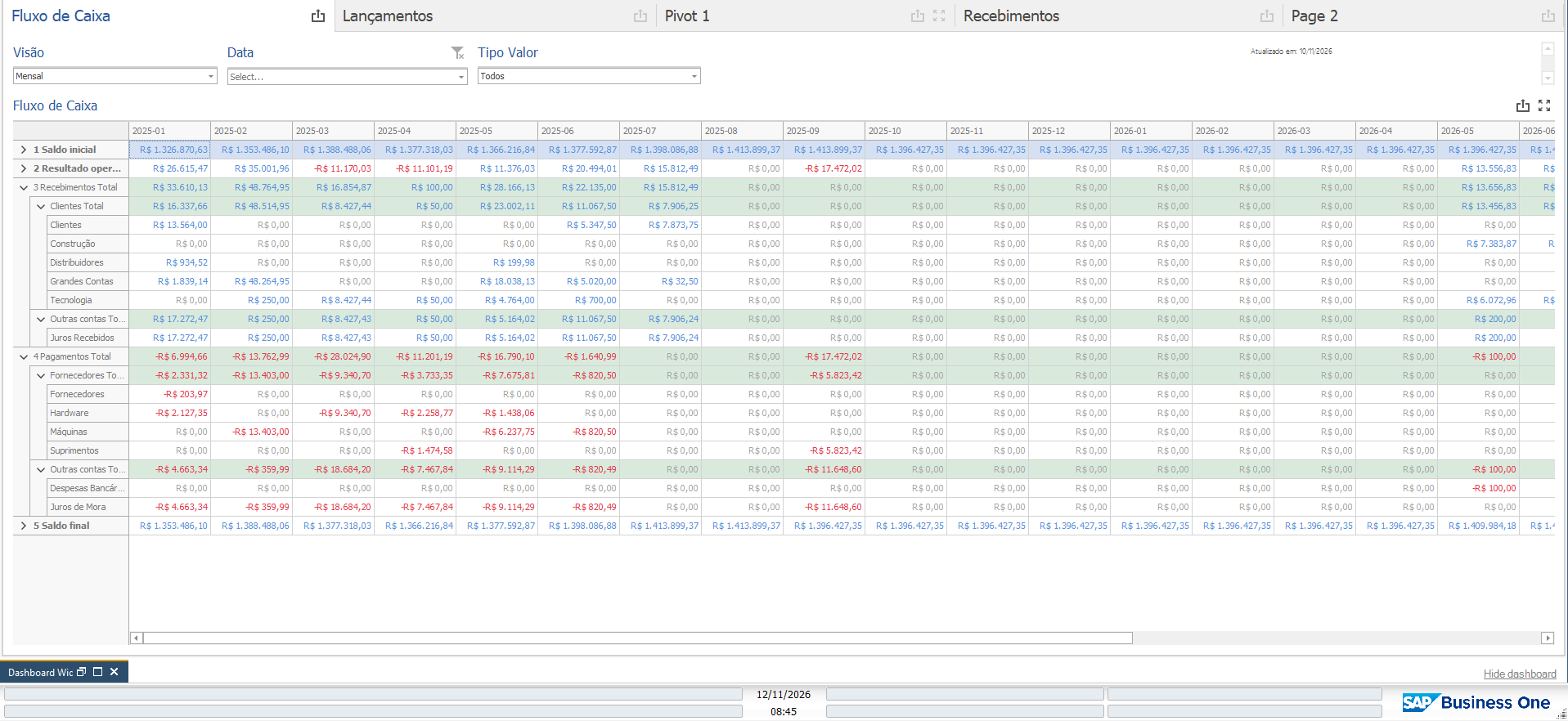
This would make larger Pivots much easier to use, especially in financial reports where only a few key lines need to be opened by default.
Comments
0 comments
Please sign in to leave a comment.