Drill-through from a Pivot cell using the full row and column context

At the moment, double-clicking a Pivot cell can trigger a Universal Function, but it only passes a single value through $[B1DASHBOARDVALUE]. From a row or column header, that value is just the header text. From a value cell, it’s the same number for every cell in the column, whichever row you click. So there’s no way to tell the function which cell was actually clicked.
To show what’s currently being passed, I set up a simple Message function (UF-791) that displays both keywords: S: $[B1DASHBOARDVALUE.STRING] | N: $[B1DASHBOARDVALUE.NUMBER]. I then linked it to the value field of the Pivot by renaming it to Valor@UF:UF-791.
In the second screenshot, I double-clicked the cell for Hardware in 2025-06. Instead of that cell’s amount, the message shows 8265557.22 for both keywords. I get exactly the same number whichever row I click in that column, so neither keyword tells the function which row or column was clicked. The third screenshot shows a different row in the same column returning the same value.

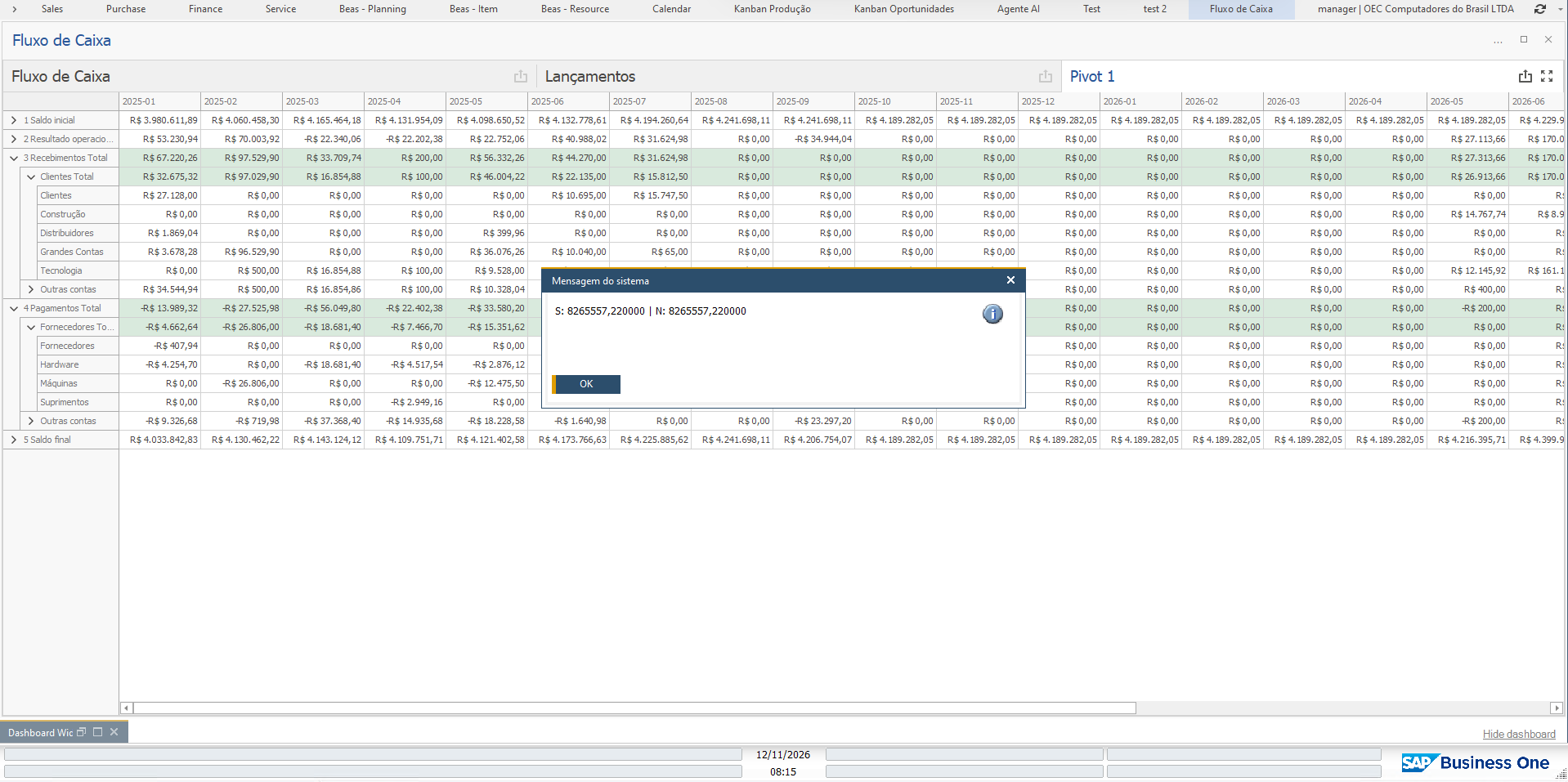
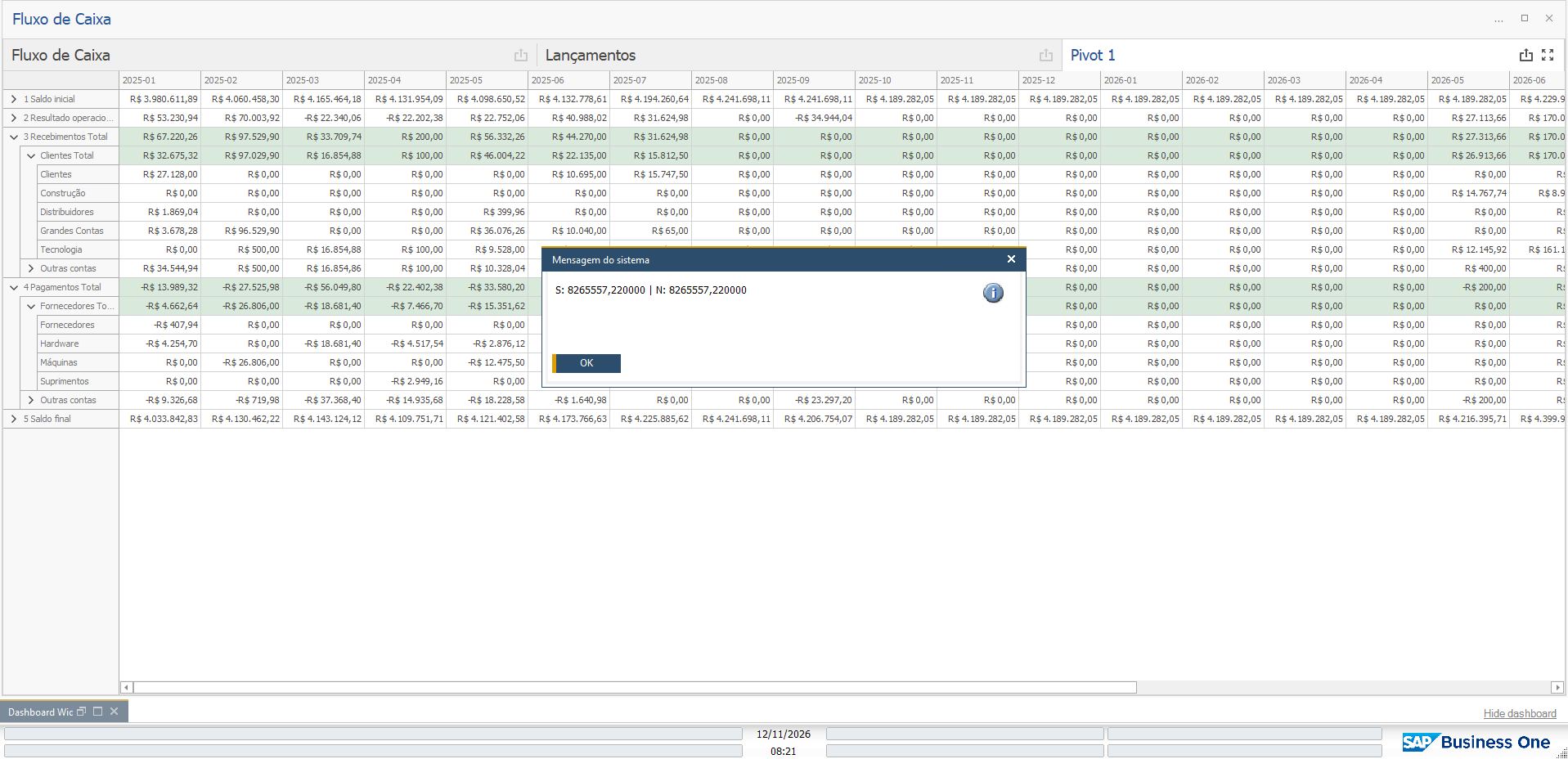
This makes it impossible to build a proper drill-through from a Pivot. In my case, I have a cash flow matrix with Line > Group > Subgroup on the rows and periods on the columns. Users want to double-click any cell, at any level of the hierarchy, and see the transactions behind that amount. To do that, the function needs to know every dimension value that defines the cell: the row fields at that level, the column field, and ideally whatever is selected in the dashboard’s filter elements as well.
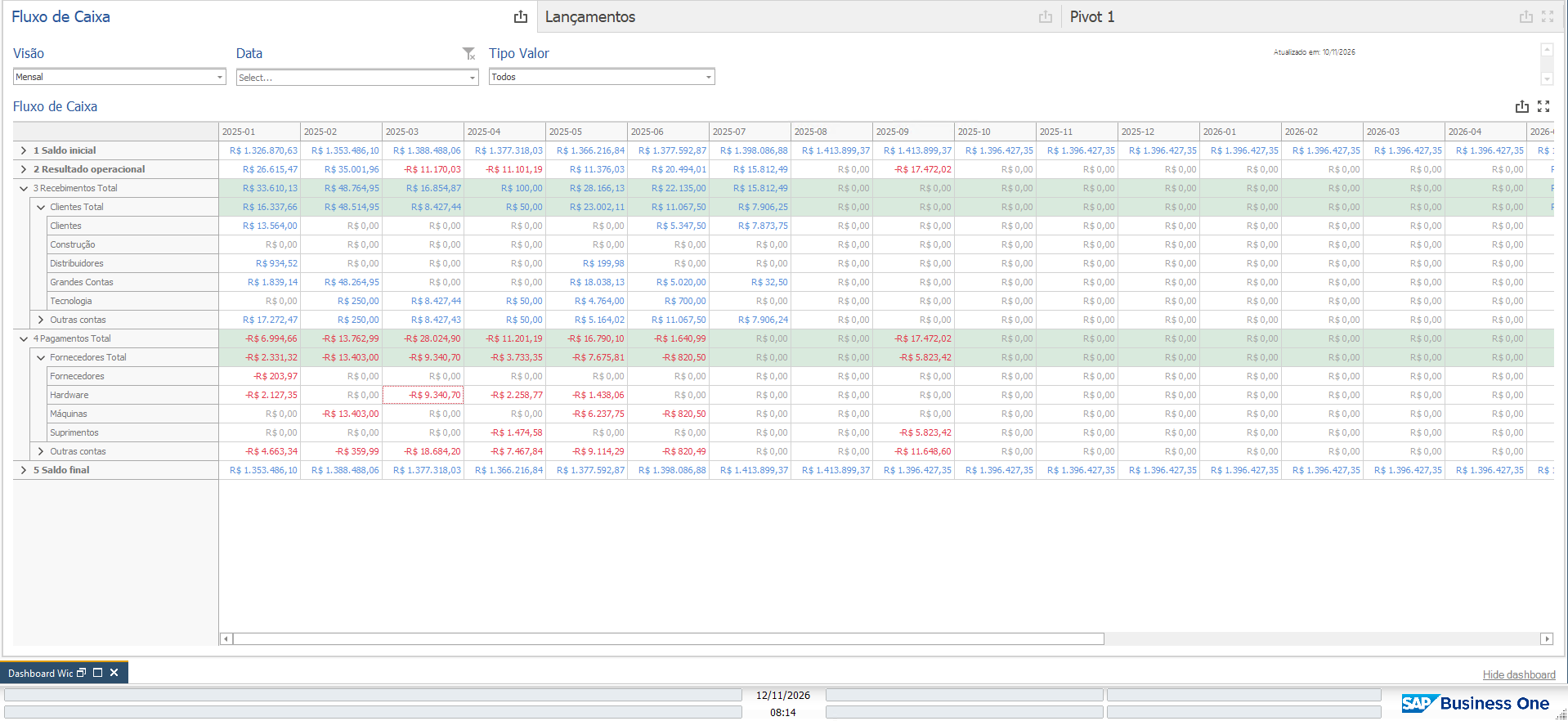
What I’d like to see:
- When a Pivot cell is double-clicked, every dimension value that defines the cell (rows and columns, at whatever level was clicked) is made available to the Universal Function, e.g. $[B1DASHBOARDVALUE.Subgroup], $[B1DASHBOARDVALUE.Period], or something similar.
- Access to the current selection of the dashboard’s filter elements from the Universal Function.
I think this would be useful for anyone using B1 Dashboard for financial reports, where drilling down from a summary figure to the underlying documents is essential.
Comments
1 comment
Drill-through from Pivot cells is a recurring need in the financial dashboards we deliver to our customers. Passing the row/column dimension values of the clicked cell (and ideally the current filter selections) to the Universal Function would unlock this.
Please sign in to leave a comment.