BEAS - Modify (Add/Delete) BOM positions according to the results of the Product Configurator Answered

Hi everybody,
I detail our business case,
The company has Items that are manufactured by joining two or more items together (the number of items joined depends on the final product ordered by the customer).
We create these final products through product configurator (to be able to control your stock). We select the number of items to be joined and which items they are. In this way, the configurator proposes the description of the new article.
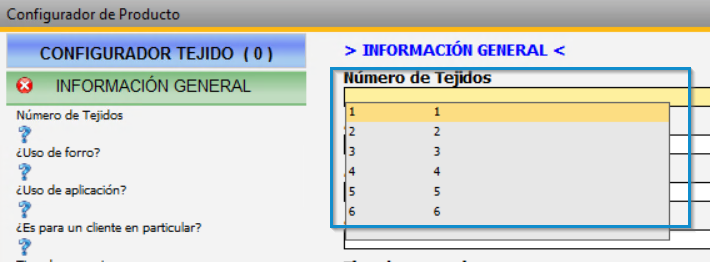
I would like to know if it is possible to add new positions or delete in the BOM of the new item depending on the number of items to be joined and that we have reported in the configurator.
Thank you in advance,
Kind Regards.
Sergio Fernández
Comments
3 comments
Hi Sergio,
A simple way to achieve this is to have the optional items on the Bill of Material but set to Inactive and change the active status based on the product configuration.
If you setup the parameters in the product configurator to be Check Box they will have values of Y or N depending on whether they are checked or not. E.G.
On the Bill of Material click the yellow C next to the active field to assign the variable or formula (right-click-->Display Formula fields if the yellow C's are not visible). Select type Variant and the name of your Checkbox parameter from the configurator.
Now, when a work order is created from a configuration, you will only see the component if the parameter is selected in the configuration.
Hi Sean,
Thank you for your reply, it's a great idea.
Kind regards.
Hello Sergio,
The reply from Sean is the one correct for your scenario.
Please sign in to leave a comment.