Picklist Validation based on Sales Order Customer - Master Data Property Ticked 'Y' Answered

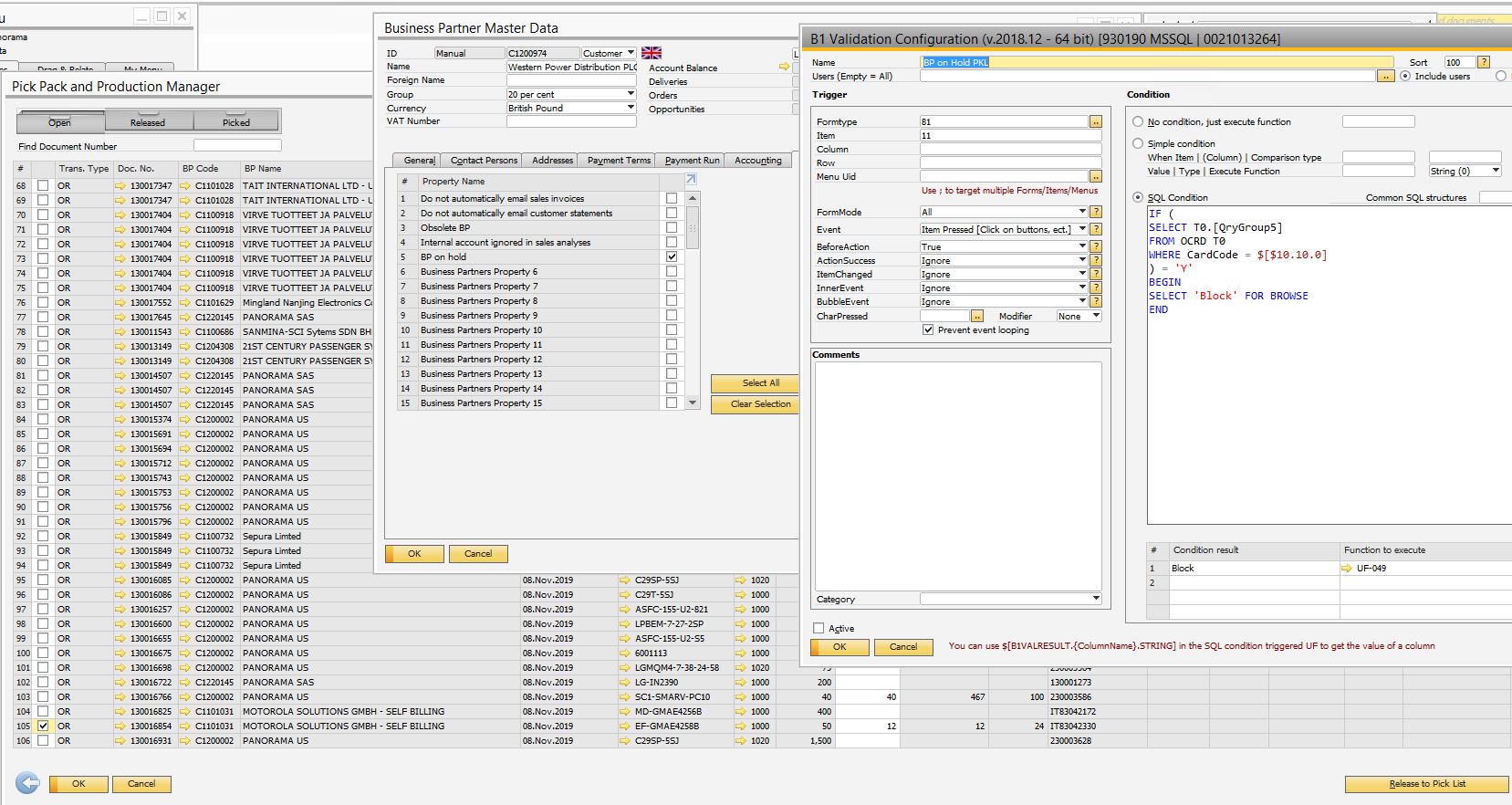
I've done a few validations for marketing documents to warn or block (depending on the document ) customers who have property 5 ticked ; which work just fine .
Bu when trying to do a similar-ish setup on the Pick & Pack Manager Release to PickList Trigger : it does validate on the top row of the indicated column from the on the fly table / view ( which is probably a known limitation ) .
Is there a way I can select the ticked box on the Pick & Pack selector $[$10.1.0] or what are my options .
I've thought of the possibility of filtering out the on hold customers beforehand ( but the properties are not an option to use ) ; thought of doing an UDF on the Marketing documents to draw that information , as it seems UDF are a filter possibility . But thought of asking for help of a better way do sort this out from the experts .
Without blocking the Picklists , my other Validations regarding the On Hold customers become useless really .
Please advise,
Marcel
Comments
2 comments
Hello Marcel,
Please try using the extended dynamic syntax by Boyum. In the following link you will find more information about it:
https://support.boyum-it.com/hc/en-us/articles/204284188-Guide-Understanding-Dynamic-Syntax
Hi Yaremi ,
Thank you for the update , it is a few months late , but I apreciate it .
I was able to sort it in one of the following days using the below setup :
Thanks ,
Marcel
Please sign in to leave a comment.