Open work order structure from Assembly List

Hello,
I'm using this script on the assembly list:
global function dw_1_rightclick
setvar=tex=In Strukturansicht öffnen
bpopup=add=bmp\allok.png=In Strukturansicht öffnen=1=openwindow=fert_stuktur_browse.psr=belnr_id:<dw_1.item.ftpos_belnr_id.value>
end global
But this leaves me with 2 problems:
1. 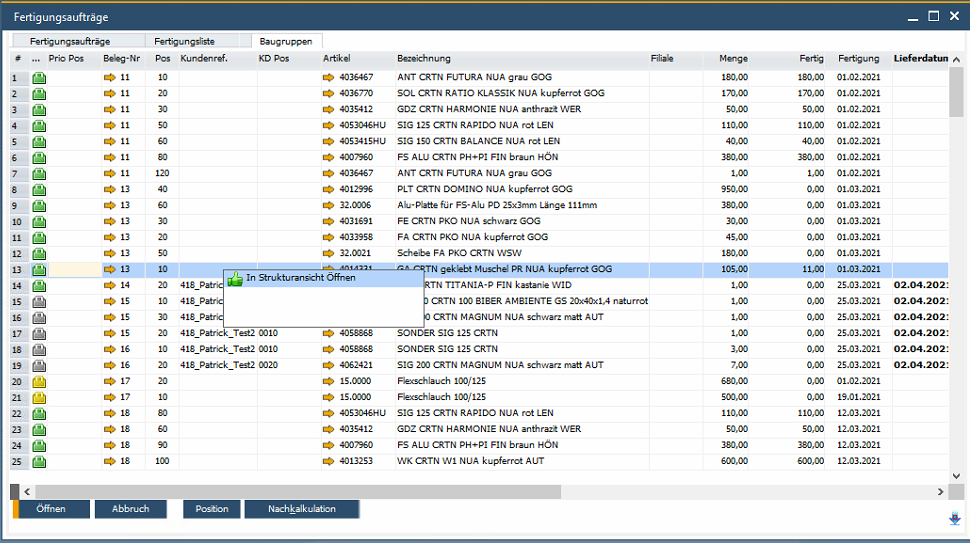
My entry into the right click menu is not added to the others but is the only one still shown...
and 2.
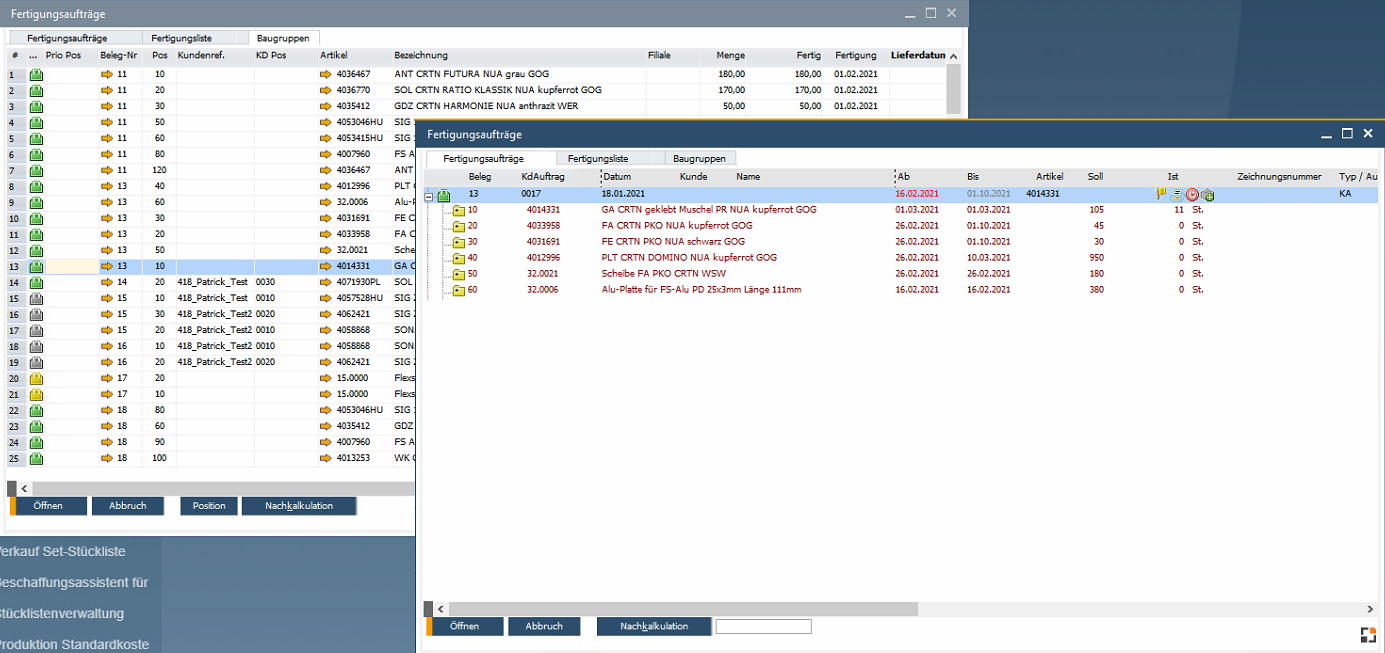
The work order structure is shown with the correct work order but I would like to have the correct position extended as well like so:
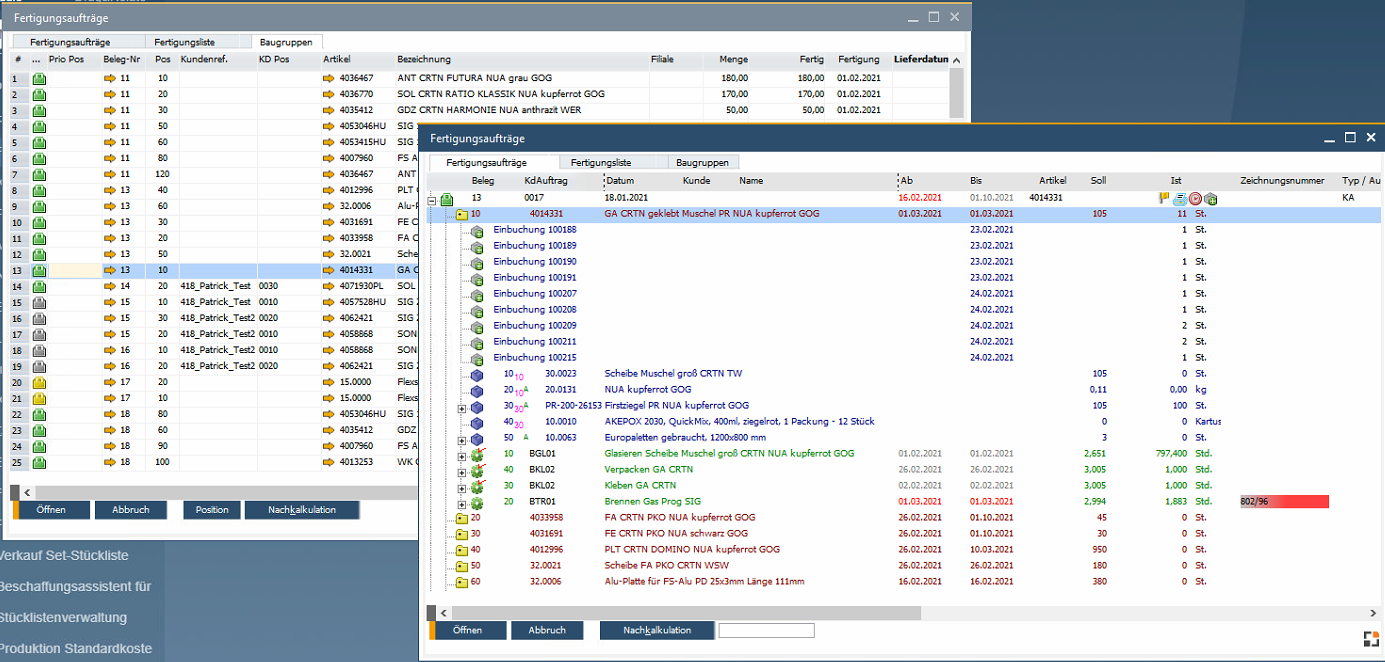
so far I cannot accomplish this.
I hope somebody can help me.
Comments
5 comments
Hi,
First you need a function in the structure window, which go to defined position
(fert_struktur_browse.src)
Then you must add the right mouse click function in the workorder position list
fert_ftpos_browse_alle.src
Best event for this is bpopuppredredraw
See http://help.beascloud.com/script/index.html?create.htm
at last we need the click event for this new menu entry
We send belnr_id and belpos_id
In the structur view the expand is executed by post
Means: we must wait and best idea is to send "post=post" and then the new own function
regards
Martin
Hi Martin,
Thank you very much!
You helped me a great deal.
Greetings
Paco
Hi Martin,
I still don't know how to expand the work order position.
The function scrolls to the right position, that is great but I can't find the command to expand it as well.
It would be great if you could help me with that also.
Kind Regrads
Paco
(not tested)
Hi Martin,
Works! Thank you very much!
Greetings
Paco
Please sign in to leave a comment.