How to alter right click popup menu in datawindow in Beas Answered

Hi,
I want to add an item to the popup menu when I right click on a datawindow (dw_1)
Is this possible?
Script does not work for
global function dw_1_rightclick
messagebox=sdfasfag
end global
I'm using 2020H.11.00.18
Regards,
John
Comments
4 comments
Hi John
if you check the debug log, then you see that beas send a reset after your bpopup
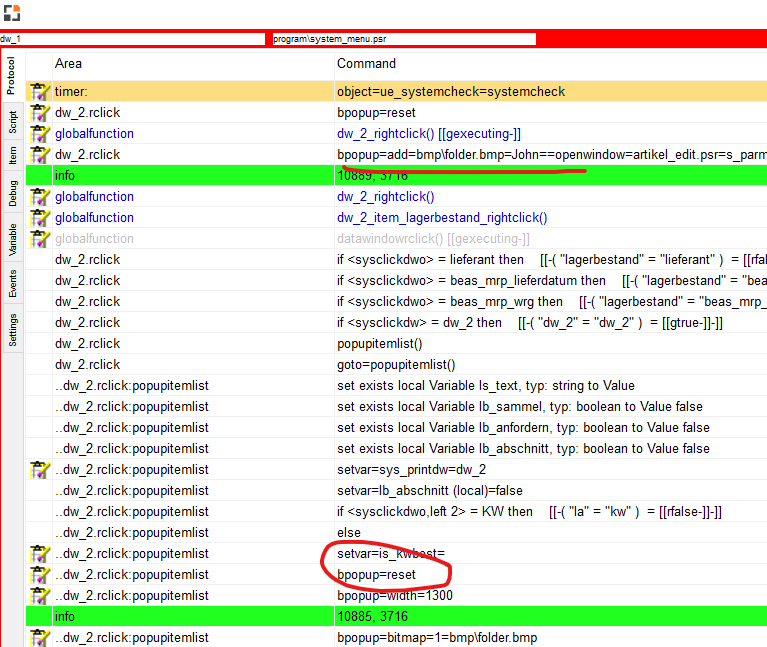
But at end we've an window event
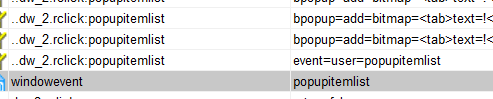
windowevent popupitemlist
bpopup=add=bmp\folder.bmp=John==openwindow=artikel_edit.psr=s_parm1:<dw_2.item.oitm_itemcode.value>
return 1
end global
Hi John,
i checked follow source in item lista nd this is working fine
global function dw_1_rightclick
messagebox=hello
end global
do you have a debug log?
Hi Martin,
A good night sleep and restart of Beas did the job.
I want to change the popup menu and tried this:
global function dw_2_rightclick
messagebox=hello2 <dw_2.item.oitm_itemcode.value>
bpopup=add=bmp\folder.bmp=John==openwindow=artikel_edit.psr=s_parm1:<dw_2.item.oitm_itemcode.value>
end global
(I'm working in mrp_view_masterrahmen)
Thank you.
Please sign in to leave a comment.