Grid Dashboard - Link to document UDO/UDT/UDF Answered

I´ve done an Dashboard (Grid) by UDT / UDF for an customer which came from CrystalDashboards.
Is it possible to create an golden arrow or a link for every row in the grid to jump into a document (UDO) with special "DocNum" (Code for document in UDO: for Financing inquiries)?
Comments
7 comments
It is not visually possible to show a Golden Arrow but it is possible to do navigation. This page explains how it is done (since you are going to a UDO you need to use the UF approach): https://help.boyum-it.com/B1UP/dashboard-navigation-options.html
His Rasmus, we tryed it! But in the discription you need the Keyword from your table there.
But we want to refer to an customer specific UDO and the keywordd don´t work there, because the primary key in that UDO (called: "Code") don´t match to any keyword.
In the discription <FieldName>@UF:<UF-Code> is no object exsisting! Is there a way around with UF?
I think you misunderstand how <FieldName>@UF:<UF-Code> works...
It is explained and demo'ed in this video: https://youtu.be/TqxwnTkiPUM
We tryed it with UF SQL like in your video: DB_UF001
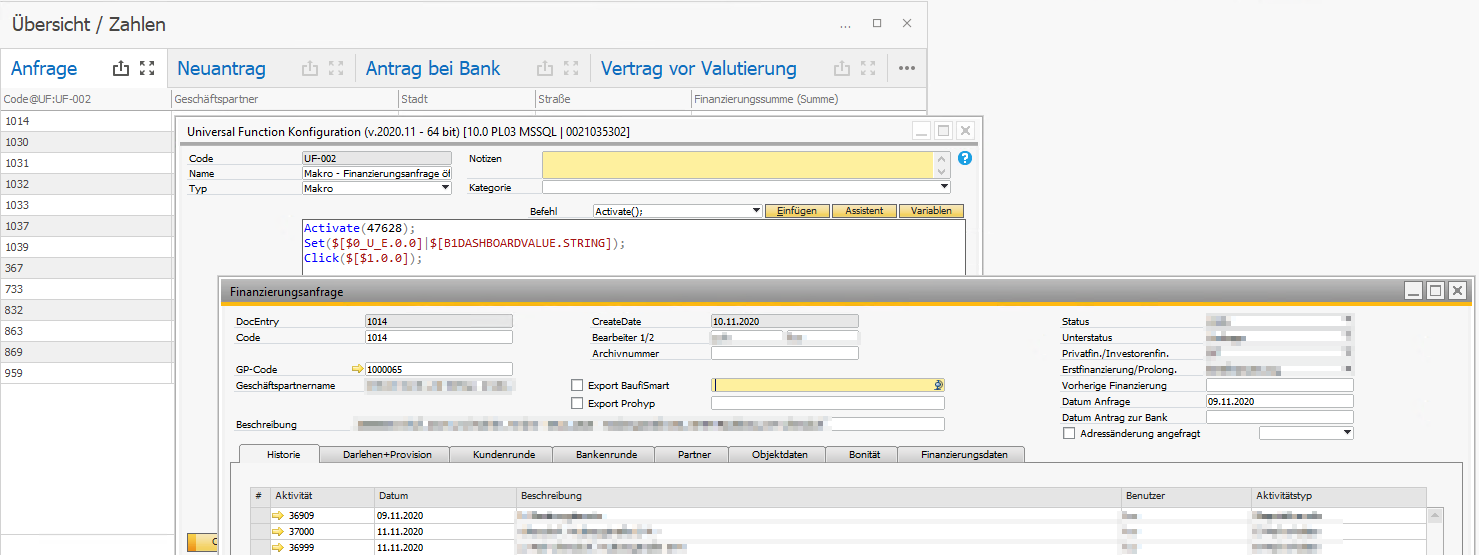
And we tyed it with UF Makro: DB_UF002 with an good result, but the Activate(UID) are to unsecure.
Is there an possibility to work with SQL: <FieldName>@UF:<UF-Code>
you say Activate(Uid)... I assume you mean it does not work as it keeps changing... If that is what you mean the have a look at this article: https://support.boyum-it.com/hc/en-us/articles/360000744248-How-can-I-call-a-SAP-Generated-UDO-when-Menu-Uid-keep-changing-
If not what you mean then please explain a bit more in detail so I can understand the issue correctly
Hi Rasmus,
if the UF with Makro is the only way to jump into an UDO than I check your article here.
But if there is a way with UF and SQL in it, then we prefer that, because of the changing problem of menu-uids.
So is there a way to jump from Grid-Dashboard directly to the UDO with UF and SQL, like my UF-001 (that doesn´t work)?
Hi Mirko
I'm not 100% sure I understand what you are saying here... If you want to double-click on the dashboard and go directly to the UDO, then do a Macro that does that using the article I sent. Do it like the video I sent but instead of the UF being a SQL Report, let it be the Macro instead
If you want to double-click the dashboard and got to a SQL Report... and from that SQL report want to open the UDO, you do just like the video and add a golden error to the SQL Report... That golden arrow needs to be of type custom and again let a macro perform the opening
Please sign in to leave a comment.