Universal Function - Click Pane Not Working

I'm trying to set the default on the Activity screen to show the "Content" pane as opposed to the General pane. Using the click syntax as instructed in the users guide, it does select the pane as shown in my screenshot, but it displays the data from the General pane...very strange. Has anyone run into this issue and how do I resolve it?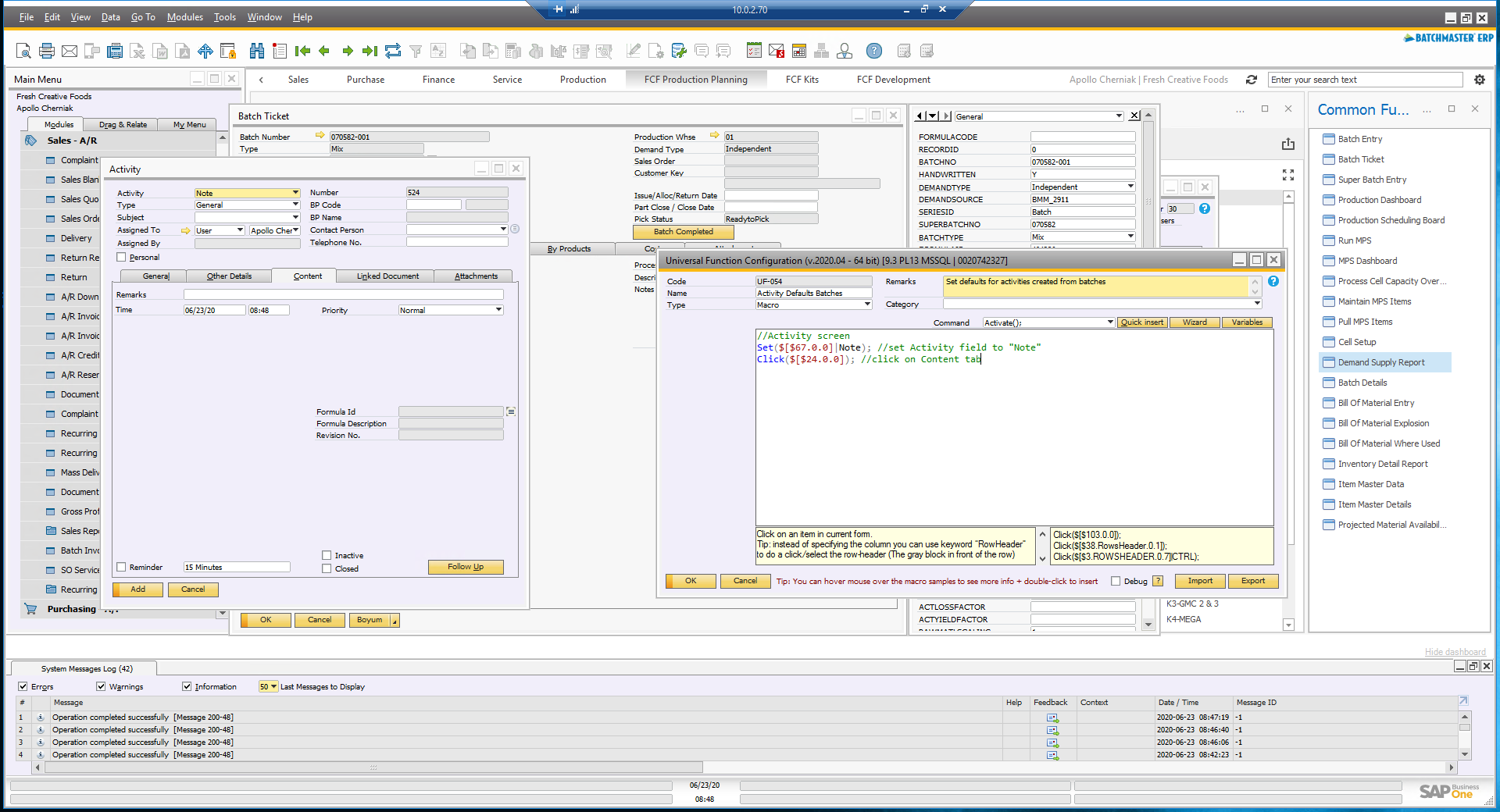
Comments
3 comments
Hi,
Not sure , same thing works fine for me for both validation + manual function button.
Good luck.
@Apollo Cherniak
Create a B1 Validation Configuration and a Universal Function Configuration as below.
Select No Condition, just execute function and put your UF there
Hope it works for you
Regards
Nothing at all happens with "data load"...but "form load" triggers the behavior I explained.
Please sign in to leave a comment.