Return quotation in customer template Answered

We are getting more and more requests for sending quotations back into a customers made excel template.
This takes way to much time as we have to fill in everything manually, so we are looking for a way to export our Quotation to a readable excel file in the customers design.
What we are currently thinking of is some sort of the B1 Letter merge functionality in combination with a conditional report action from b1 print and delivery.
Comments
4 comments
(Please note that as we are user-driven we can't guarantee that your request will be met unless it gets many votes and/or fit the product vision)
Read more about the Feature Request process here
[Internal Id: 21722]
Hi Ramon and thank you for your request :-)
Have you tried to use Crystal Report (In UF or B1P&D) to do the Export to Excel? (The best current way)
If not good enough, how do you envision this should work (pretty hard competing in functionality against Crystal Reports) :-)
Hi Rasmus,
Yes we tried, the problem is that every customer has their own fixed positions we need to fill.
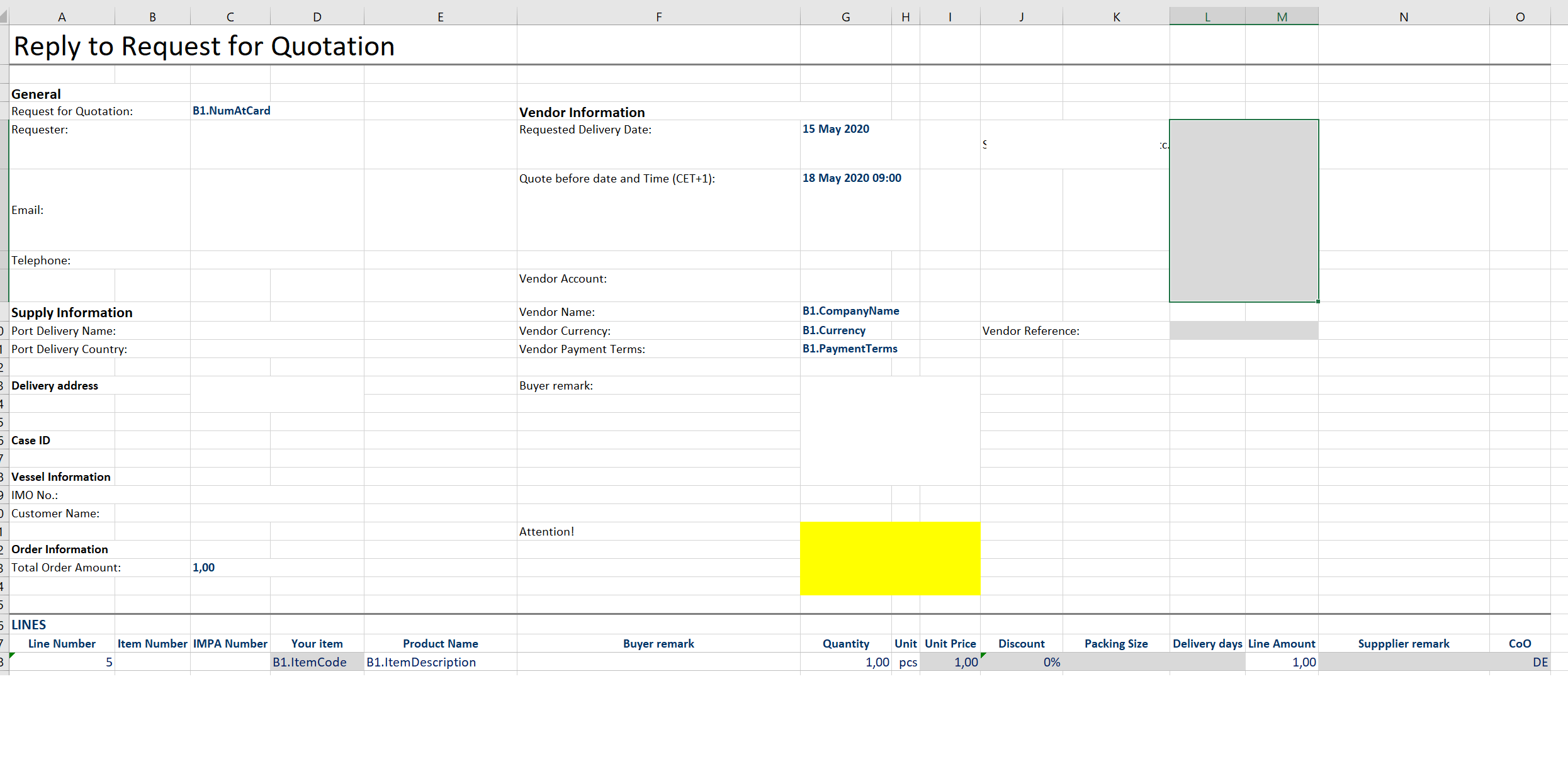
For our customer it's a time saver because the system will read the quote automatically.
However not a single template is the same.
Below is a sample what we try to accomplish.
Yes, and that is what is so tricky... What Kind of configuration could we make to be able to be flexible enough to be able to result in this exact design ... As you show above only keywords directly in the Excel would properly be able to do it... But that comes with it own set of issues:
Have you considered trying a direct DB connection to the data instead? I think that would give the least issues ..
Please sign in to leave a comment.