B1UP context popup menu options mixed with default B1 options

Hello,
I have B1UP running in 2 B1 companies and the B1UP context menu options behaves differently from both companies.
In one company, the B1 context menu contains the "B1UP Usability Pack" submenu group, under which all B1UP options are available.
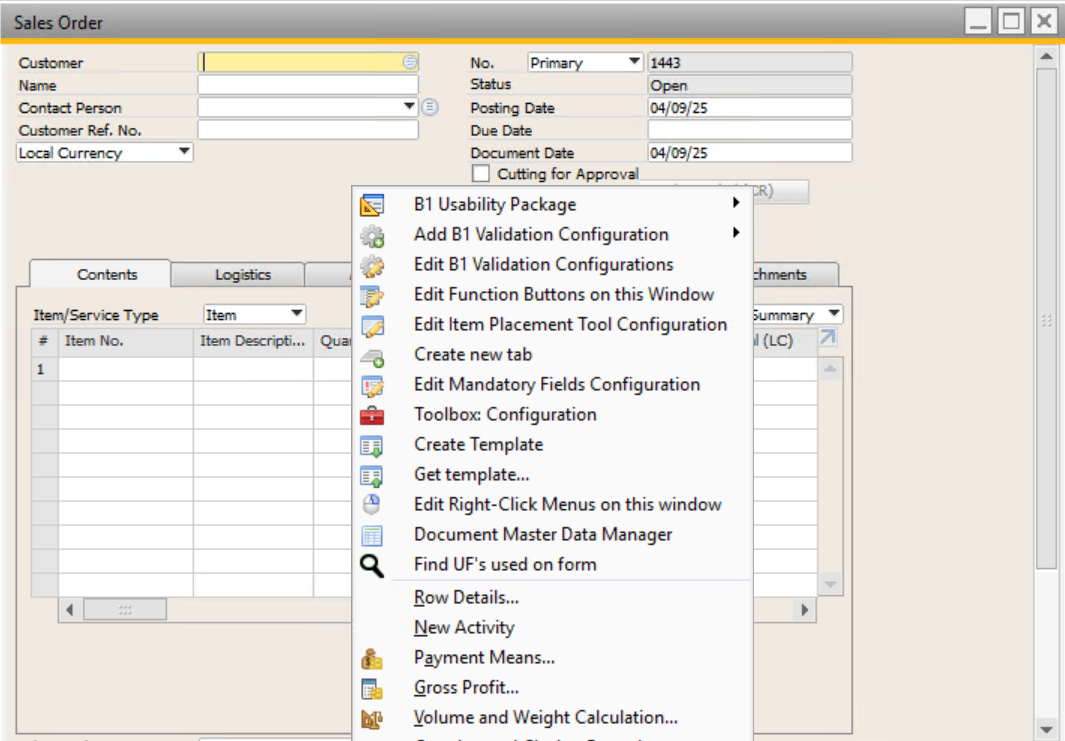
In the other company, the B1 context menu contains several B1UP menu options together with the standard B1 options, and sometimes the popup menu gets very long which complicates to find a specific menu option.
I attached screen imagens of both situations to explain better the problem.
I tried to find were this is configured in B1UP configuration but can't find any option to disable this mixing of B1UP with B1 options and avoid long popup menus.
If anybody knows were this option 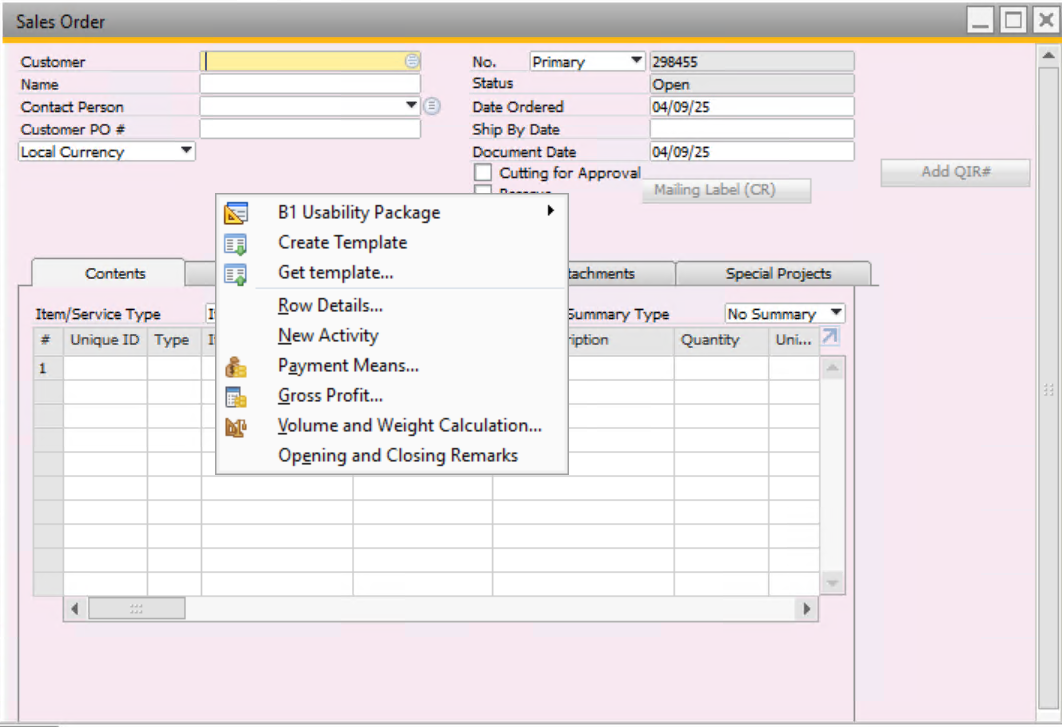
 is configured in B1UP, please share it!
Thanks
Comments
2 comments
Try the Administration -> Add-Ons ->B1 Usability Package -> B1 Usability Config
Hi Geoff,
This field was empty in B1UP config so I activated for the manager user and several other options were added. Then I deactivated and these new options were removed.
However, it does not remove other B1UP menu options like "Edit B1 Validations Config", "Edit Function Buttons on this window", etc.
The B1 user is the same in both companies (manager)...
Any other suggestion?
Please sign in to leave a comment.