Breakdown Subassemblies

Hello, this is Carlos.
I would like to ask some guidance about Breakdown Subassemblies function in the MRP scenario Detail Tab.
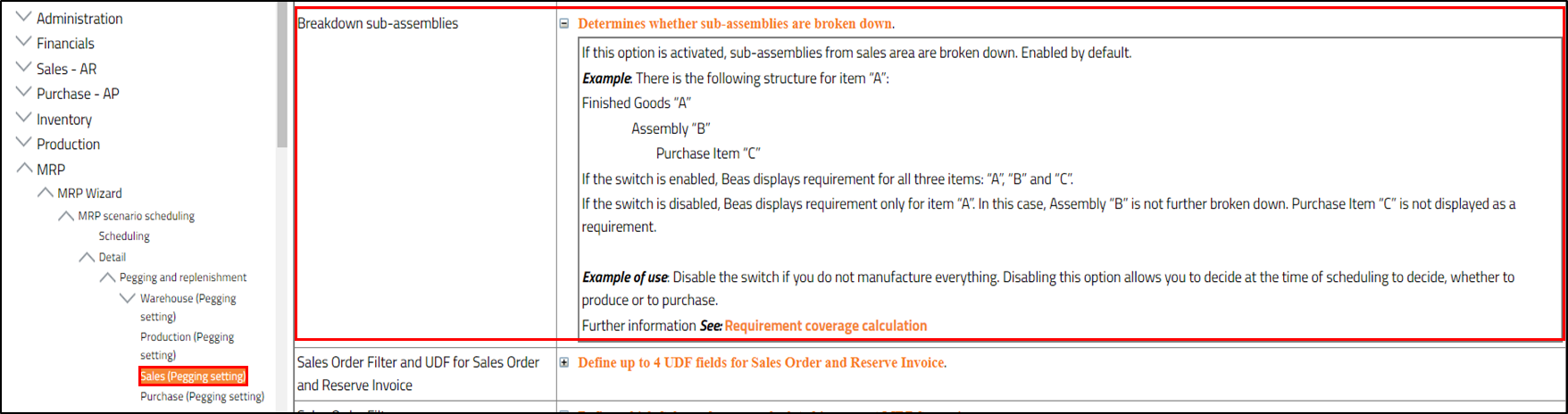
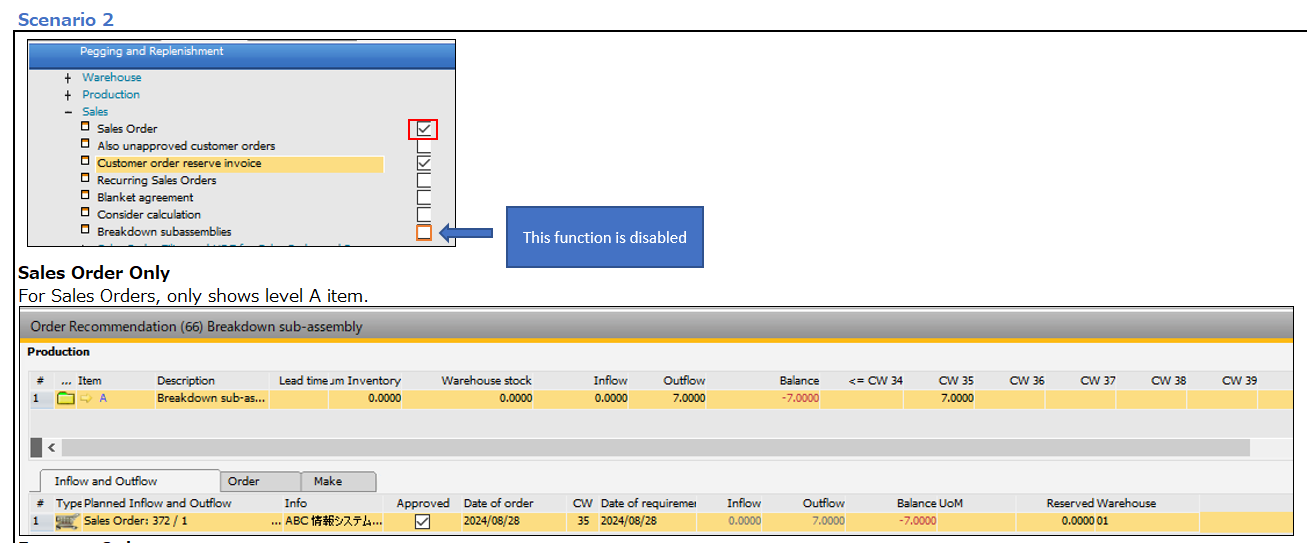
In case of an Order Related Finished good A, that possess a Stock Related Subassembly B, when disabling the breakdown subassemblies function it only shows item A. No display for item B.
1. Reading the explanation in the manual it seems B should not be broken-down but still showed as a subassembly in the MRP result (at least that is how I understand it) . However, I am only able to see A in the results. Does it means that only finished good A should be shown and this is the correct way to be displayed? Is the manual correct?
Beas Manual
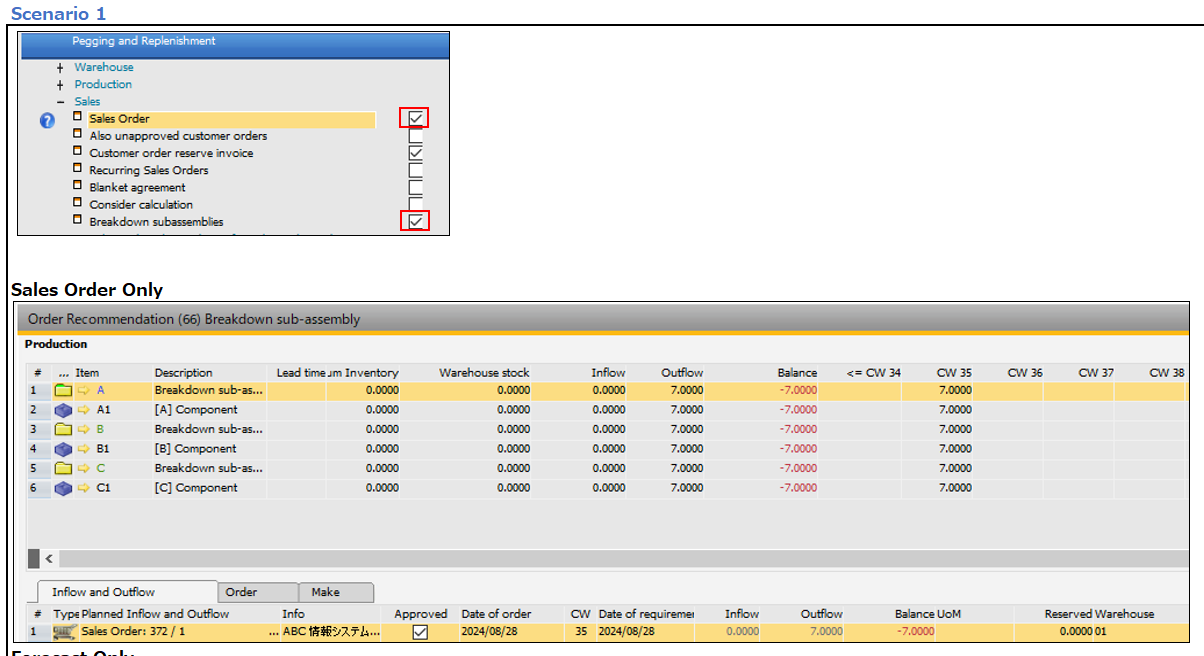
Scenario 1
Sales Order - breakdown subassembly tick ON
Scenario 2
Sales order - breakdown subassemblies tick OFF
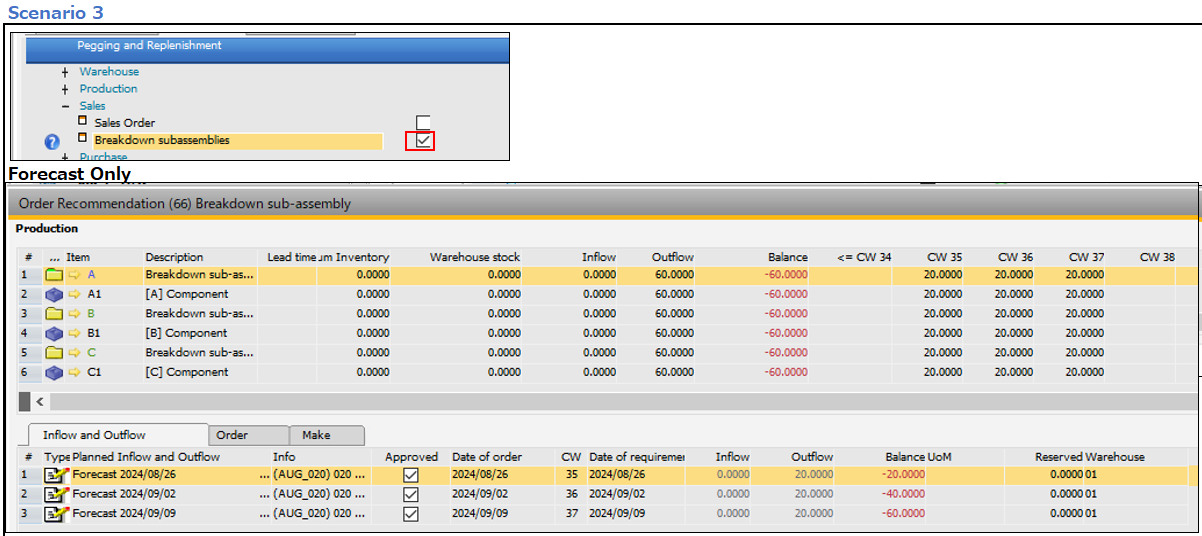
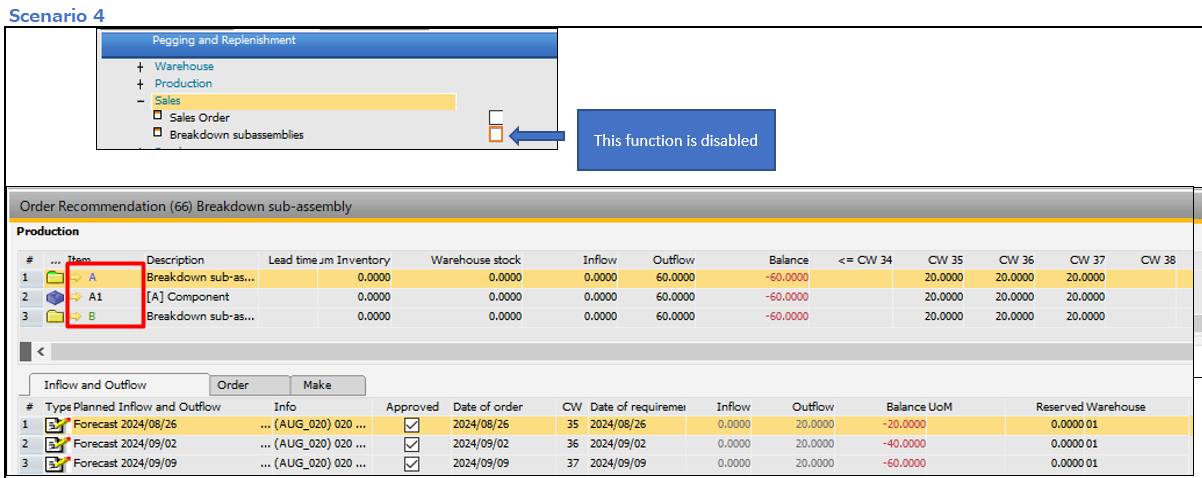
2. When using forecast only, and disabling this function, it shows all items related to A and item B without being broken-down. Should this function work the same for Forecast as for Sales Orders? Is ok like this ? Or may this be a bug?
Scenario 3
Forecast - breakdown subassembly tick ON
Scenario 4
Forecast - breakdown subassembly tick OFF
Some help will be highly appreciated.
Thank you.
Comments
0 comments
Please sign in to leave a comment.