BEAS Boyum style - Column size changing

Hello,
I am trying to use the new Boyum Style design but we have difficulties with the window settings with the new design. When we make the width of a column smaller and refresh all the other columns just get bigger and bigger.
For example here I want to make "Sollmenge smaller":

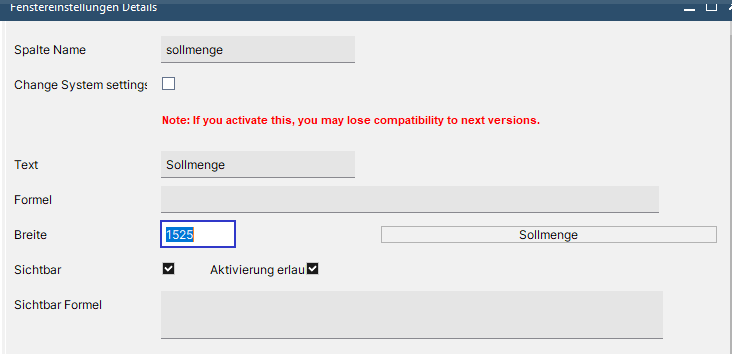
When changing the width to 500 of "Sollmenge" that column gets changed but every other column becomes much wider.

Now I barely see the column Name and "Soll" and "KdAuftrag" became much wider.
Anyone knows a fix for that, other than changing the design? (happens in the newest version aswell)
Kind Regards,
Daniel Wallner
Comments
1 comment
Hello Daniel,
this problem was solved in Beas 2024.02
Best regards,
Heiko
Please sign in to leave a comment.