beas - Change Savec File Name in QC Order Answered

Hello team,
Is there a way to customize the name of the saved file in the QC Order:
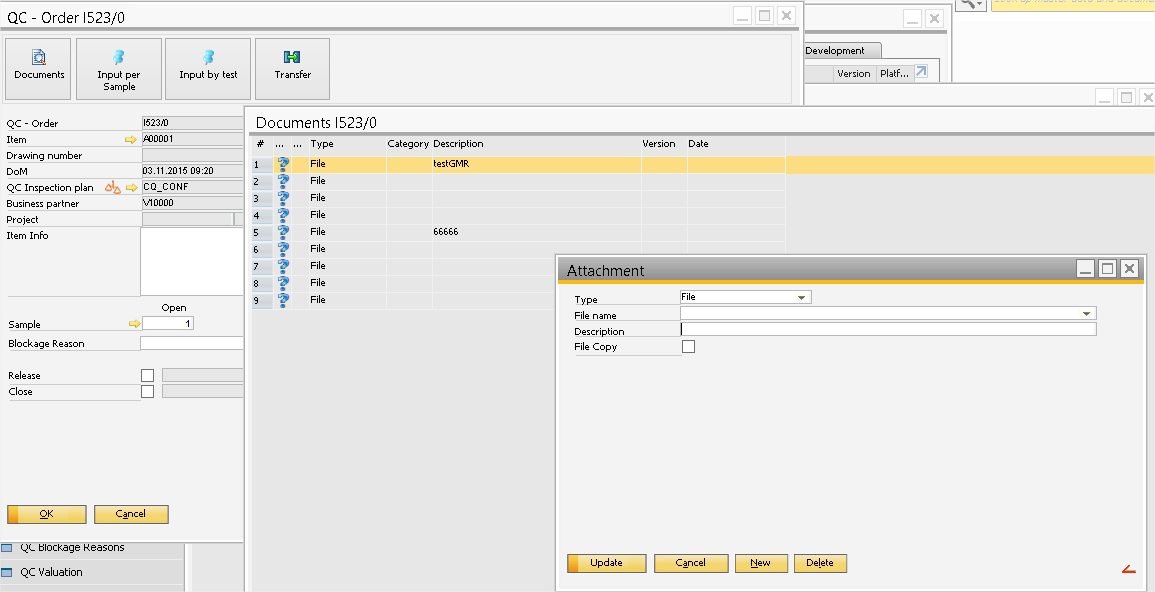
Is the re a way to customize with beas standard? For example a link with WO, customer or something else
Or you we use the script? What is the variable to use? because the floowing script does not work
windowevent update
setvar=qs_newfilename='c:\mavariable.txt'
end event
Comments
4 comments
Hi Guillaume,
You have to do via beasscript.
your idea to override "update" event is ok, only your code is wrong. You have to write value directly into datawindow variable. This example works fine for me:
windowevent update
dw_1.item.filename.value=c:\xxx.txt
end event
You can write your own beasscript with your validations and logic.
I hope it helps you cover your functionality.
Regards
Hi Jesus,
This script does not work because the variable filename is the variable of the file I select that is why I tried to use variable qs_newfilename.
I tested the script you provided but beas tries to save a file into c:\ that does not exist.
hello Jesus,
Any chance to get help on this topic?
BR,
Hi Guillaume,
After our conversation now I understand what you want to do.
You want to create a new file and name of new file must have some rules.
You can apply follwing script:
windowevent update
if <sysneu> = J then
[shell]
copy "<dw_1.item.filename.value>" "<dw_1.item.filename.value>_modif"
del "<dw_1.item.filename.value>"
[/shell]
//We set the file into texbox
dw_1.item.filename.value=<dw_1.item.filename.value>_modif
end if
end event
This script is checking if we are creating new entry <sysneu> and then we use the shell functionality to create a copy of selected file and after this you delete original one
Finally you set into textbox field name.
The logic for file name it is something that you have to set.
I hope it helps you
Please sign in to leave a comment.