Is it possible to display a video in beas with the Ole Object

Hi,
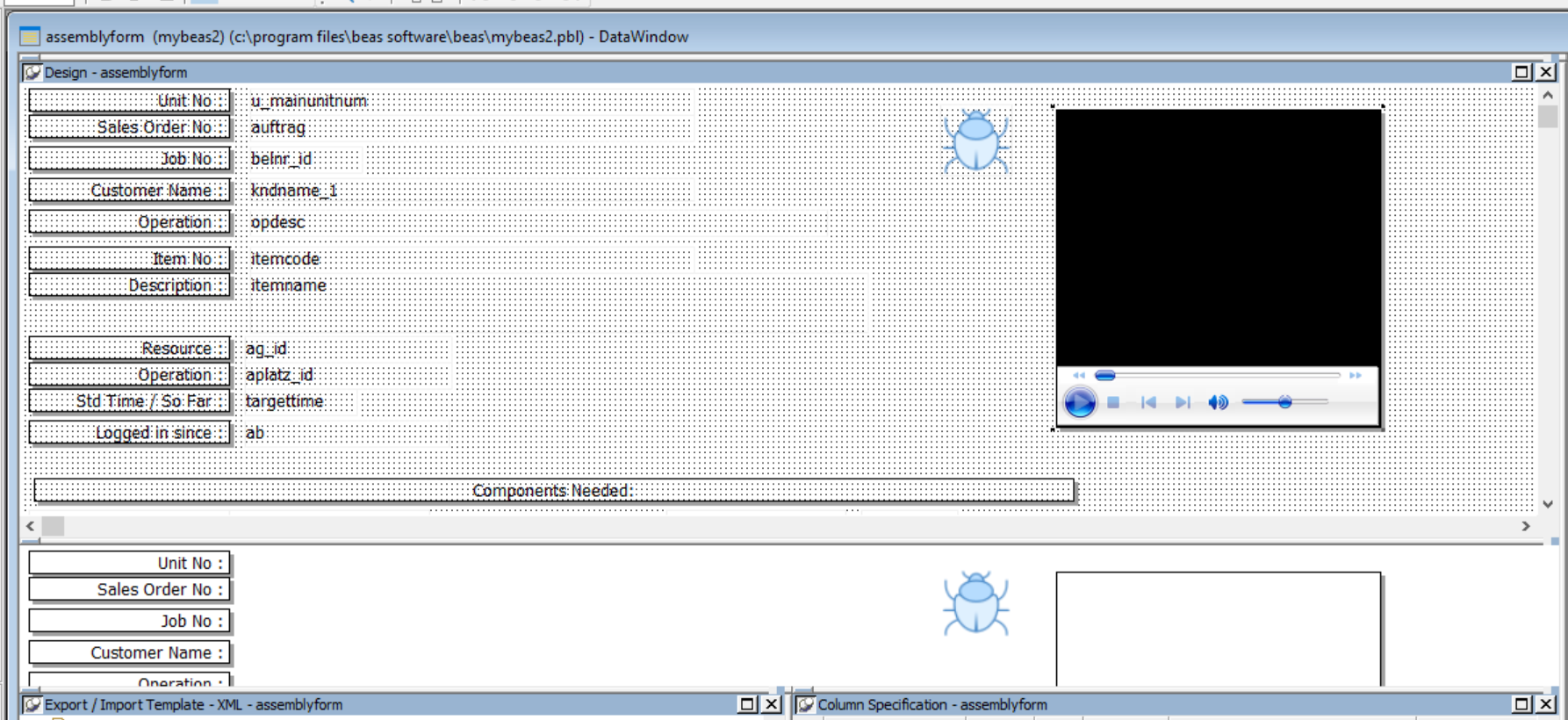
I've designed a screen in powerbuilder and would like to use an OLEObject to display an embedded video for the user. It works fine in preview in the IDE (screenshot attached) but in beas a border appears with no filename. Is it possible to display a video, and to change the filename at runtime with this control? Is there another way to do it?
Comentarios
5 comentarios
Hi Phil,
the beas framework don't support ole objects integrated in datawindow (or i didn't tried it before)
It is possible to create an ole object with beas script and display it with overlapping.
Ole Object is a very old technology. Better idea is to use the WEB object and display the Video with over this object. Beas use a chromium object.
in open event you can initialize this, in resize event you can define the position, with setsource you can implement the HTML source
http://help.beascloud.com/script/index.html?ie_internernet-connection.htm
Hi Martin, Thanks for the reply. I can't get it to work. WIth the code below, the browser displays but the video in the browser doesn't load or doesn't run. If I do exactly the same outside of beas it runs the video just fine.
declare=ie=ue_ie
ie.x=2500
ie.y=600
ie.width=1000
ie.height=1000
ie.navigate=C:\Users\Administrator\Documents\beas-Device Options.mp4
Is there a limitation on what size of video, or what files it will load ?
Hi Phil Sparkes, nice request :-)
i will check.
Ok cool, thanks. I also tried loading up a html page with the html5 video tag - it doesn't run the video either.
declare=ie=ue_ie
ie.x=2500
ie.y=600
ie.width=1000
ie.height=1000
ie.navigate=\\Win-a1c9fqifcln\b1_shr\beas software\Project\project\vision33\loadvideo.htm
<video width="320" height="240" controls>
<source src="C:\Users\Administrator\Documents\beas-Device Options.mp4" type="video/mp4">
</video>
Hi Phil Sparkes
we checked this
destroy=ie
declare=ie=ue_ie
ie.x=200
ie.y=600
ie.width=2000
ie.height=2000
ie.visible=true
ie.navigate=about:blank
post=ie.setsource=<html><body><h1>My new Video</h1><video width='320' height='240' controls> <source src='https://www.w3schools.com/html/mov_bbb.mp4' type='video/mp4'>NOT SUPPORTED </video></body></html>
the system display the player correct, but don't start the video. We will analyse this next time
YouTube videos working fine.
regards
Martin
Iniciar sesión para dejar un comentario.