Want to use the Set command in a Macro to update the Freight Net amount Respondida

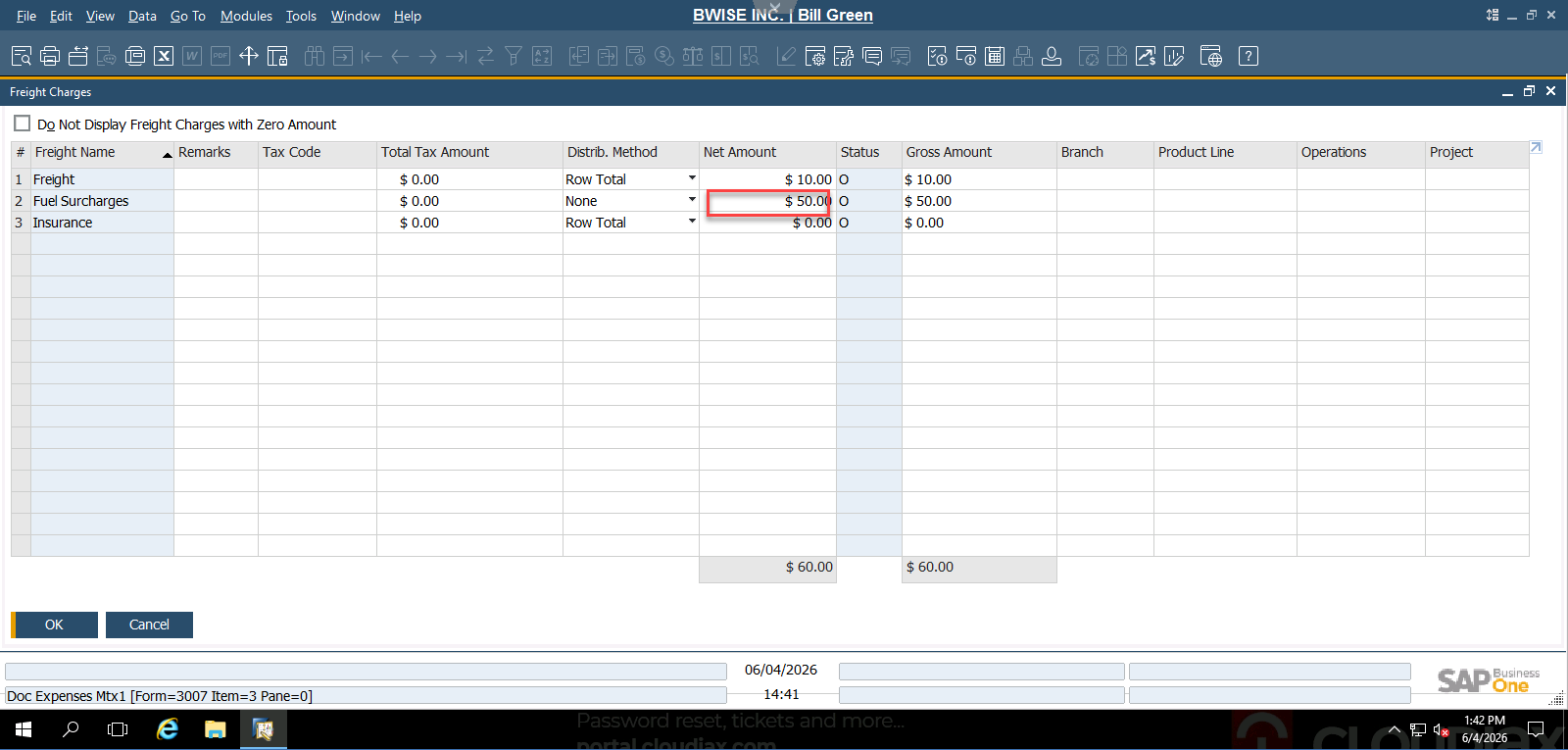
Want to use the Set command in a Macro to update the Freight Net amount. But I am getting this error:
[Macro Command: Set($[$3.3.NUMBER.2]|10)]
Error selecting 10 (Value) from combobox 3: Valid Value - Value does not Exist [66000-62]
Comentarios
9 comentarios
(Please note that as we are user-driven we can't guarantee that your request will be met unless it gets many votes and/or fit the product vision)
Read more about the Feature Request process here
[Internal Id: 162558]
Hi Bill,
Can you please share a screenshot of the validation that runs your Universal Function? Is the validation run from a prior screen the UF opens the Freight Charges screen?
Also can you please share the full UF Macro code that you're running?
Thanks,
Dave Gutman
Hello Bill,
I expect you need to make sure the focus is on the correct screen. Can you share the full macro? It should first open the freight screen, then usually an extra Activate() command, and then the Set
Thank you for that input, Joris.
Hi Bill,
Just checked. I think it should work if you add
Click($[$91.0.0]);
Activate();
before your set
Thank you so much for your assistance, Joris!
Hello Joris,
That worked perfectly. Once again, thank you for your assistance.
Bill Green
Iniciar sesión para dejar un comentario.