Increase windows and result of Master Data Manager (B1UP) Respondida

Hi all,
we would like to suggest an enhancement to the Master Data Manager regarding usability and window handling.
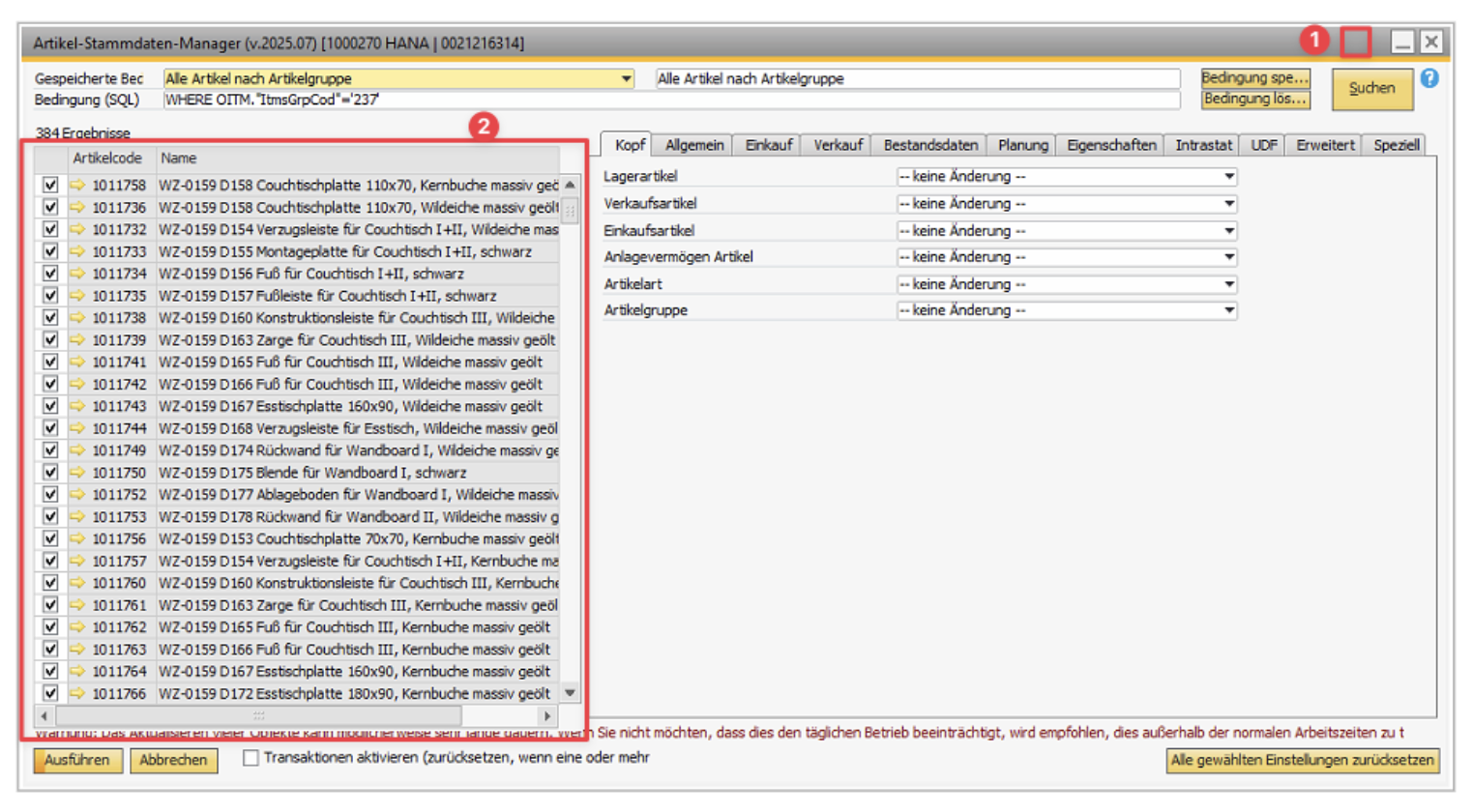
Currently, the size of the Master Data Manager window is quite limited and cannot be expanded sufficiently. In particular, there is no option to maximize the window to full screen. This significantly impacts usability when working with records that have longer descriptions.
Due to the restricted window size:
- Only a limited portion of the results list is visible.
- Longer item descriptions are truncated, making it difficult to identify the correct records.
- Users need to scroll excessively or open multiple entries, which slows down the workflow.
Requested improvement:
- Enable full resizing of the Master Data Manager window.
- Provide a maximize (full screen) option.
- Optionally allow dynamic column width adjustment or text wrapping for better readability of long descriptions.
This enhancement would significantly improve efficiency, especially when working with large datasets or detailed item descriptions.
Comentarios
2 comentarios
(Please note that as we are user-driven we can't guarantee that your request will be met unless it gets many votes and/or fit the product vision)
Read more about the Feature Request process here
[Internal Id: 162322]
I completely agree that the changes in this FR will significantly improve usability of the MDM screens. The Master Data Managers are a vastly under-utilized B1UP component.
Suggest an additional enhancement - Add the ability to run each of the MDMs on the B1UP Server Component if it is installed and running. This is different than the existing 'Schedule' capability which performs defined changes on a schedule run on the Server Component. This enhancement would add an 'Execute on Server' button (or similar) next to the existing Execute button. This way large 1-time changes could be offloaded from the SAP UI.
Iniciar sesión para dejar un comentario.