How to use additional fields UDF5 ... UDF15, which are in tables? Respondida

Hello Experts,
How do I add an additional UDF5 field (and more) to the artikel_arbplanpos_edit_parallel_edit format?
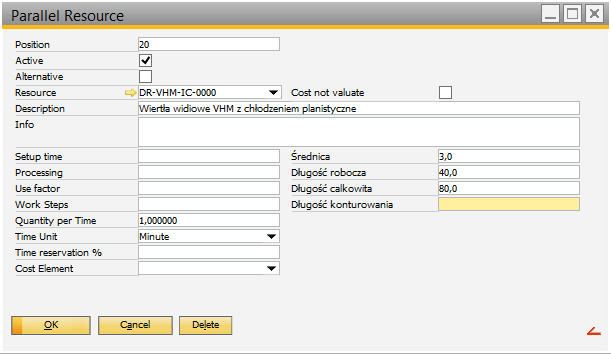
Parameters of the last field (contouring length) read in the debugger:
dw_1.item.udf4 char(100) Table:beas_apl_wkz
DataWindow = program\artikel_arbplanpos_edit_parallel_edit.psr
Table: BEAS_APL_WKZ Routing Tool
Column: udf4
Description: Userfield 4
x,y,height,length: 1975,676,48,640
In the debuger in the script part I created the following entry:
create=column=id=udf5,y_740,x=1540
create=text=y=740,x=1298,width=658,text=Mocowanie,name=udf5_t
Unfortunately, the following error appears:

Extra, why in the window settings for parallel and alternative tabs there are different fields, although the same table beas_apl_wkz come from. Unfortunately, these fields are not visible, even if you check them as visible.
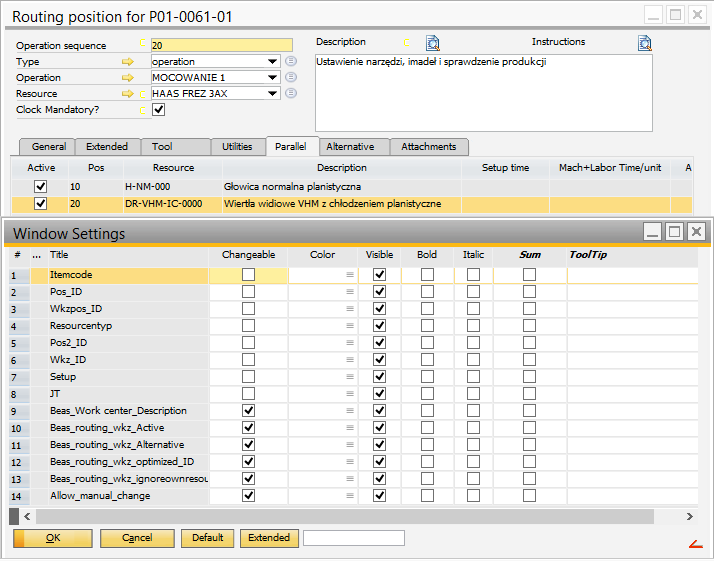
and
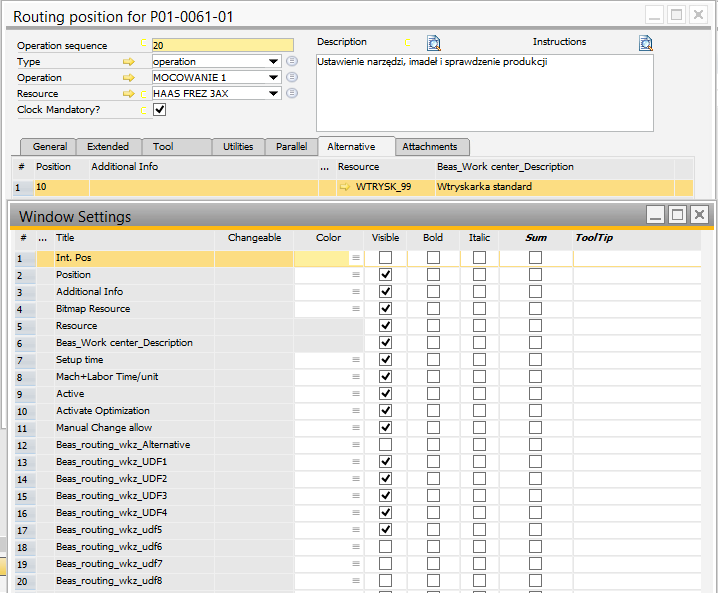
Best Regards,
Robert Semborski
Comentarios
1 comentario
Current not in every window the fields are available.
See
http://www.beascloud.com/beasweb/tfsActivityLog.php?wid=139284
Iniciar sesión para dejar un comentario.