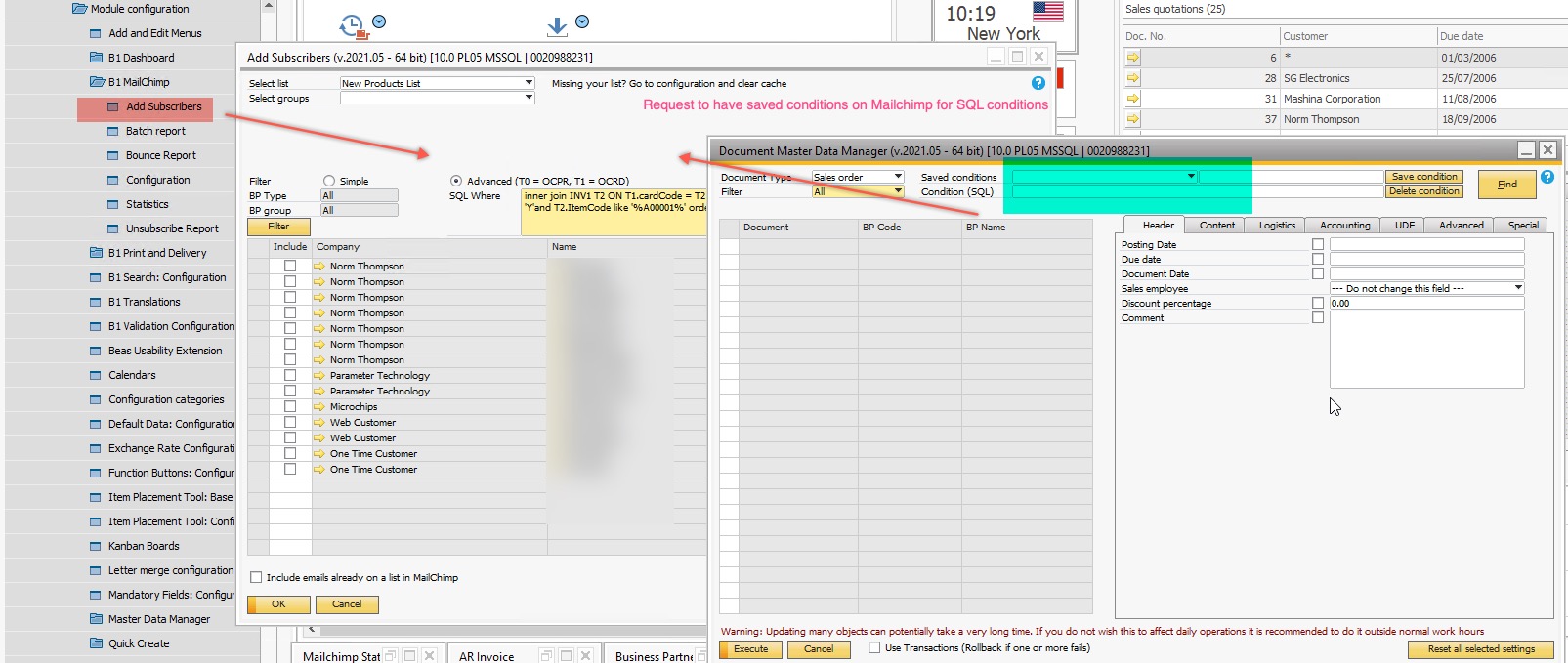
Request for MailChimp screen to have the Saved Conditions for SQL like other Boyum screens (Master Data manager etc) Respondida

On the Mailchimp integration, clients use the SQL where (Advanced) but it’s a pain storing the SQL where clauses elsewhere to always reference it back and copy/paste it when doing a list load and push to MailChimp for different queries.
Can this module get a nice little “Saved Conditions” like all the other similar types of module screens in B1UP i.e. Document Master Data manager.
Then the customers Marketing team (non technical) can have a few saved conditions that they can easily use like below, where they can easily change the item or description / other in the query syntax and bang there is the results they want to see to push to mail chimp. Nice and easy.
Comentarios
3 comentarios
(Please note that as we are user-driven we can't guarantee that your request will be met unless it gets many votes and/or fit the product vision)
Read more about the Feature Request process here
[Internal Id: 56849]
Hi Andrew
You are correct that we do not have this... It could be added (let's see how many vote for it), but until then a good alternative is to use the B1UP template system to get the same result: https://youtu.be/7cQ-PvZHFxg (Or make a function button config + Macro also works: https://youtu.be/rXHKuKBHkuY)
Vote this one up!
Iniciar sesión para dejar un comentario.