Copy System Information on BeAs screens Respondida

It is possible to copy information from the BeAs screens using the right mouse button just like B1Up.
It is possible to copy information from the BeAs screens using the right mouse button just like B1Up.
Comentarios
2 comentarios
Beas display all informations in the debug window
Example if mouse over a field, you can see the object name, type and linked database table/field name
in Debug/Item you can see more informations

for this hold Crtl key and move mouse over the field
Related to the object you see relevant informations, example the folder object name
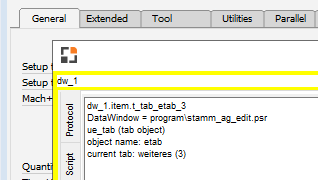
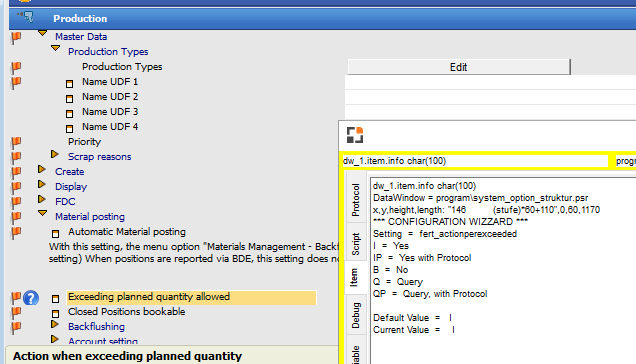
or in configuration wizzard you can see all details from this setting
In development editor on right side you have access to all field names and properties.
If mouse over a property, you can see additional informations in a popup window
with double click on it you can copy this to the current source
Martin,
Good Morning.
Yes, I know this way, but what I mean is to have the facility as we have in B1Up to copy the information with just the right button.
Regards
Eduardo Magro
Iniciar sesión para dejar un comentario.