P&D Crystal Definition in draft mode

Hi experts, I need your support, please.
I encountered a problem for that I hope you're able to suggest a solution.
I've configured BOY_85_BASECONFIG UDT to allow draft printing and, obviously, the Crystal layout RPT is made based on a query command which can execute query both from draft tables or definitive, based on the ObjectID@ variable condition.
The Layout works fine printing preview inside SAP standard and as much if I execute the preview inside Crystal report, however when I call the preview from Print & Delivery the CR-UF ONLY FROM DRAFT UI the CR preview goes on error because of an index array.
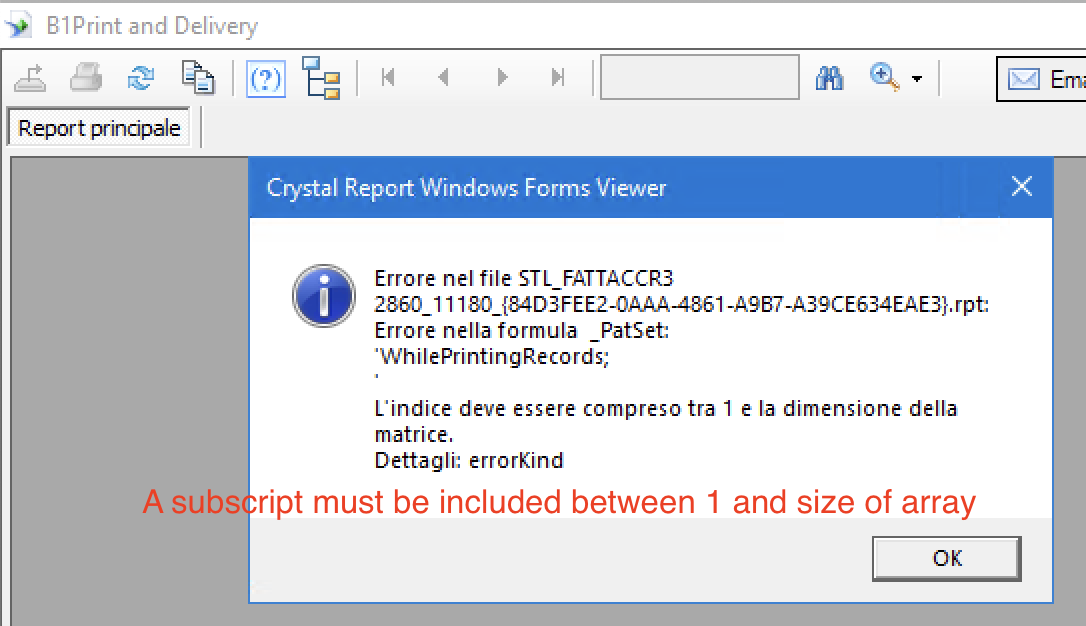
You should respond "hey guy, check your layout" but as I wrote, this layout works perfectly both inside SAP and Crystal preview.
The error is relative an array index in the formula "_PatSet" that is placed in a subreport that has no parameters (ObjectID@ and DocKey@) and no links with main report (the query is correctly executed on any condition directly on one table), and the formula is correct otherwise layout should not works fine also in SAP & CR as I wrote previously.
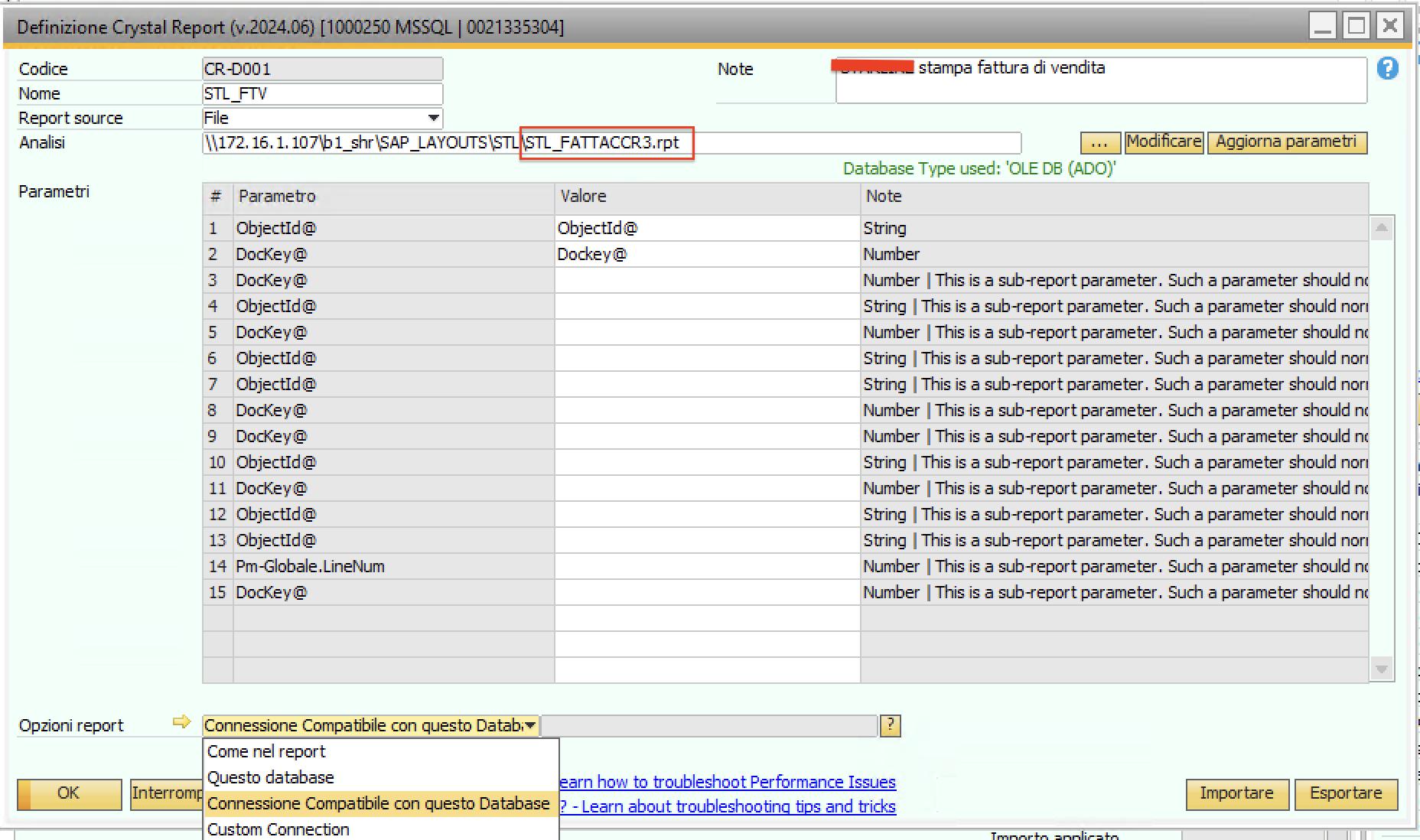
I don't understand why, I can only suppose that P. & D. use a different method to instance the report or it should call different Crystal DLL library.
Thank you in advance for your comments/support.
SAP Business One 10.0 (10.00.250) FP 2405 (64-bit) on SQL
B1 Usability 2024.06
CR 2020 Sp 4 (14.3.4.4773)
Comentarios
1 comentario
Hi guys, I've found which is the cause of my problem...
The CR-DNNN configuration for Crystal Report file doesn't assign correctly the ObjectID@ variable based on DRAFT UI contest: it's always assigned with the ObjType corresponding to the document nature (in this case 13 because Invoice) so the report doesn't find records on ODRF and the mentioned formula goes on error (in the report option, now I've checked flag "Cancel printing in the absence of records" to avoid error message).
So I solved this issue configuring P&D for the invoice with 2 record based on two different Crystal Report Definition, forcing inside the ObjectID@ value 112 for the draft one and 13 for OINV and creating also two "Conditional Action" for Preview bubble to invoke one (the same) standard "Action Show report"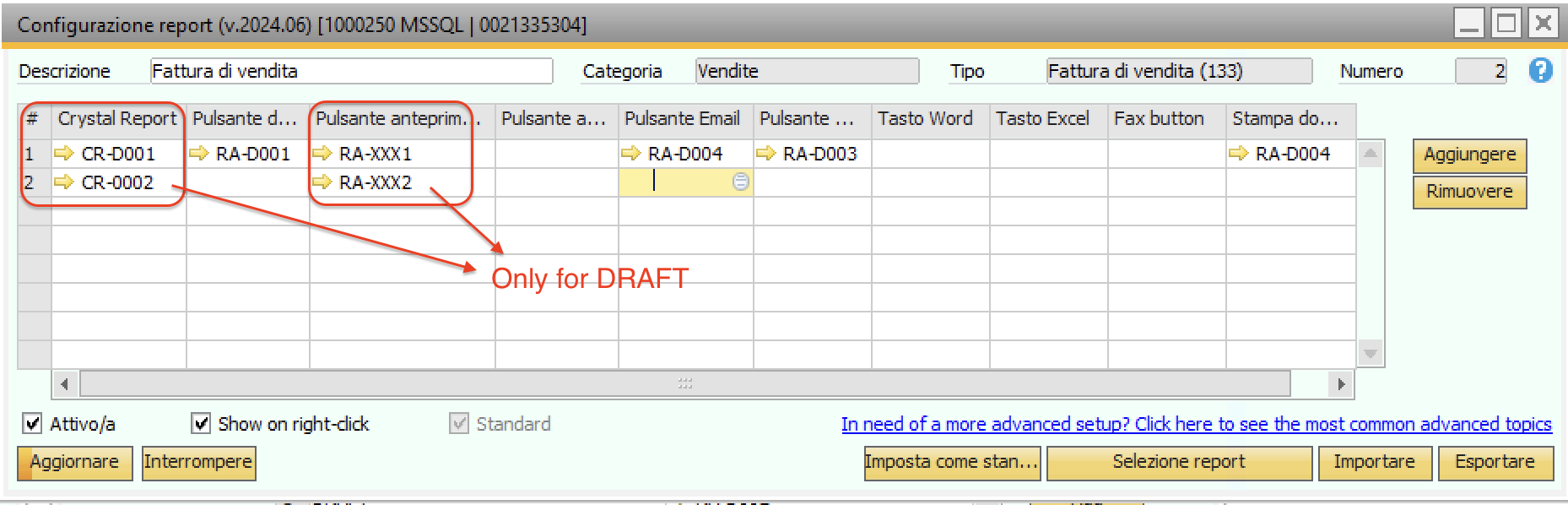
The custom Conditional Actions RA-XXX1 and RA-XXX2 makes a test of the SAP document Status based on Dynamic Syntax, FOR BROWSE the correct result.
The two RA-XXXn will be executed but only one of the two Actions will invoke the correct Crystal Definition on the P&D configuration based on the BROWSE result.
Works fine.
Thank you anyway.
Iniciar sesión para dejar un comentario.