double click a UDF to launch SQL report

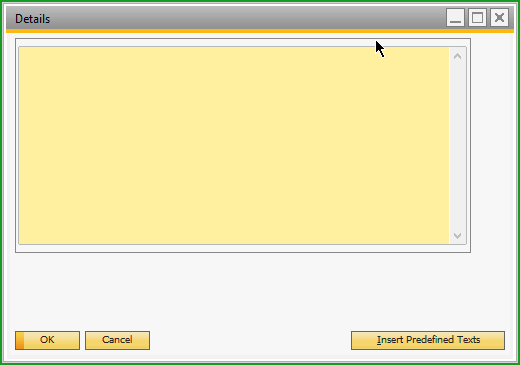
I have a UDF which is 254 chars long. so double clicking on it, SAP would popup the "Details" window. (see screenshot below, you've probably seen it).
What I want to do is, to popup a SQL report instead. Code is below.
It mostly works, but the problem is, when I click on the SQL report form, the Sales Order(where the UDF is) form comes forword, even though the SQL report form appears to be in the front.
How do I solve this issue?
int form_count = application.Forms.Count;
Form targetform = null;
for (int i = form_count - 1; i >= 0; i--) // find details window and close it
{
targetform=application.Forms.Item(i);
if (targetform.Type == 65088)
{
targetform.Close();
break;
}
};
// call the universal function for the SQL report.
UniversalFunctions.Module.ActivateUniversalFunction(SBO.AddonLogic.Addon.AddonData, eventForm, "UF-004", "Dynamic code");
UniversalFunctions.Module.ActivateUniversalFunction(SBO.AddonLogic.Addon.AddonData, eventForm, "UF-004", "Dynamic code");
Comentarios
2 comentarios
Hi Dave,
Add a second Universal Function Macro that is triggered by the double-click validation with the following code:
Block(); //Block Details Window
UF(UF-004); //Open SQL Report
Keshava
Hi Keshava,
That worked perfectly. thank you so much!
Regards,
Dave
Iniciar sesión para dejar un comentario.