SO to Production Order FILTER Delivery Date no data Respondida

hello all :
My Beas version is 9.2(4.16)PL04
SAP 9.2 PL06
Now I have problem
when I do this Features ==> Sales Order to Production Order and I filter delivery date is no work
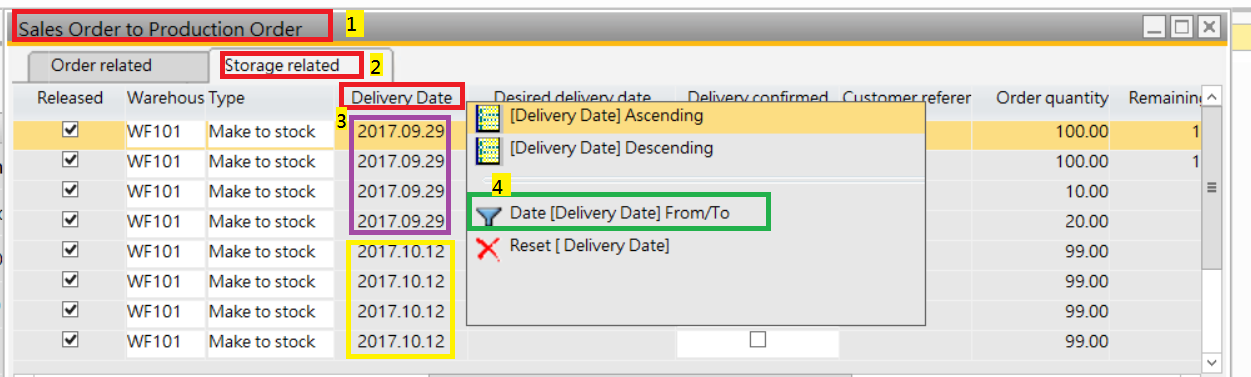 I Chose date
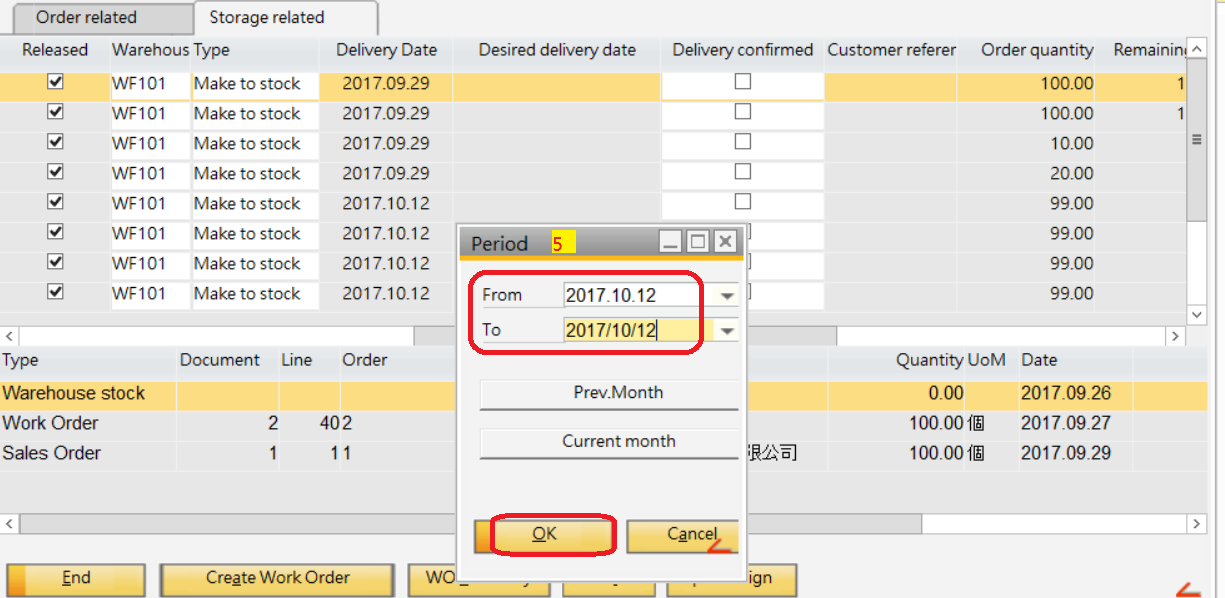
but it doesn't work
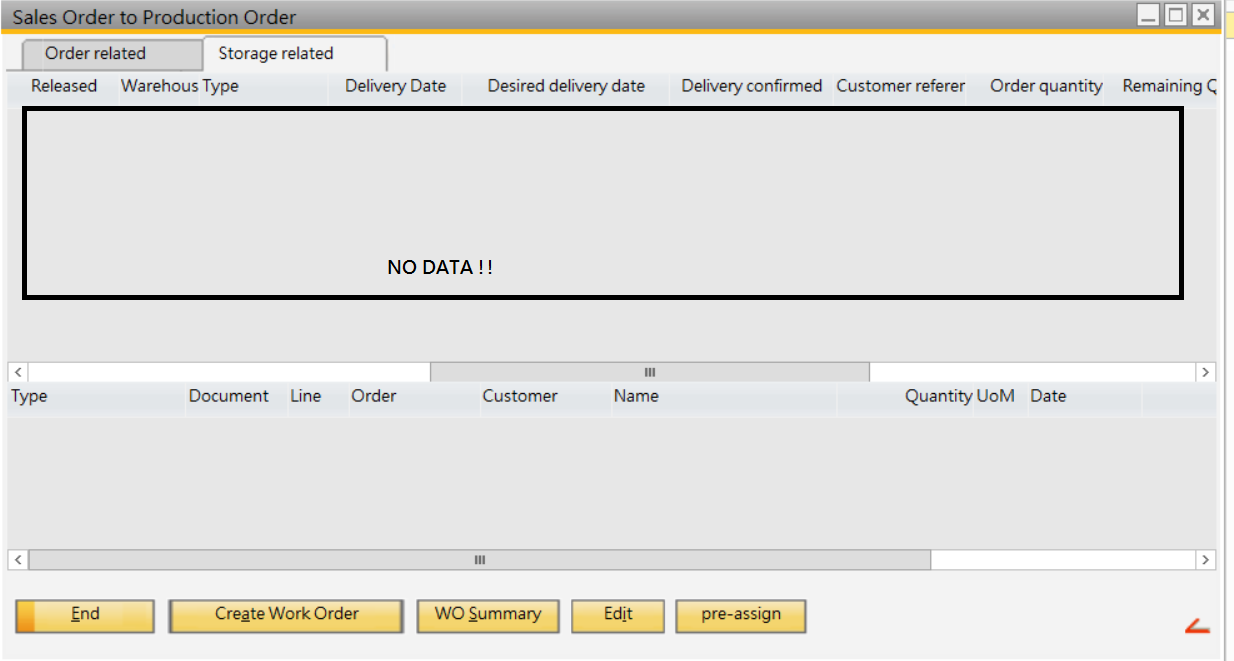
best regards
when I do this Features ==> Sales Order to Production Order and I filter delivery date is no work
I Chose datebut it doesn't work
best regards
Comentarios
4 comentarios
Hi, this is not a feature request
i think, your date format in window regional settings is a other as in the current choosed language in SAP/BEAS
You see this in the input field (column, which have the focus use window regional setting, column outside current focus use the SAP B1 Language setting)
Check the date formats in windows / SAP settings
Parallel you can choose the dropdown icon and can choose the date via calender....
Hello
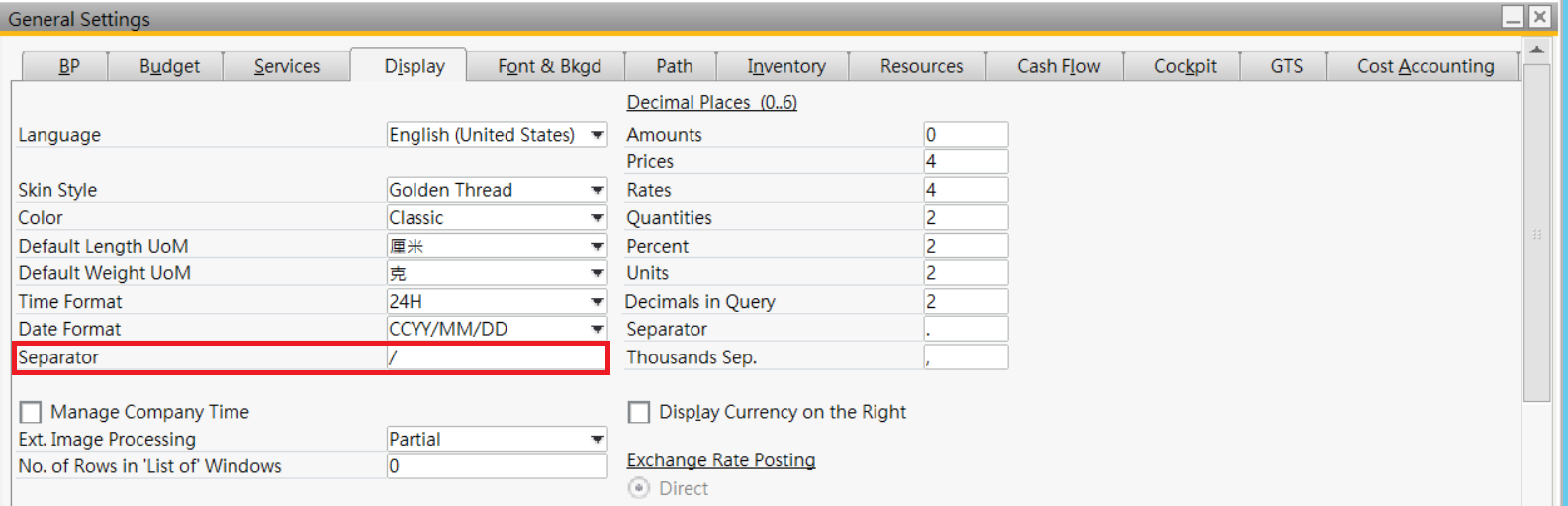
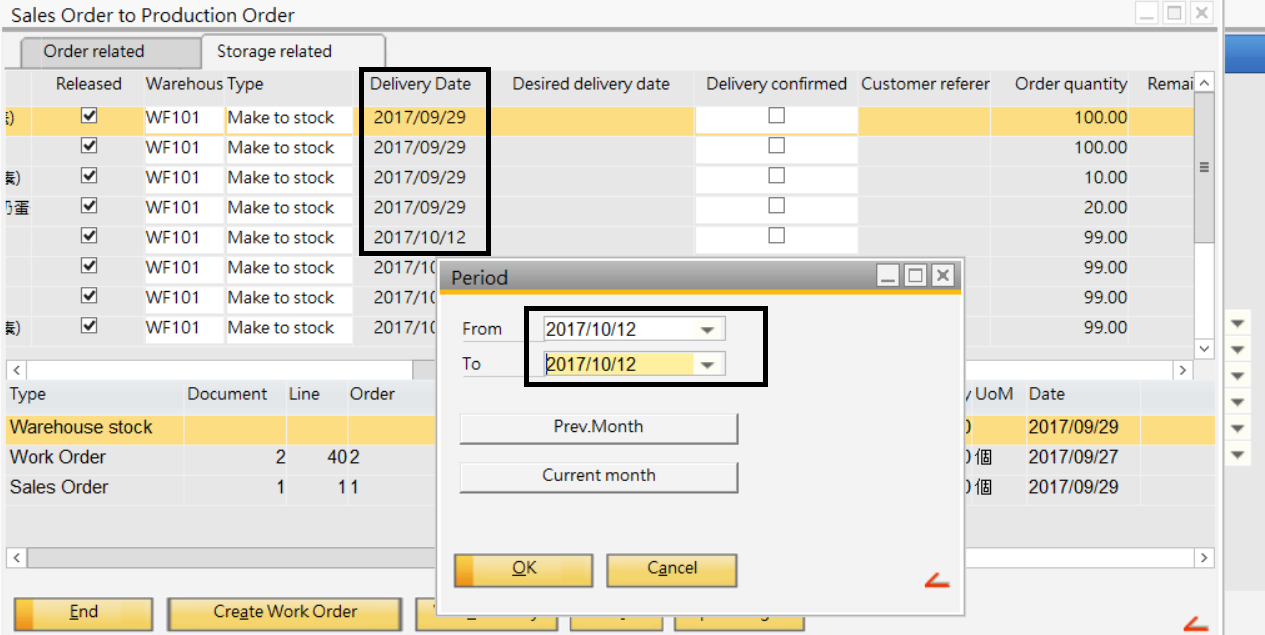 but the same ... I don't know where I setting wrong
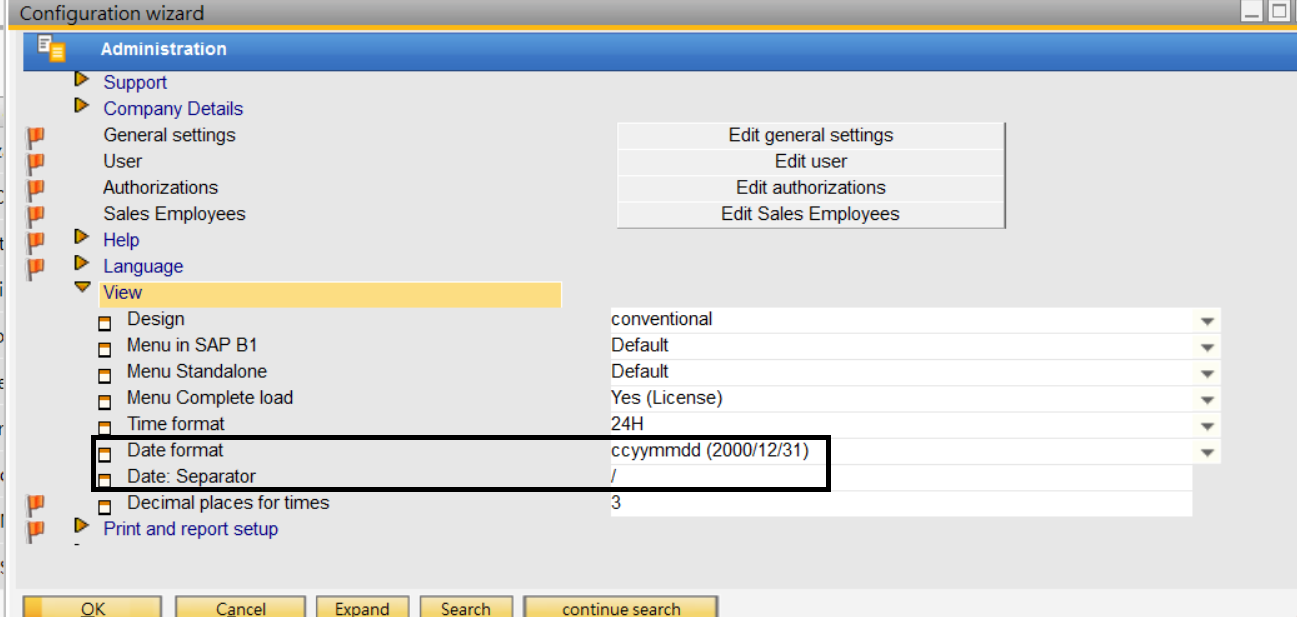
Thanks for you response and I check the date formats for SAP B1 and beas
My original setting is "." and I change it to "/"
I choose the dropdown icon and choose date from '2017/10/12' to '2017/10/12'
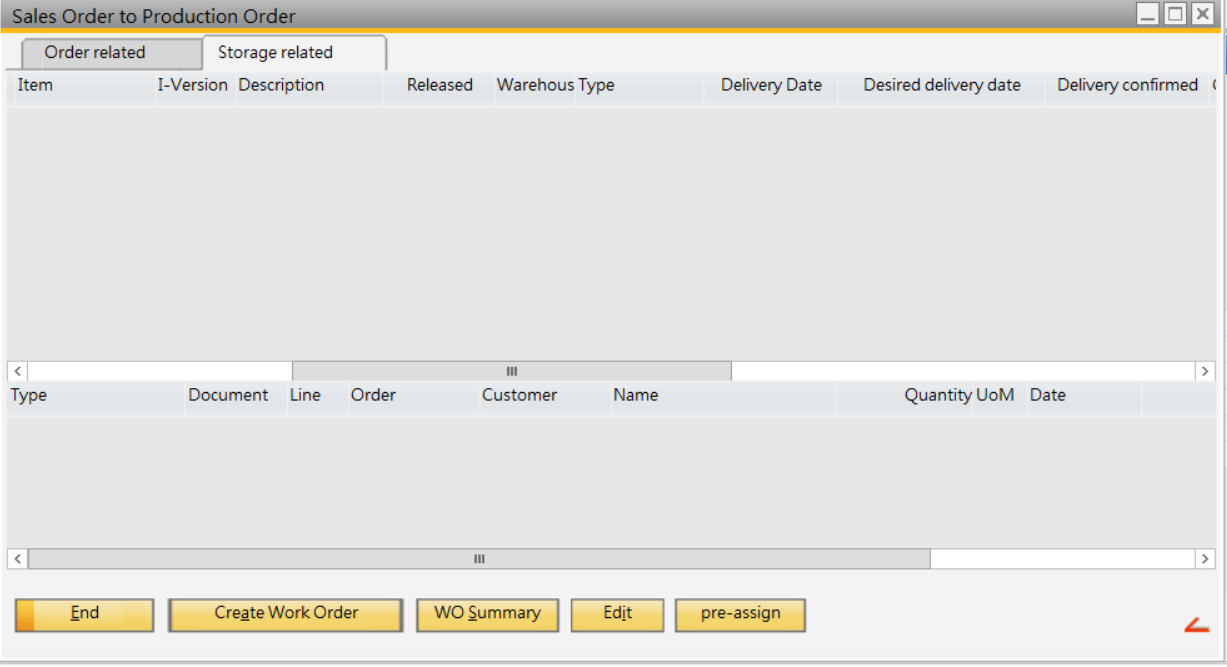
Other Filter is ok
only date has problem
I have no idea how I can do ...
Thanks for your help .
Hi,
We have tested the filter function on latest version and your current version and the filter function is working fine
Please review all your setups. If the issue occurring continues, please send the issue details with debug file to support@boyum-it.com
Thanks
Kiran
Hello
OK
I will check my setting
Thank you so much~ :)
Iniciar sesión para dejar un comentario.