Boyum Dashboard - Export to PDF Font Sizing - Scheduled Email
Answered
Hi,
Please note this request is about the scheduled email export of dashboard to PDF / image.
To explain the scenario we are using the dashboards for our weekly reporting. These should be sent to our management team by email using the scheduled export. The problem is the font size is ridiculously small and we are unable to change.
To test and ensure I wasn't do anything wrong, I created a simple dashboard with just text in it.
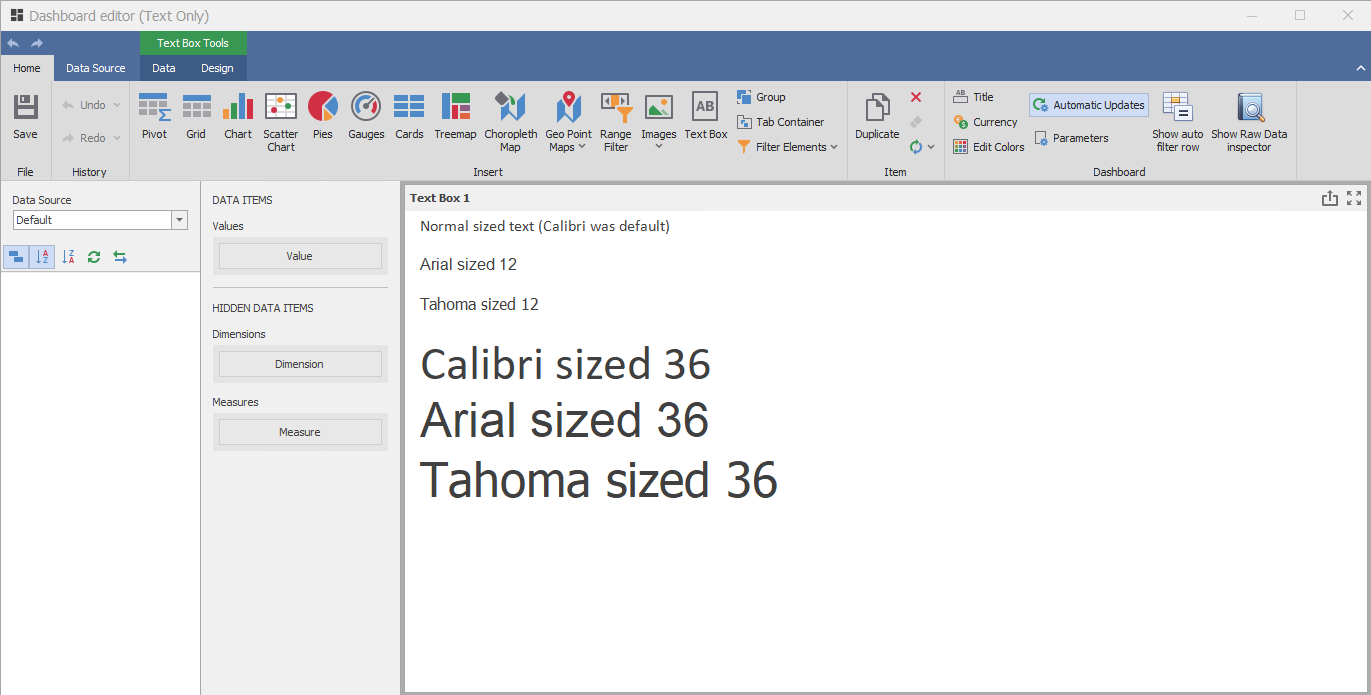
If I right click on the text box and click print preview it looks like this:
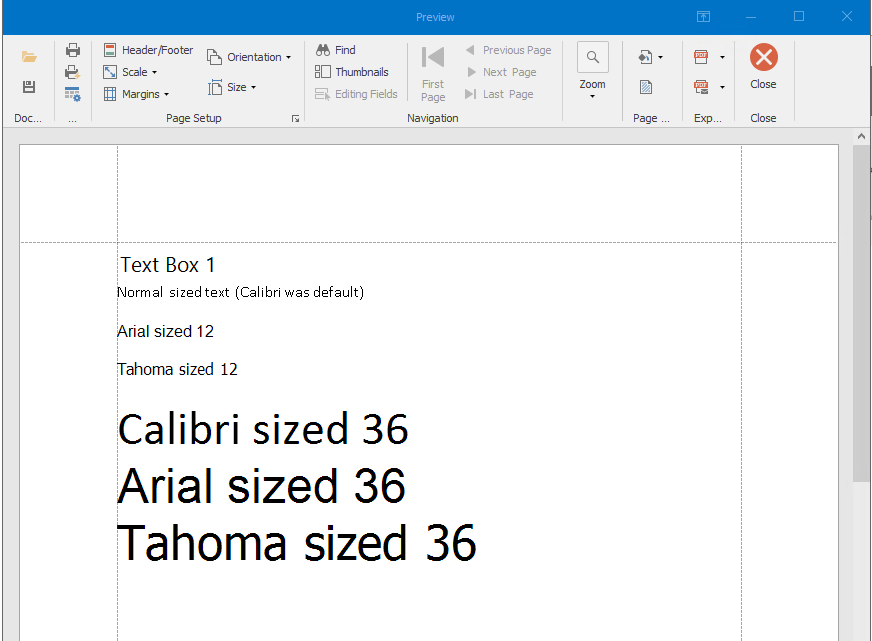
If I right click, then export dashboard and then print preview it looks like this:

So paper has gone to landscape rather than portrait but still readable and looking good.
When it goes through the scheduled export process to be sent as a PDF it comes out like this:
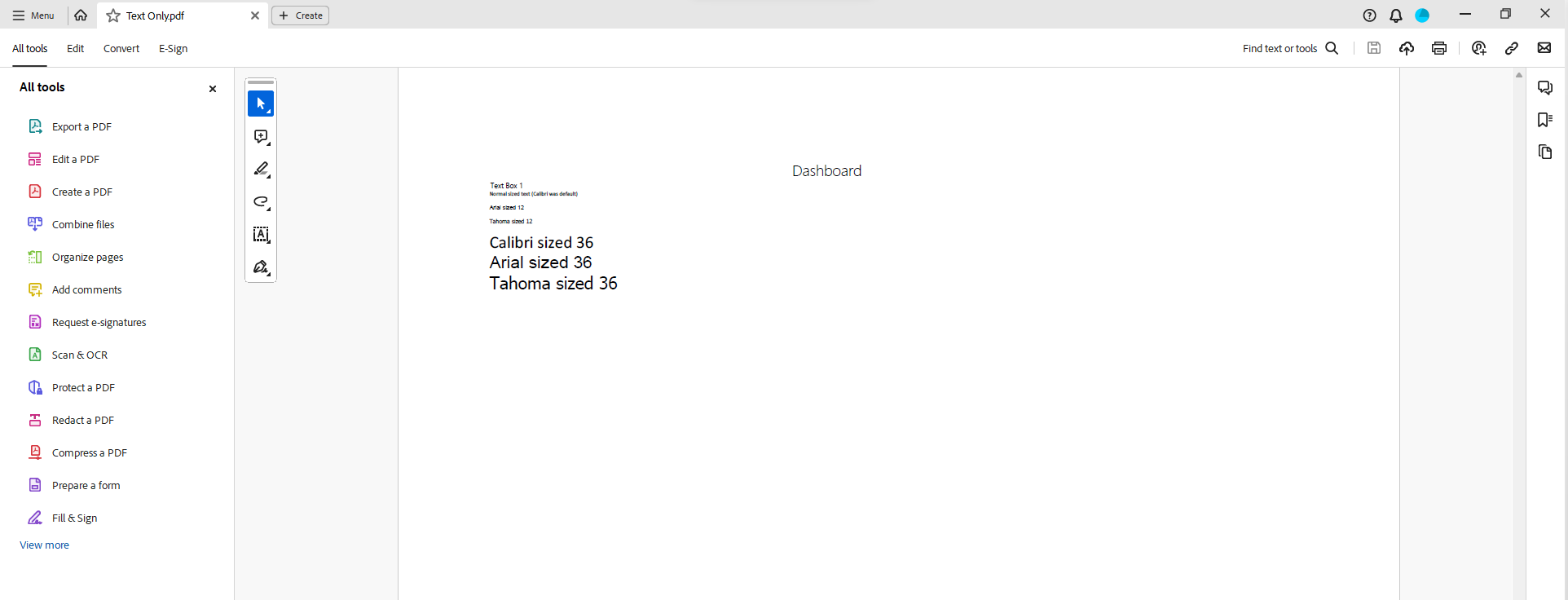
Font size 12 goes to font size 4.5 and font sized 36 goes to 13.5, so roughly a third of the original size.
Apparently this is because the dashboard is seeing itself as a lot wider than it really is and is therefore the export is scaling it to fit on one page.
I therefore see 3 possible solutions to this:
1) Allow us to somehow define the size of the dashboard. This seems partially possible by resizing the window when designing the dashboard, but this only affects the non scheduled exports.
2) Allow us to use the .prnx file from the export dashboard feature in the scheduled email export as this allows us to set paper size, orientation, zoom etc.
3) Fix the craziness in the scheduled export - I don't think that is right functionality but have been told it is.
For me, option 2 would probably be the most ideal solution allowing people to set the reports up how they want and also deal with Letter / A4 sized paper for example.
Thanks,
Ben
-

Thank you for your request. It has been scheduled for review by the development team that will get back to you should there be questions.
(Please note that as we are user-driven we can't guarantee that your request will be met unless it gets many votes and/or fit the product vision)
Read more about the Feature Request process here
[Internal Id: 100397]
Please sign in to leave a comment.
Comments
1 comment